Switched PRO2 – User Guide
Using the Web Interface • 67
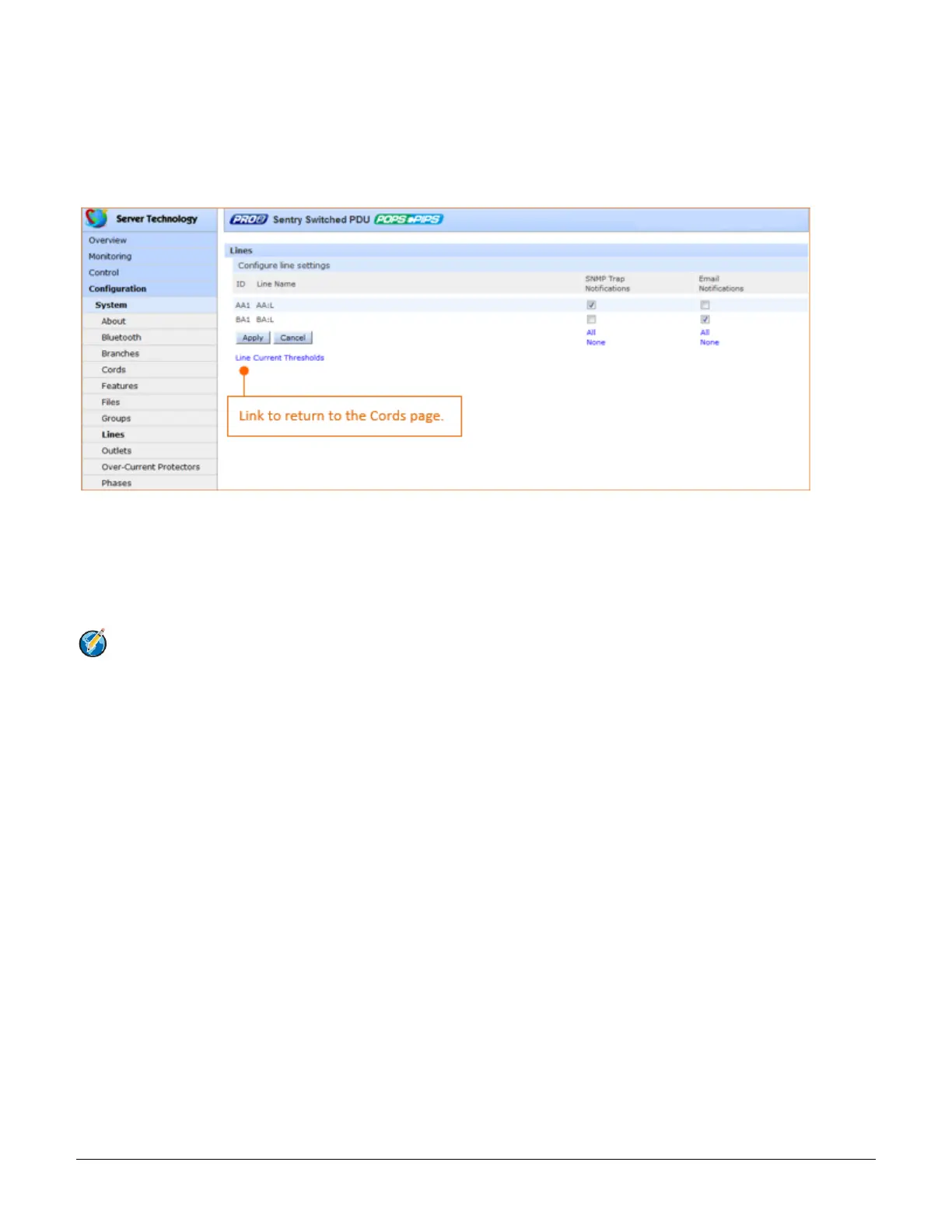
System > Lines
The Lines page configures the separate area of the PRO2 cord architecture that reports current line load, allowing
the setting of multiple line threshold levels, plus threshold hysteresis. The page also sets SNMP Trap and Email
notifications for line events.
For dynamic monitoring of line status and current, see the separate Monitoring > Lines page.
To configure line settings:
1. For each line listed, check (or uncheck) SNMP Trap Notifications and/or Email Notifications to
enable/disable notifications for line events. To enable (or disable) all lines for SNMP Trap or Email
notifications, click All (or None).
2. Click Apply.
Note: The format of PRO2 line names is a standard and fixed naming structure and cannot be edited.
Example of line names:
AA:L1, AA:L2, AA:L3, AA:N (Master unit: Lines 1, 2, 3, and Line N for neutral)
BA:L1, BA:L2, BA:L3, BA:N (Link unit: Lines 1, 2, 3, and Line N for neutral)



 To Next Page