Switched PRO2 – User Guide
Using the Web Interface • 66
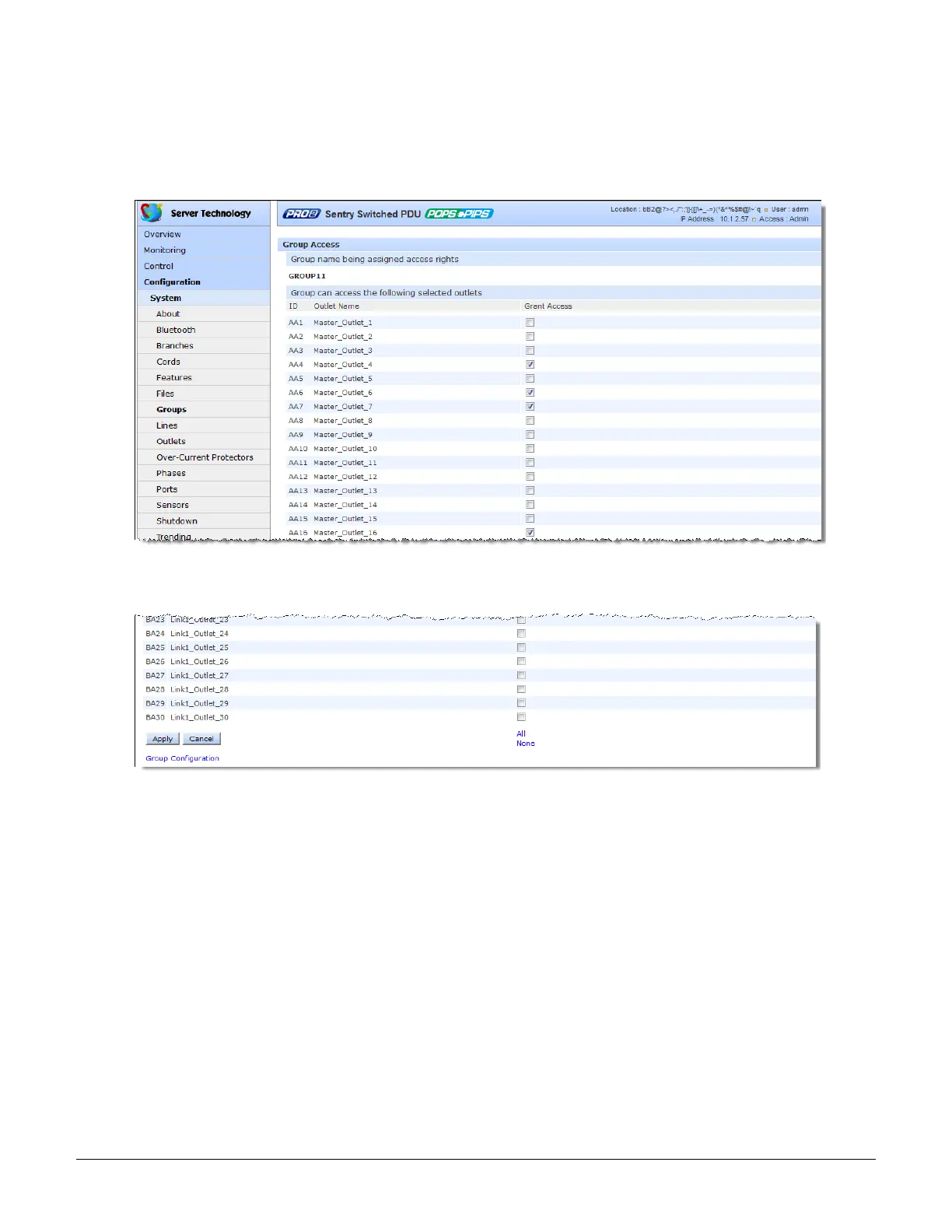
To grant individual outlet access rights to an outlet group:
1. For the group name displayed in the list, click the Access link. The Group Access page displays to allow
granting access rights to individual outlets by checking corresponding outlet checkboxes (or unchecking a
checkbox to deny rights).
2. Click Apply. Access rights are applied to the outlets for the outlet group.
To grant access rights to all outlets for an outlet group:
1. For the group name displayed in the list, click the Access link as described directly above.
2. At the bottom of the Group Access page, click the All link to grant access to all outlets listed on the page (or
click the None link to deny access to all outlets listed).
3. Click Apply.



 To Next Page