Switched PRO2 – User Guide
Using the Web Interface • 75
Configuring Phase Voltage Thresholds
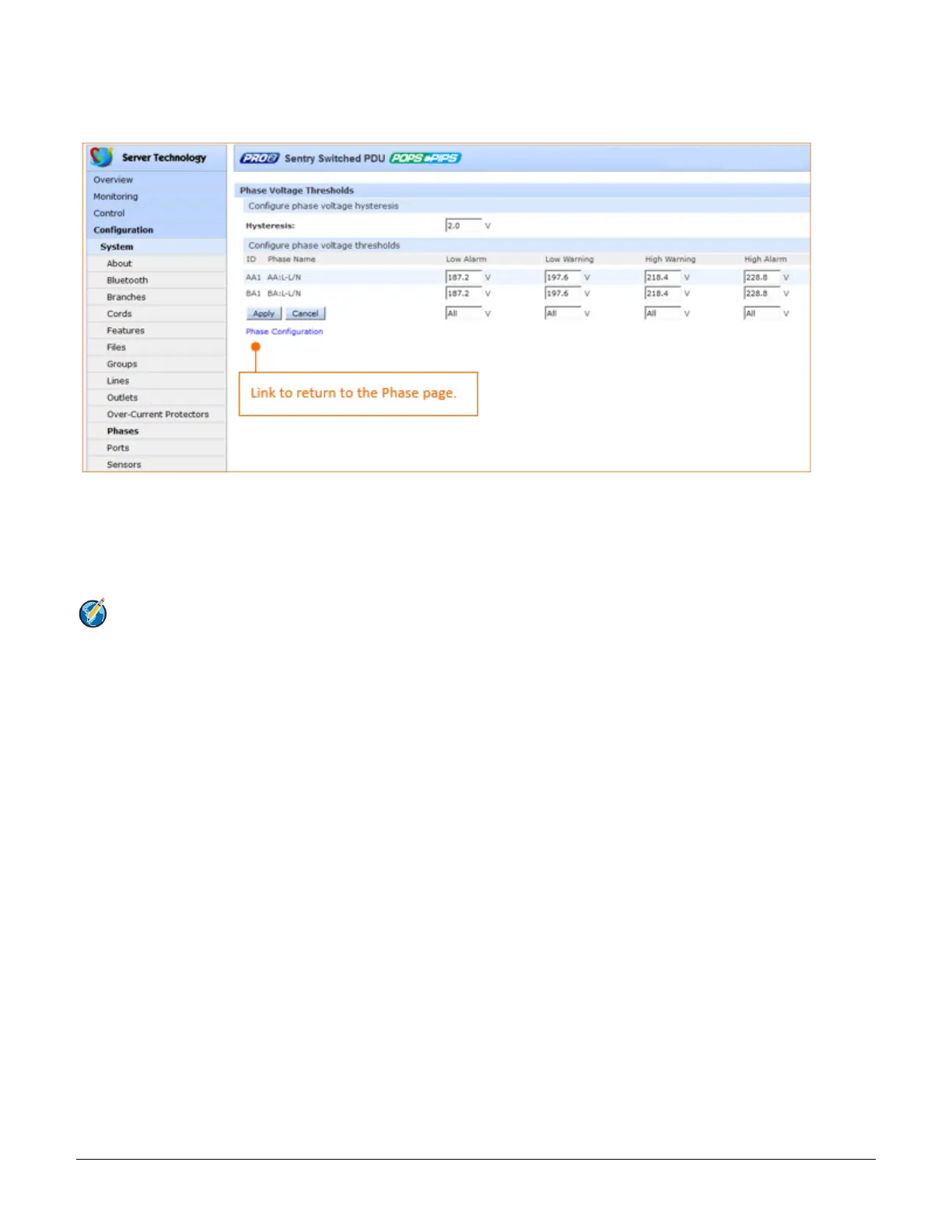
Click the phase voltage thresholds link at the bottom of the Phases page to display the configuration page:
To set phase voltage power thresholds:
1. Provide the threshold hysteresis between event state and recovery (V). Range is 0.0-20.0V; default is 2.0V.
2. Set the low/high alarm and low/high warning threshold values(V) for phase voltage.
3. Click Apply.
Note: The range of phase voltage minimum and maximum values varies by product. To verify the nominal
phase voltage by product, issue the CLI command set cord nomvolts, for example:
Switched CDU: set cord nomvolts
Cord name or ID: Master_Cord_A
Cord nominal voltage (200-240 Volts):



 To Next Page