Switched PRO2 – User Guide
Using the Web Interface • 78
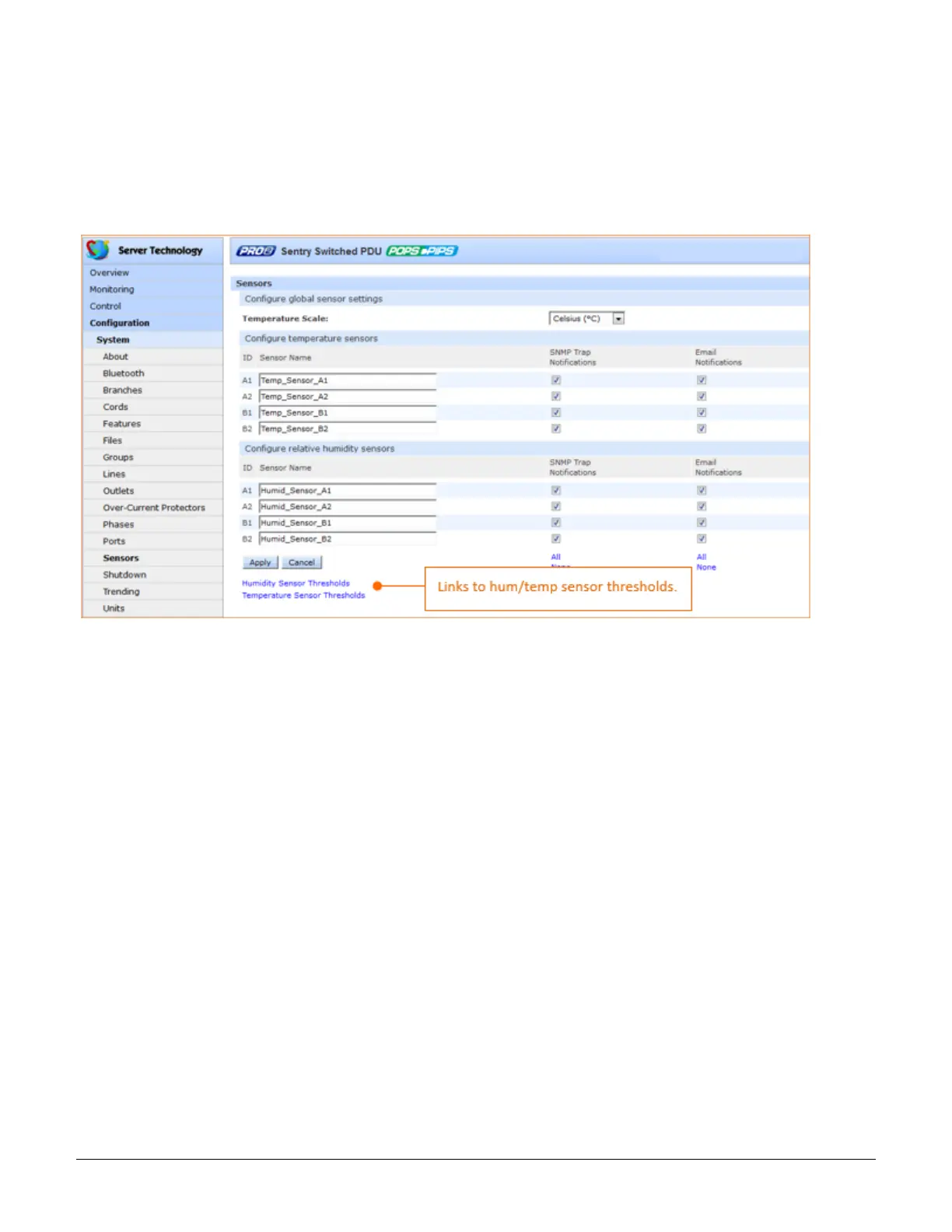
System > Sensors
The Sensors page configures multiple threshold levels for global temperature sensors and relative humidity
sensors, plus threshold hysteresis. The page also determines the system-wide temperature scale and sets SNMP
Trap and Email notifications for sensor events.
For dynamic monitoring of sensor temperature/humidity and operational status, see the separate Monitoring >
Sensors page.
To configure global sensor settings:
1. From the Temperature Scale drop-down menu, select the desired system-wide scale as Celsius (C) or
Fahrenheit (F).
2. In the Sensor Name field, provide a descriptive text name for individual temperature sensors and/or relative
humidity sensors. The ID is a system-assigned internal name and cannot be changed.
3. For each sensor listed, check (or uncheck) SNMP Trap Notifications and/or Email Notifications to enable
(or disable) notifications for sensor events.
4. Click Apply.



 To Next Page