Switched PRO2 – User Guide
Using the Web Interface • 82
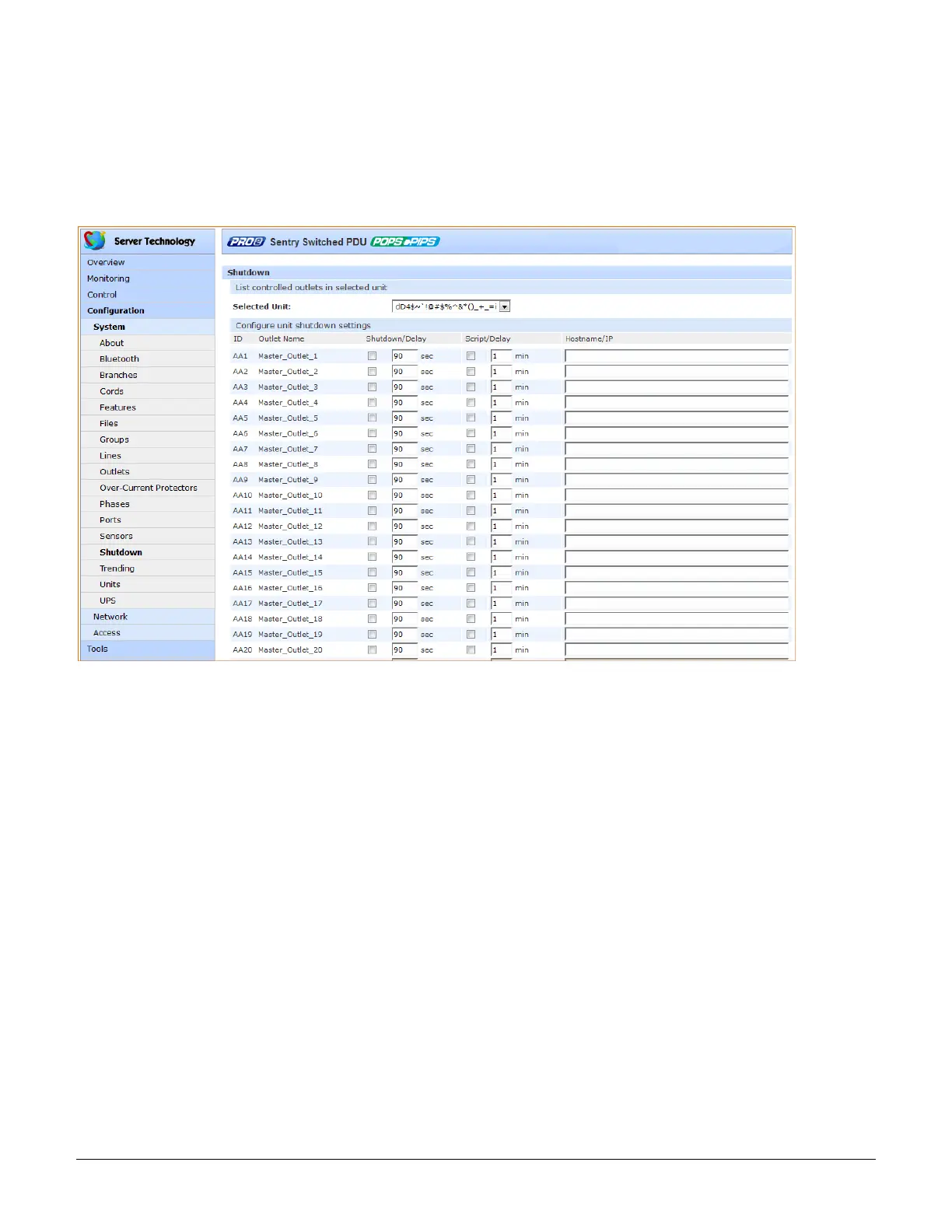
System > Shutdown
The Shutdown page configures the remote shutdown options for outlets (for Switched PRO2 products only).
The PRO2 supports the ability to initiate an orderly shutdown of a specific outlet or outlet group after performing a
user-specified shutdown operation.
The shutdown also protects open application files prior to a server being powered down. Shutdown signaling is
initiated over the existing TCP/IP network and requires the use of a remote shutdown agent.
To configure shutdown settings:
1. For an individual outlet in the list, type the desired Shutdown/Delay for the outlet (in seconds), or
accept the 90-second default, and check the corresponding checkbox. The shutdown/delay sets the
time to wait after the shutdown notification before changing outlet state; range is 1-900 seconds;
default is 90 seconds.
2. For an individual outlet in the list, type the desired Script/Delay for the outlet (in minutes) to set the time
to wait after the script has executed to change outlet state, and check the corresponding checkbox;
range is 1-15 minutes; default is 1 minute.
3. Provide the hostname/IP address for the target server.
4. Click Apply.
About the Remote Shutdown Feature
When the Remote Shutdown Agent is installed on the server and the Shutdown feature is configured on the PRO2,
the following shutdown process occurs:
1. The Off or Reboot command is received by the PRO2.
2. Shutdown signal is sent to the Remote Shutdown Agent on the target server.
3. The Remote Shutdown Agent initiates a systematic shutdown of the target server for all actions that
remove power from the outlet (such as the Off and Reboot commands), and allows the execution of
user-defined scripts to perform custom activities, like safely shutting down open databases.
4. The PRO2 removes power from the outlet.



 To Next Page