SCORPIO LIGHT SERIES 10’/17’/23’L - CONTROL DISPLAY INFORMATION - Operation menu
Version 1.04 May 26, 2022
SERVICEVISION BIS SL
Ríos Rosas, 20 · 08940 CORNELLA DE LLOBREGAT (Barcelona) Spain · Tel. 34 93 223 86 30 · Fax 34 93 223 86 31 49
comercial@servicevision.es · www.servicevision.es
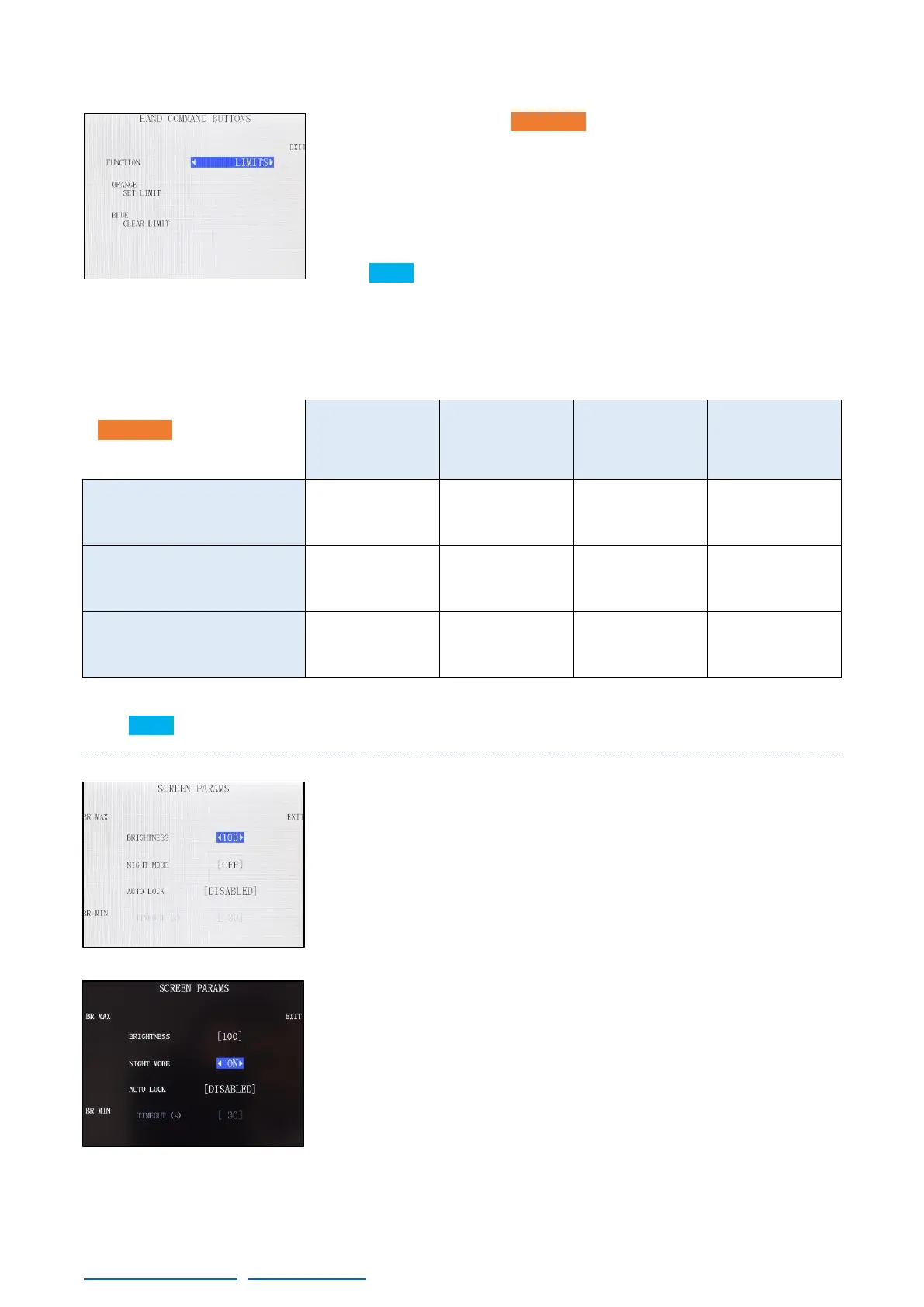
LIMITS: Configures the ORANGE button to Set a limit at the current
point when pressed. Once one limit is set, it is still not decided if is the
extended or the retracted limit. When the crane is moved from that
point, the type of limit is defined, and another limit can be set. The
LED on the E.B. (if present) or the brackets around the word “Limits”
can be seen in the main screen once they are set.
The BLUE button clears the nearest limit when pressed.
REST OF THE MODES: The rest of modes changes the function of the orange button on the main
screen accordingly to the next table:
*In all cases it is expected a short press of the button.
**FUNCTION NOT AVAILABLE IN THE SCORPIO LIGHT CRANES
The BLUE button in all cases will show the main screen when pressed.
4.2.3.8 SCREEN
Changes the brightness from the display. Also is possible to enable
the night mode (black screen with less backlight) or set an auto lock
for the screen, a function that after a timeout locks the screen to
prevent miss clicking on it. If the screen is locked, on the bottom right
corner will inform the user that the screen is locked.
To unlock the screen press in any point of the display and the system
will ask if the user wants to unlock the screen.



 To Next Page