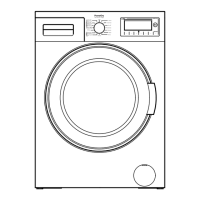
Description of the appliance
13
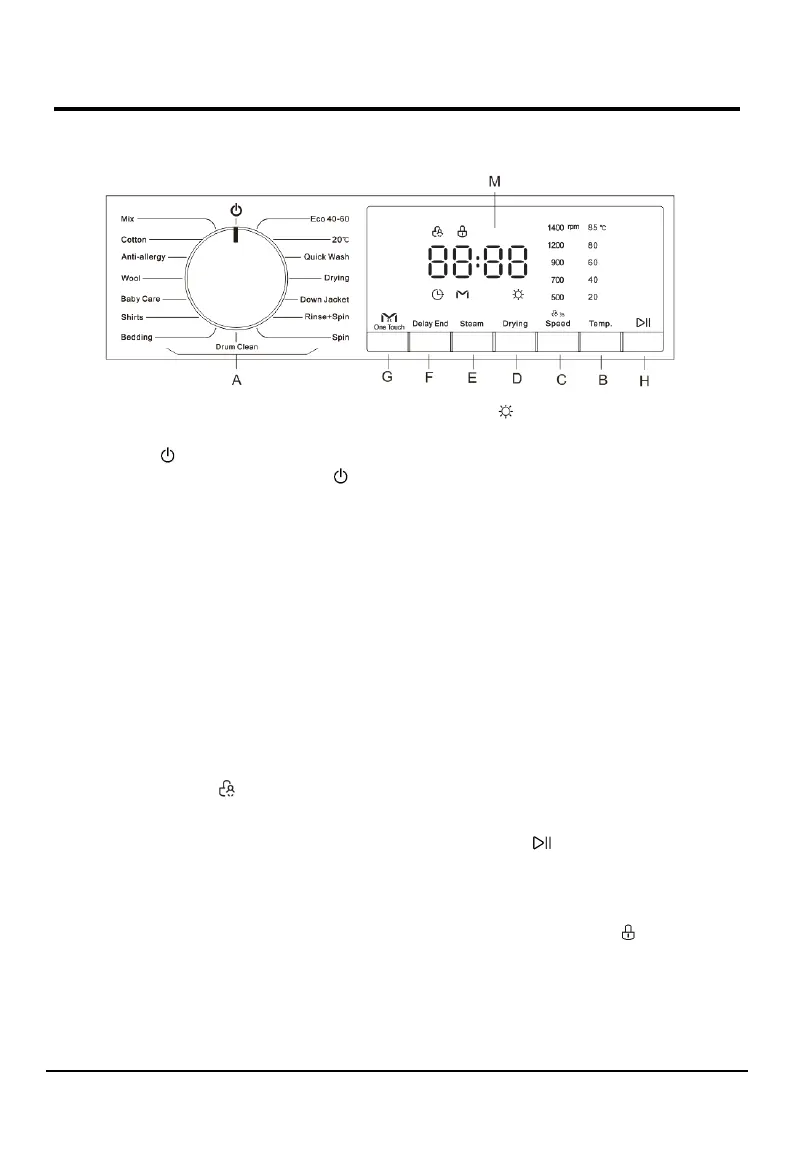
Control panel
A---WASH CYCLE SELECTOR knob: Used to set the
desired wash cycle (see “Table of wash cycles”).
OFF position : Turn the Linear mark on the
wash cycle selector knob under the symbol “ “ to
turn off the machine. If the machine is turned off
during a wash cycle, this wash cycle will be cancelled.
B---TEMP. button: Press to change the water
temperature for the current cycle. There are five
temperature values on the display. When a
temperature value is selected, the corresponding
temperature value indicator light will be lit on the
display.
C---SPEED button: Press to change the spinning
speed for the current cycle. There are five spinning
speed values on the display. When a spinning speed
value is selected, the corresponding spinning speed
value indicator light will be lit on the display.
CHILD LOCK function : When the cycle is
running, long press the SPEED button for 3
seconds to set or cancel the Child lock function.
For a detailed description, see→ Various cycles and
functions.
Cancelling the buzzer:
Press and hold the SPEED button and ONE TOUCH
button together at the same time for at least 3
seconds, you can turn off the buzzer that sounds
during the washing cycle running.
For a detailed description, see→ Various cycles and
functions.
D---DRYING button: Press to set the drying type
or drying time as needed, and the drying type or
drying time appears on digital display.
Some programs have no drying function.
Drying channel cleaning program: Long press
this button for 3 seconds, the machine will enters the
"Drying channel cleaning" program
For a detailed description, see→ Various cycles and
functions.
E---STEAM button: Press to set the STEAM wash cycle.
For a detailed description, see→ Various cycles and
functions.
F---DELAY END button: Press to set the program end
(Delay end) time.
For a detailed description, see→ Various cycles and
functions.
G---ONE TOUCH button: Press to set the ONE TOUCH
wash cycle.
For a detailed description, see→ Various cycles and
functions.
H---START/PAUSE button: Long press the button
to start or pause a wash cycle.
Add clothes during the program is running:
Once the cycle has begun, if you want to pause the
wash cycle, please long press the button again. If the
DOOR LOCK indicator light is off, the door may
be opened, you can add or take out laundry.
To start the wash cycle from the point at which it was
interrupted, press the button again.
For a detailed description, see→ Various cycles and
functions.


 To Next Page