11
2.02.0
2.02.0
2.0
Measuring operationMeasuring operation
Measuring operationMeasuring operation
Measuring operation
☞
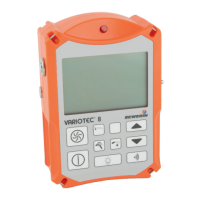
Please fold out the illustration inside thePlease fold out the illustration inside the
Please fold out the illustration inside thePlease fold out the illustration inside the
Please fold out the illustration inside the
front cover !front cover !
front cover !front cover !
front cover !
ItemItem
ItemItem
Item
DescriptionDescription
DescriptionDescription
Description
FunctionFunction
FunctionFunction
Function
1 alarm lamp optical warning
when alarm thresholds are
exceeded
2 LCD display display of gas
concentrations and
operating conditions
3 probe connection connection to the probes
described
4 buttonboard operating the detector
5 harness for portable systems
6 outlet for gas sample
7 buzzer acoustic warning
when alarm thresholds are
exceeded
2.12.1
2.12.1
2.1
Switching onSwitching on
Switching onSwitching on
Switching on
• press the
on/off buttonon/off button
on/off buttonon/off button
on/off button (gas-
detection mode) or
WPM button WPM button
WPM button WPM button
WPM button
(workplace-monitoring mode, p.
16 ff.) for approx. 2 seconds
• optical and acoustic control signal
(items 1 and 7) operate for approx.
2 seconds



 To Next Page