15
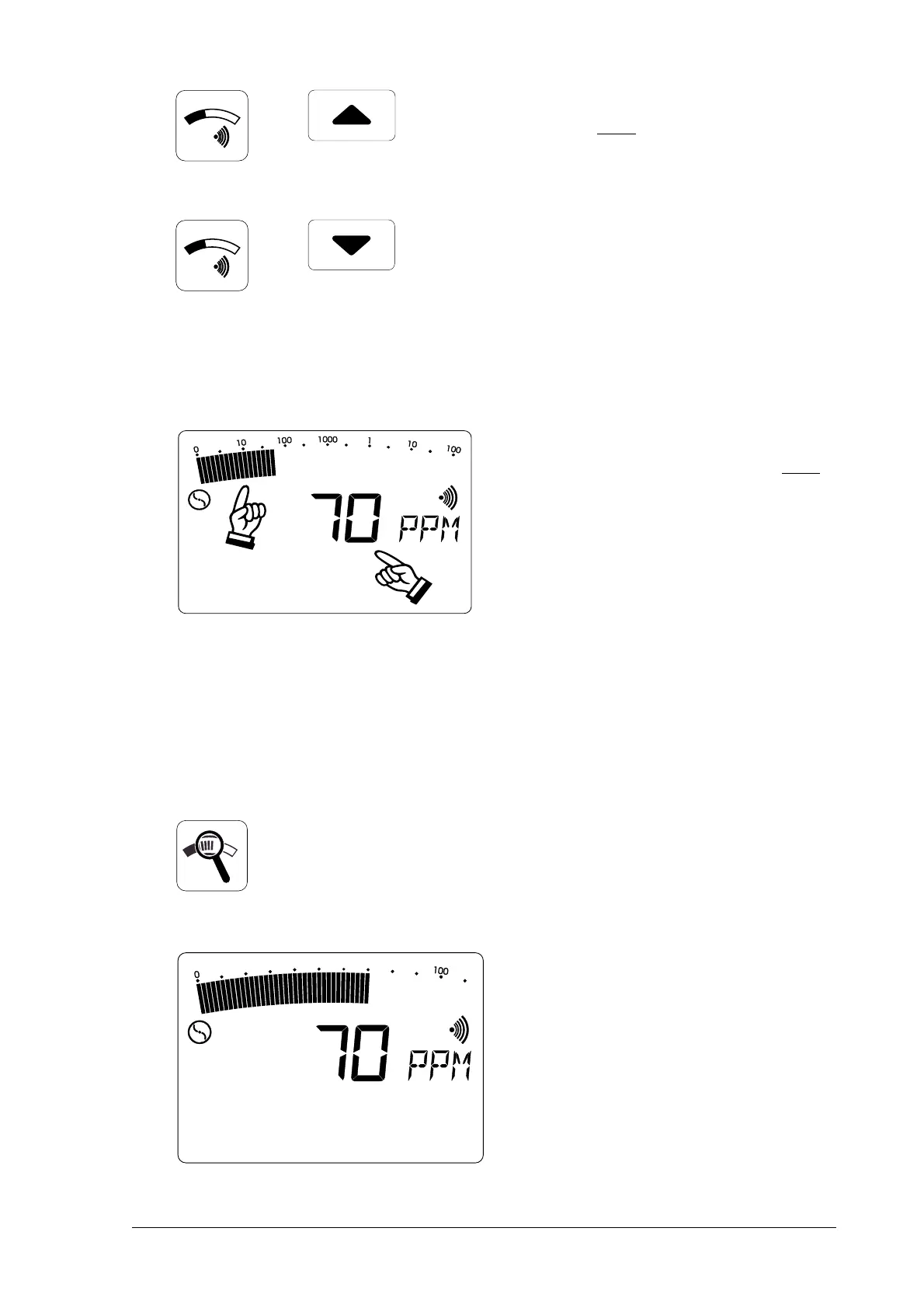
• holding down the threshold value
button
andand
andand
and repeatedly pressing
one cursor button increases or
reduces the alarm threshold value
• this value is preserved even when
the detector is switched off
2.62.6
2.62.6
2.6
Switching measuring rangesSwitching measuring ranges
Switching measuring rangesSwitching measuring ranges
Switching measuring ranges
• all detectors have an
analogueanalogue
analogueanalogue
analogue
displaydisplay
displaydisplay
display (above, full range)
andand
andand
and a
digital displaydigital display
digital displaydigital display
digital display (below);
both scales indicate the same
concentration (e.g. 70 PPM)
• the
full rangefull range
full rangefull range
full range is a logarithmic
scale covering the range:
0 PPM ... 100 %VOL
• here the display of low
concentrations is intensified;
the measurement result can be
read off from the digital display
• repeatedly pressing the
zoomzoom
zoomzoom
zoom
buttonbutton
buttonbutton
button switches between the
fullfull
fullfull
full
and
optimum rangesoptimum ranges
optimum rangesoptimum ranges
optimum ranges
• depending on the concentration,
switching between the following
measurement ranges is
automatic:automatic:
automatic:automatic:
automatic:
0 ... 10 PPM 0 ... 1 %VOL
0 ... 100 PPM 0 ... 10 %VOL
0 ... 1,000 PPM 0 ... 100 %VOL
• the optimum measurement range
in this example is 0 ... 100 PPM



 To Next Page