12
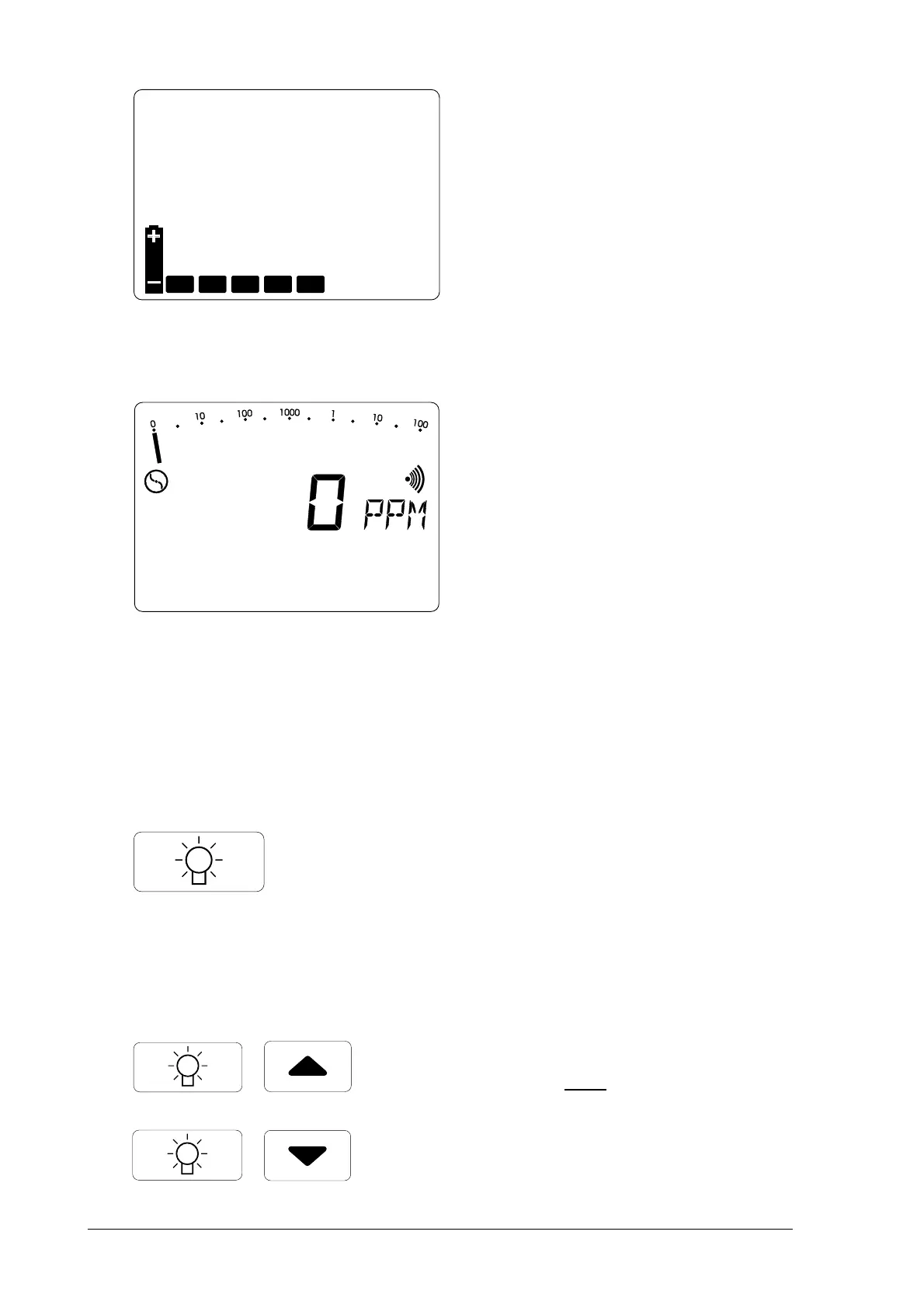
• display of available operating
hours in the form of bars (e.g. 5
hours)
• the integral pump operates at
maximum power
• wait until the zero point has
established itself in fresh air
(approx. 2-3 minutes):
EX-TEC® SR5 and VARIOTEC® 8:
☞
0 PPM0 PPM
0 PPM0 PPM
0 PPM
(after flashing stops)
EX-TEC® SR4 and EX-TEC® SR2:
☞
0,0 %VOL0,0 %VOL
0,0 %VOL0,0 %VOL
0,0 %VOL
2.22.2
2.22.2
2.2
Illumination and contrastIllumination and contrast
Illumination and contrastIllumination and contrast
Illumination and contrast
• pressing the
light buttonlight button
light buttonlight button
light button
switches the LCD illumination on
and off
• the illumination automatically
switches off approx. 4 minutes
after being switched on
• simultaneously pressing the light
button
andand
andand
and a cursor button
increases or reduces the contrast
of the LCD display



 To Next Page