- 67 -
6-7. Analog output selection
(1) On the option board, there is switch for analog output selection 4-20mA or 0-10V.
(2) "HF09 Analog output setting" should be changed also.
6-8. Print Interface
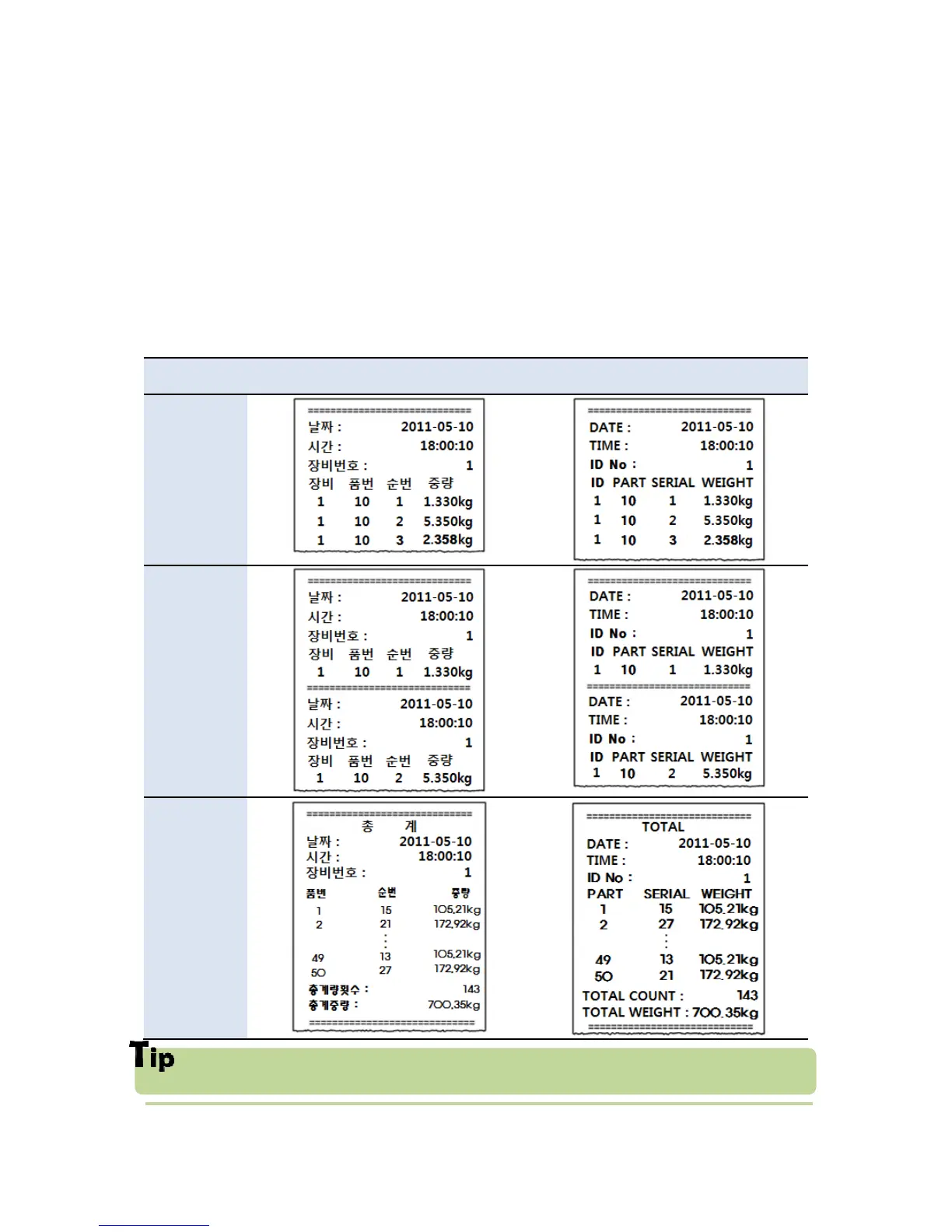
It can be connected with all kinds of Serial interface printer, but the printing format is
already programmed and fixed with SE7200/7300 model.
6-8-1. Print Format (F-function 202-02 or 212 -02)
Date and Time data is printed in Continuous Print mode such as Single Print Mode, if it
is first print out.



 To Next Page