- 24 -
5-4. F-FUNCTION Setting
5-4-1. F-FUNCTION Setting
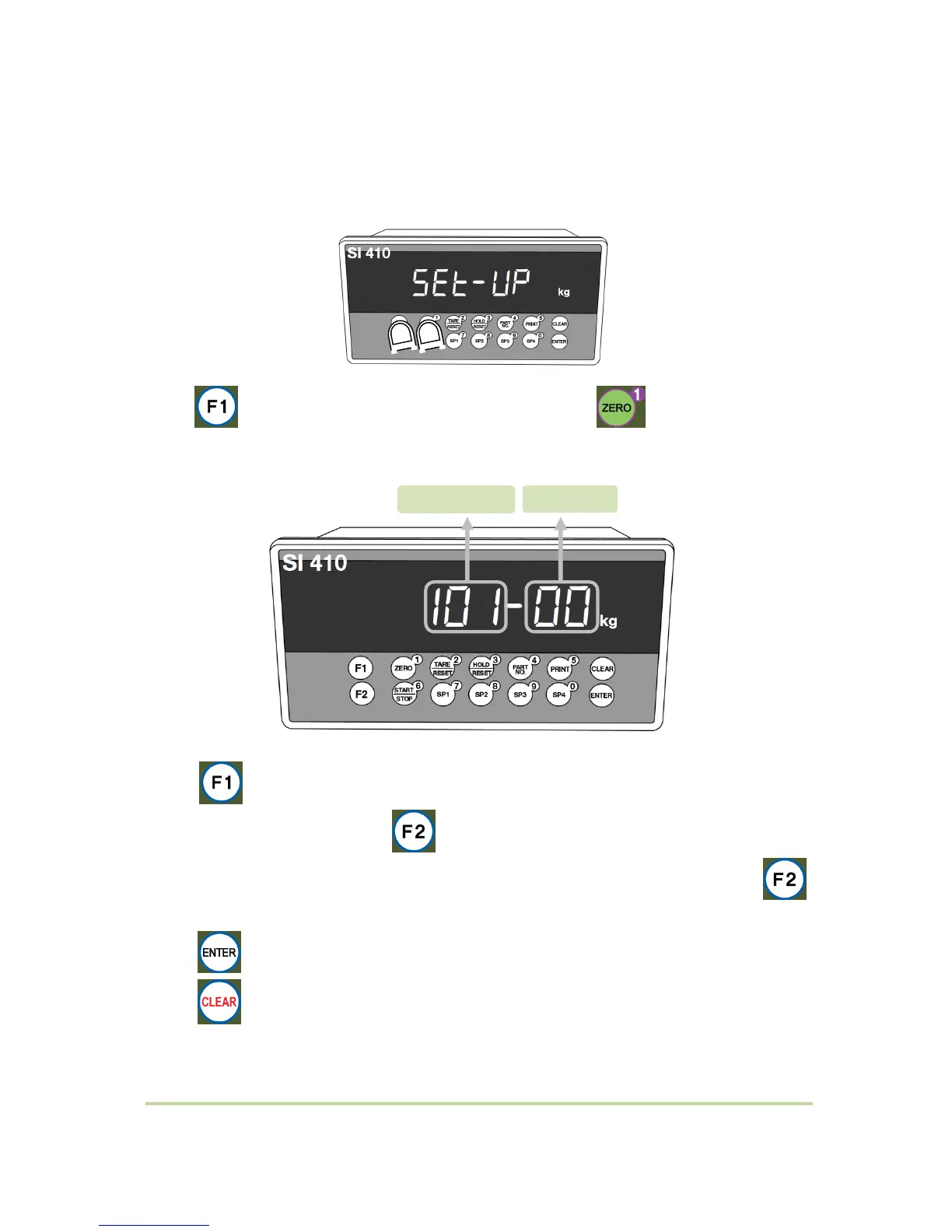
Press key 4 times When “SETUP” is displayed, press key.
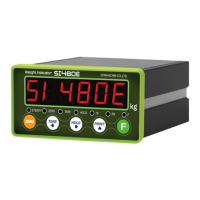
(1) Function No. ↑ or input the function No. by number key (0~9). After select
“Function No.” area by pressing key.
(2) Input the Set value by number key (0~9) after select ‘Set value’ area by pressing
key.
(3) key for saving data..
(4) key for cancel and go back to previous step.


 To Next Page