2.1.5 Serial interface connection example
Host side Printer side
TXD ………………………………… RXD
DSR ………………………………… DTR
RXD ………………………………… TXD
DTR ………………………………… DSR
FG ………………………………… FG
SG ………………………………… SG
DETAILS: ◦ Set the handshaking so that the transmit data can be
received.
◦ Transmit data to the printer after turning on the power and
initializing the printer.
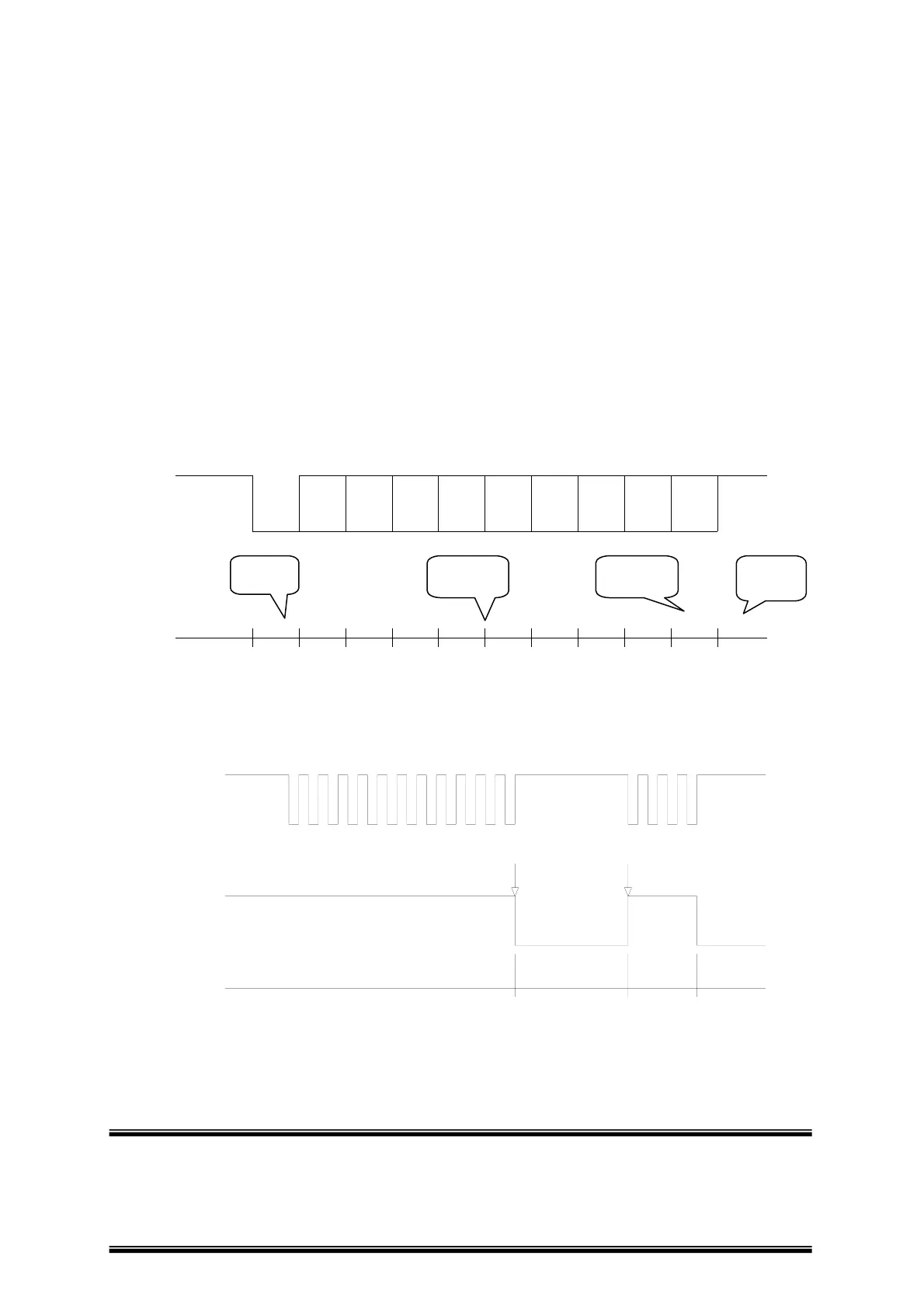
B0 B1 B2 B3 B4 B5 B6 B7START
PARITY
"1"
"0"
STO
1 or 2
Bit
one or
1 Bi
7 or 8
Bi
< Figure 2.1 Serial transmission bit frame >
RxD
TITLE : WTP-150
ready busy ready busy
buffer full
buffer emptied
"1"
"0"
"0"
"1"
DTR
< Figure 2.2 Line transmission with protocol >
Page -12 -


 To Next Page