EasyManua.ls Logo

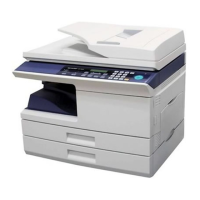
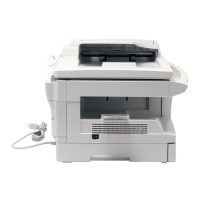
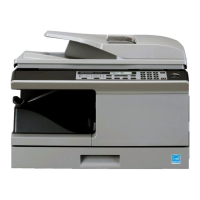
Sharp AL-2021 - User Manual

Sharp AL-2021
91 pages
Print Icon
To Next Page IconTo Next Page
Loading...
AL-2021
DIGITAL MULTIFUNCTIONAL
SYSTEM
OPERATION GUIDE
Page
AL-2021
AL-2041
MODEL
AL-2041
CONTENTS..........................2
INTRODUCTION ..................3
LOADING PAPER ................9
INSTALLING THE
SOFTWARE .......................14
COPIER FUNCTIONS........25
PRINTER FUNCTIONS......37
SCANNER FUNCTIONS....52
SPECIAL FUNCTIONS ......64
MAINTENANCE .................69
TROUBLESHOOTING THE
UNIT ...................................74

Table of Contents

Other manuals for Sharp AL-2021

Questions and Answers

  • M
    mcmillanstephanieSep 12, 2025
    Why is my Sharp All in One Printer producing blank copies?
    • Y
      yshepardSep 12, 2025
      If your Sharp All in One Printer is producing blank copies, ensure that the original is placed face down on the document glass or face up in the SPF.
  • R
    Robert PatelSep 13, 2025
    Why does my Sharp All in One Printer produce striped copies?
    • K
      Kristie RossSep 13, 2025
      If you observe striped copies from your Sharp All in One Printer, the transfer charger may need cleaning. Clean the transfer charger.
  • S
    Shari FordSep 15, 2025
    What to do if the plug and play screen does not appear for Sharp All in One Printer?
    • T
      Trevor BrownSep 15, 2025
      To resolve the issue where the plug and play screen does not appear for your Sharp All in One Printer (USB connection in Windows), check if your computer can use a USB connection. Verify this in the Device Manager. If USB can be used, your controller chipset type and root hub will appear in "Universal Serial Bus controllers" in "Device Manager".

Summary

Operation Panel Overview

Operation Panel Controls

Details the function of each key, button, and indicator on the operation panel.

Installing the Software

Software Installation Procedure

Step-by-step guide to install the software and drivers from the CD-ROM.

Copier Functions

Scanner Functions

Scanning from Computer Applications

Guide to scanning using TWAIN or WIA compliant software.

Maintenance

TD Cartridge Replacement

Instructions for replacing the TD cartridge when toner is needed.

Drum Cartridge Replacement

Procedure for replacing the drum cartridge when indicated.

Troubleshooting the Unit

Machine and Copying Problems

Table listing common copying issues, their causes, solutions, and relevant pages.

Printing and Scanning Problems

Troubleshooting guide for issues related to printing and scanning operations.

Status Indicators and Error Codes

Explains the meaning of indicators and alphanumeric codes on the operation panel.

Misfeed Removal Procedures

Detailed steps for removing paper misfeeds from different areas of the unit.

Sharp AL-2021 Specifications

General IconGeneral
Printing TechnologyLaser
Print Speed (Black)20 ppm
Copy Speed (Black)20 cpm
Copy Resolution (Black)600 x 600 dpi
Scan Resolution600 x 600 dpi
Paper Capacity250 sheets
InterfaceUSB 2.0
ConnectivityUSB
DisplayLCD
Weight16.2 kg
FunctionsPrint, Copy, Scan
Zoom Range25% - 400%
Max Copies99 copies
Media Types SupportedPlain Paper
Media Sizes SupportedA4, A5
Supported OSWindows

Related product manuals