17
Watching TV
Simple button operation for changing
volume/sound
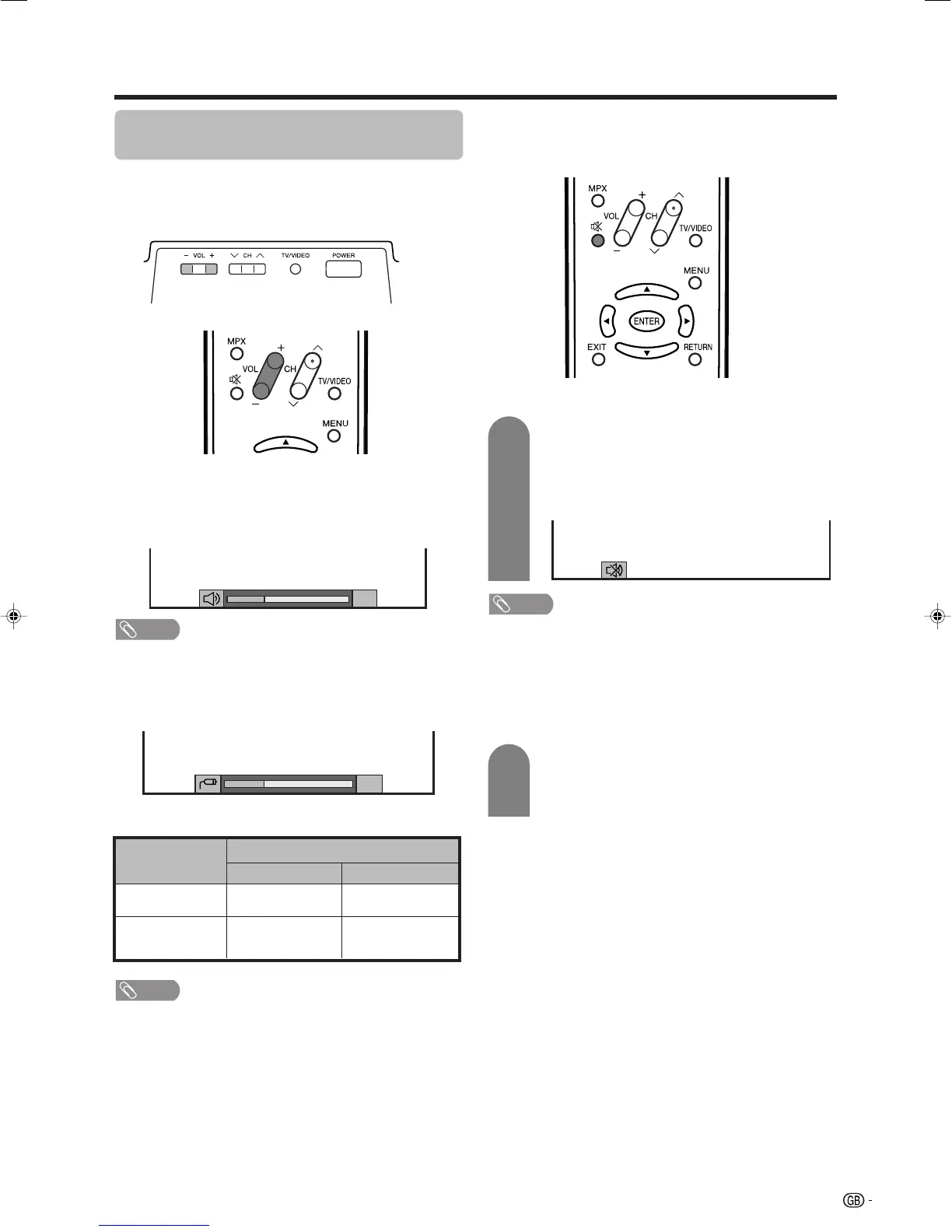
Changing the volume
You can change the volume on the TV or on the remote
control unit.
NOTE
• “TV”, “INPUT1”, “INPUT2”, “INPUT3” and “INPUT4” modes
can store volume adjustment values separately.
Audio status
When “Audio Out” is set to “Variable”, the indicator on
the screen changes as shown below.
Output device
Variable sound
Audio out
VariableFixed
Variable sound
Constant as
specified
Mute
20
Speaker
MONITOR
OUTPUT
NOTE
• See page 44 for details on the audio out function.
• To increase the volume, press VOL
kk
kk
k.
• To decrease the volume, press VOL
ll
ll
l.
20
Using e (Mute) on the remote control unit
e mutes the current sound output.
Press e.
• The sound is silenced.
•“e” has been displayed on the screen for 30
minutes.
Mute
NOTE
• Within 30 minutes after pressing e, press one of the
buttons below to cancel the mute.
—VOL
ff
ff
f/VOL
ee
ee
e
—e
• Mute will be cancelled after 30 minutes. However, the
TV will not suddenly output loud sound as the volume
level will be set to 0 automatically. Increase the volume
level by pressing VOLk.
Press e again within 30 minutes to cancel
the mute.
• Before 30 minutes, the volume level returns to
the previous setting.
1
2
LC-32_37GA4X(E)-b 04.9.17, 7:43 AM17









 To Next Page