43
Useful adjustment settings
Rotate
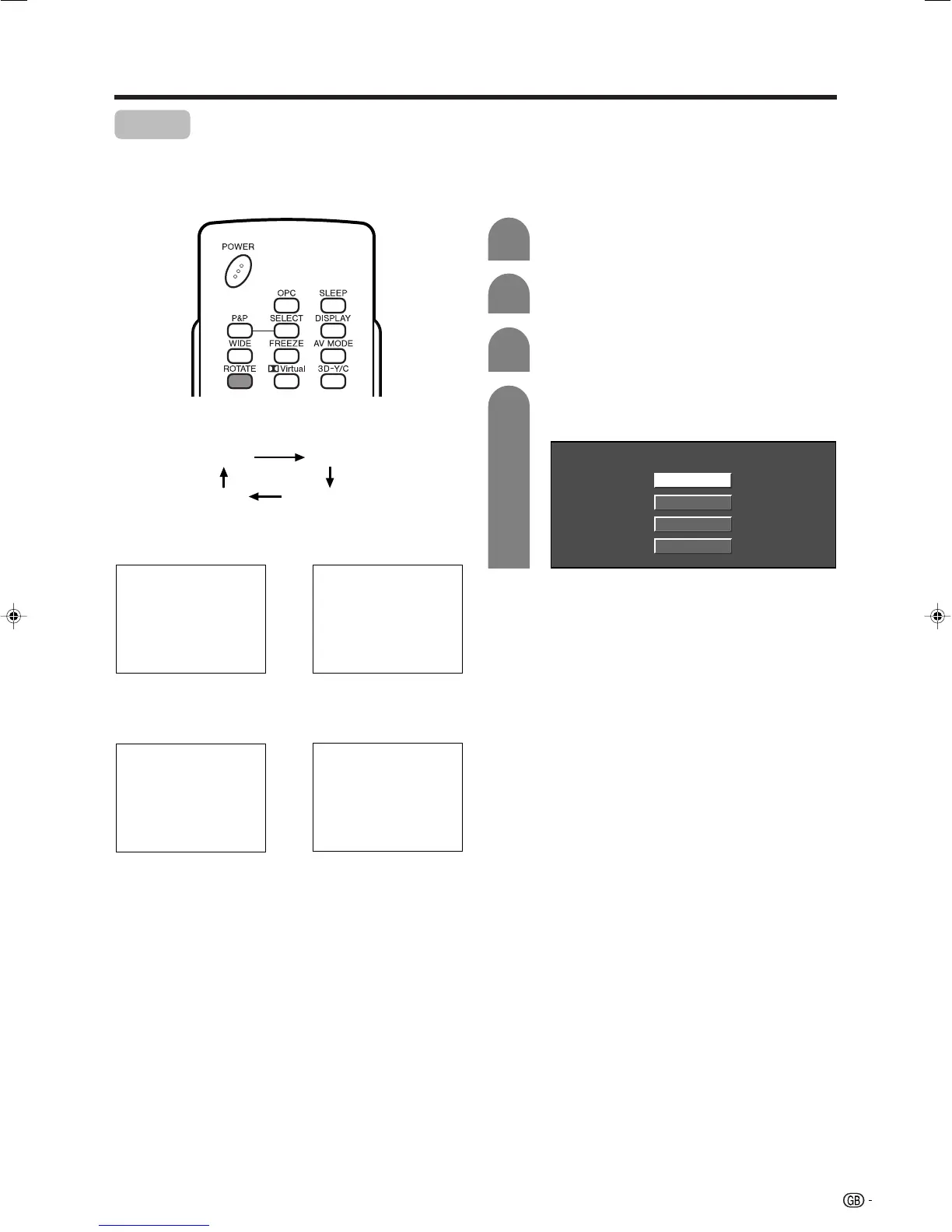
You can set the image orientation to Mirror, Rotated or
Upside down image.
Press MENU and the MENU screen displays.
1
2
Press c/d to select “Setup”.
Press a/b to select “Rotate”, and then press
ENTER.
3
[Normal]: normal image. [Mirror]: mirror image.
ABC
ABC
4
Press a/b to select the desired mode, and
then press ENTER.
Normal
Mirror
Upside Down
Rotate
[Upside Down]: upside
down image.
[Rotate]: rotated image.
ABC
ABC
Each time you press ROTATE, the mode changes as
shown below.
Using ROTATE on the remote control unit Using Rotate on the menu screen
Normal Mirror
Upside down
Rotate
LC-32_37GA4X(E)-h 04.9.17, 7:53 AM43









 To Next Page