3-43
CHAPTER3
9
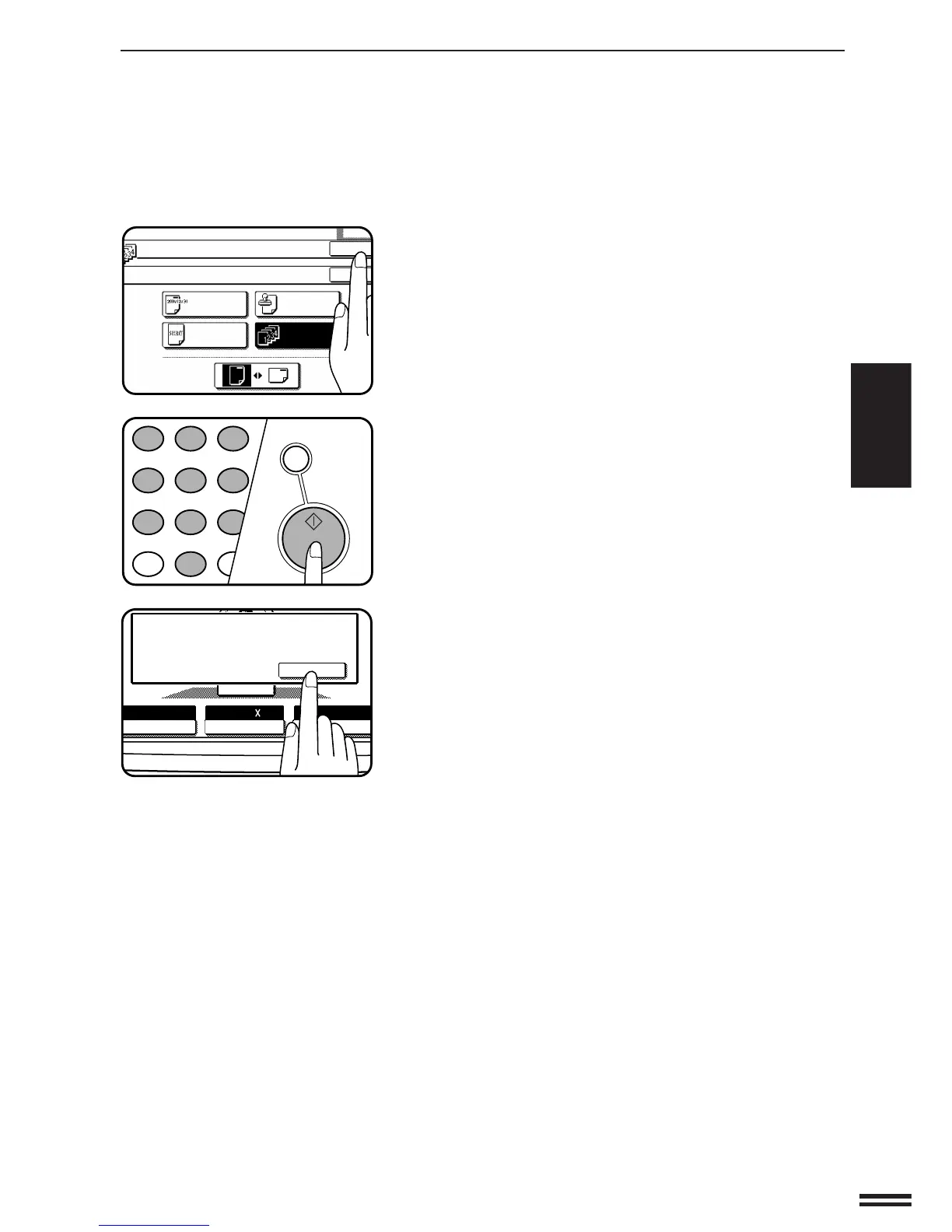
Press the upper “OK” key.
10
Make all other desired copier selections and enter the
desired number of copies.
11
Press the START key.
●
If the document feeder is used, copying will start after all originals
are scanned.
●
If the document glass is used, proceed to the next step.
12
Replace the finished original with the next original after
the START key indicator lights up, and then press the
START key. Repeat this step until all originals have been
scanned. Then, press the “READ-END” key on the touch
panel.
●
Copying will start at this time.
●
Up to 120 sheets of 8-1/2" x 11" originals or up to 60 sheets of
originals larger than 8-1/2" x 11" can be scanned.
●
To cancel the PAGE NUMBER function, select the PAGE
NUMBER function again and press the “CANCEL” key.
AUTO
EXPOSURE PAPER SELECT
100%
COPY RATIO
READ-END
PLACE NEXT ORIGINAL. PRESS [START].
WHEN FINISHED, PRESS [READ-END].
AUTO 8/ 11
1
2



 To Next Page