AR-M236/M276/M237/M277 SIMULATION 8 - 36
Operation/procedure
1. Touch the item to be adjusted.
The adjustment item and the currently set value are highlighted.
2. Enter the set value with the 10-key.
Enter the set value with the 10-key.
Operation/procedure
1. Touch the item to be set.
The item and the currently set value are highlighted.
2. Press the [START] key.
The display is shifted to the copy menu.
3. Select the paper feed tray and the print density, and enter the
adjustment value with the 10-key.
4. Press the [START] key.
Copying is started.
Note: When this simulation is canceled, the display is shifted to the ini-
tial menu, but the machine is not reset.
Operation/procedure
1. Touch the item to be set.
The item and the currently set value are highlighted.
2. Press the [START] key.
The display is shifted to the copy menu.
3. Select the paper feed tray and the print density, and enter the
adjustment value with the 10-key.
4. Press the [START] key.
Copying is started.
Item Setting range Default
1AE
0-31 0
2 AE(TS)
46-31
Purpose Setting
Function
(Purpose)
Used to set the AE and the limit value in AE (Toner
save).
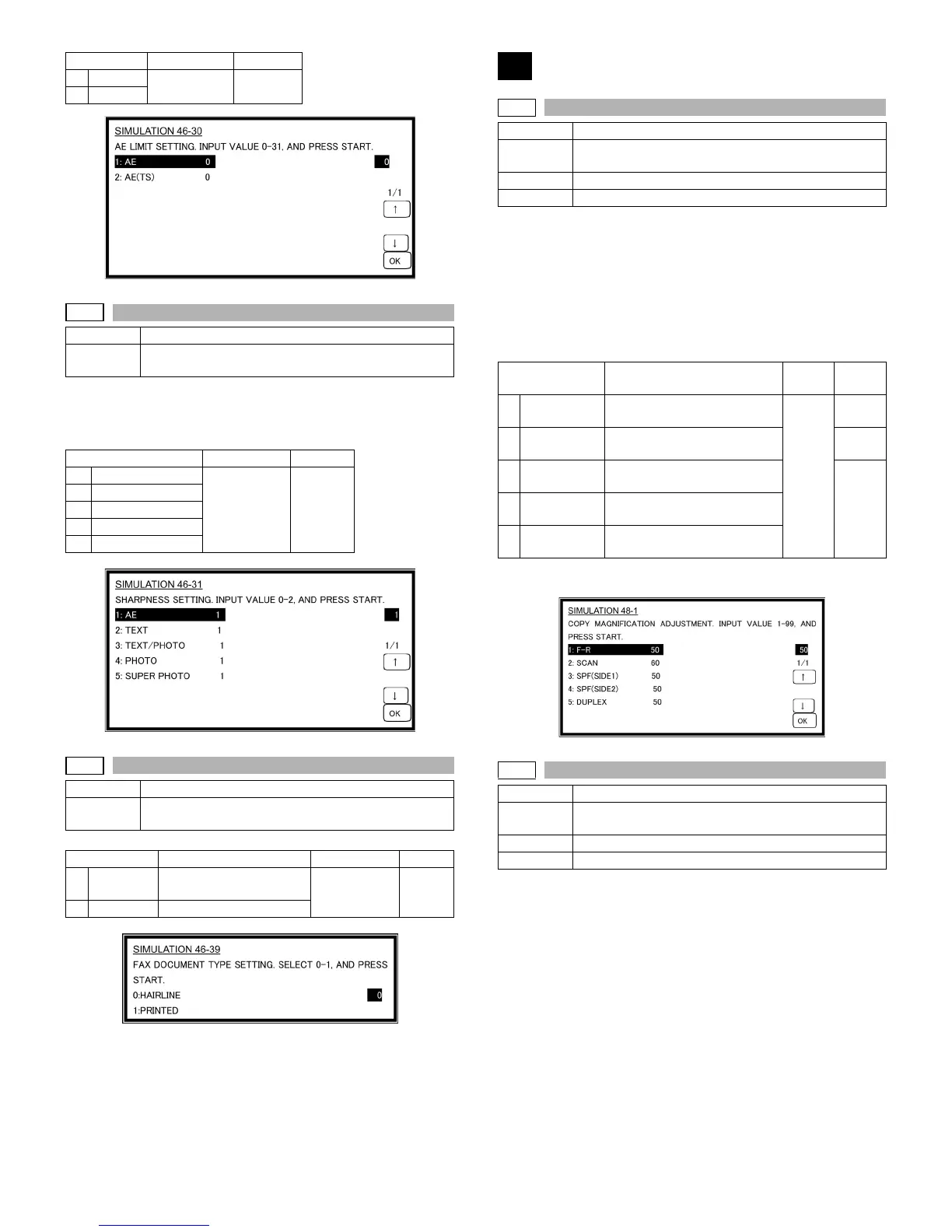
Item Setting range Default
1AE
0 - 2 1
2TEXT
3 TEXT/PHOTO
4PHOTO
5 SUPER PHOTO
46-39
Purpose Setting
Function
(Purpose)
Used to switch the FAX send image quality.
Item Content Setting range Default
0 HAIRLINE Original with pencil lines
and thin lines
0 - 1 0
1 PRINTER Printed original
48
48-1
Purpose Adjustment
Function
(Purpose)
Used to adjust the copy mode magnification ratio (main
scanning direction, sub scanning direction).
Section Image processing
Item Picture quality
Item Content
Setting
range
Default
1 F-R Main scanning magnification
ratio adjustment
1-99 50
2 SCAN Sub scanning magnification
ratio adjustment
60
3 SPF/RSPF
(SIDE1)
SPF/RSPF surface sub scan
magnification ratio
50
4 SPF/RSPF
(SIDE2)
SPF/RSPF back surface sub
scan magnification ratio
5 DUPLEX DUPLEX sub scanning
magnification ratio adjustment
48-2
Purpose Adjustment
Function
(Purpose)
Used to adjust the scanner mode magnification ratio
(main/sub scanning direction).
Section Image processing
Item Picture quality












 To Next Page