16
BASIC OPERATIONS
TRANSMISSION BY AUTO-DIALING (RAPID DIALING
AND GROUP DIALING)
To send a document by auto-dialing (rapid dialing or group dialing), follow the steps below. To use an auto-dial
destination, you must first program the full fax number and name of the destination. Refer to page 11 for information
on auto-dialing and pages 67 and 71 for information on programming auto-dial destinations.
1
Perform steps 1 through 6 of "BASIC
PROCEDURE FOR SENDING FAXES"
(p.12).
2
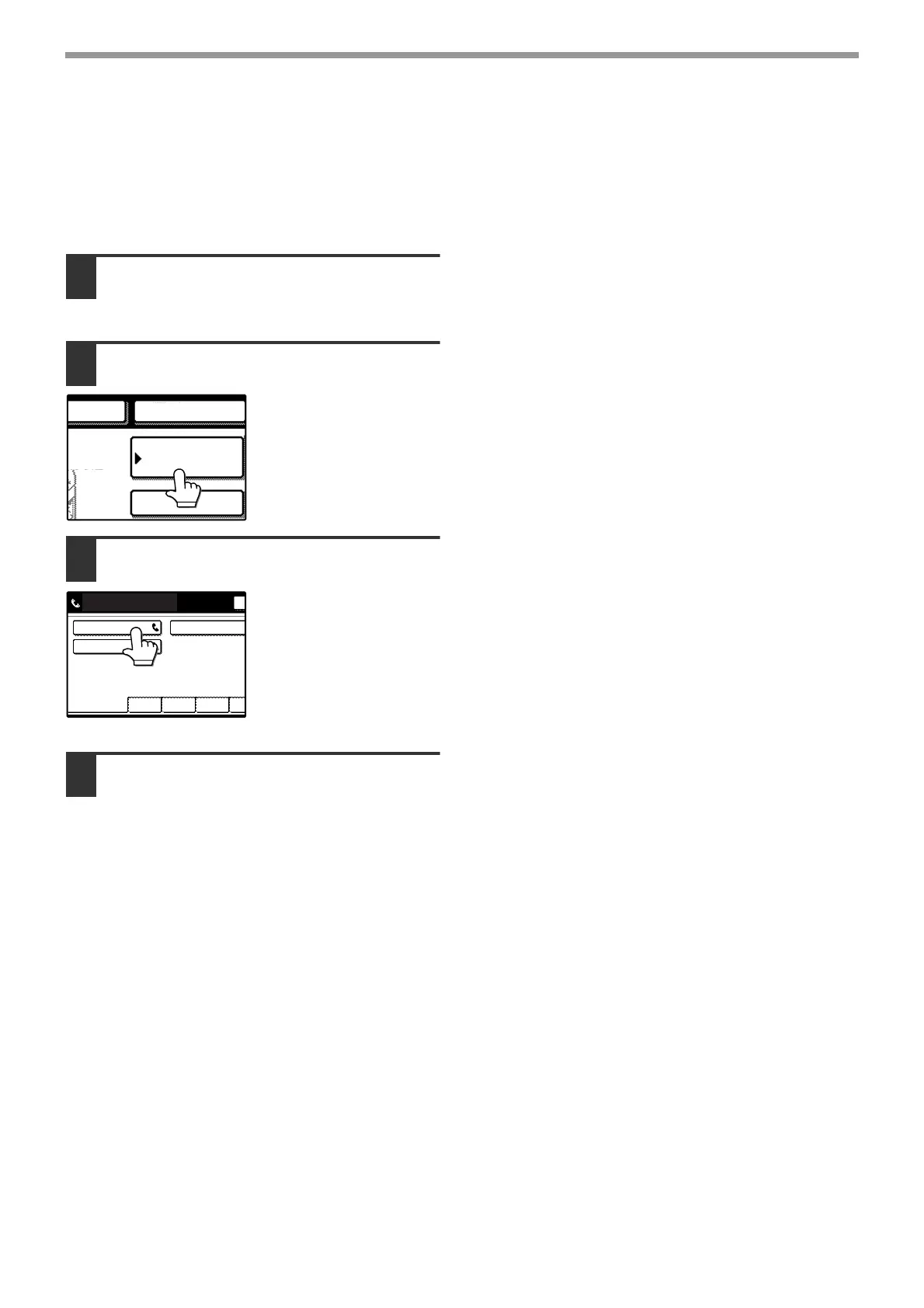
Touch the [ADDRESS BOOK] key.
The address directory
screen appears.
This step is not
necessary if the address
directory screen already
appears (go directly to
step 3).
3
Touch the rapid key for the desired
destination.
See page 8 for
information on using the
address directory screen.
The key you touched is
highlighted. If you touch
the wrong key, touch the
key again to cancel the
selection.
4
Continue from step 7 of "BASIC
PROCEDURE FOR SENDING FAXES"
(p.13).
ADDRESS
BOOK
SUB ADDRESS
REDIAL
AKER
Y:100%
EPTION
FREQUENT USE ABCD EFGHI JKLMN OPQ
CORPO. TPS
SHARP GROUP
SHARP CORPORATION
READY TO SEND.








 To Next Page