2
PRINTER SHARING
21
CONTENTS INDEX
Client settings
(part 2)
6
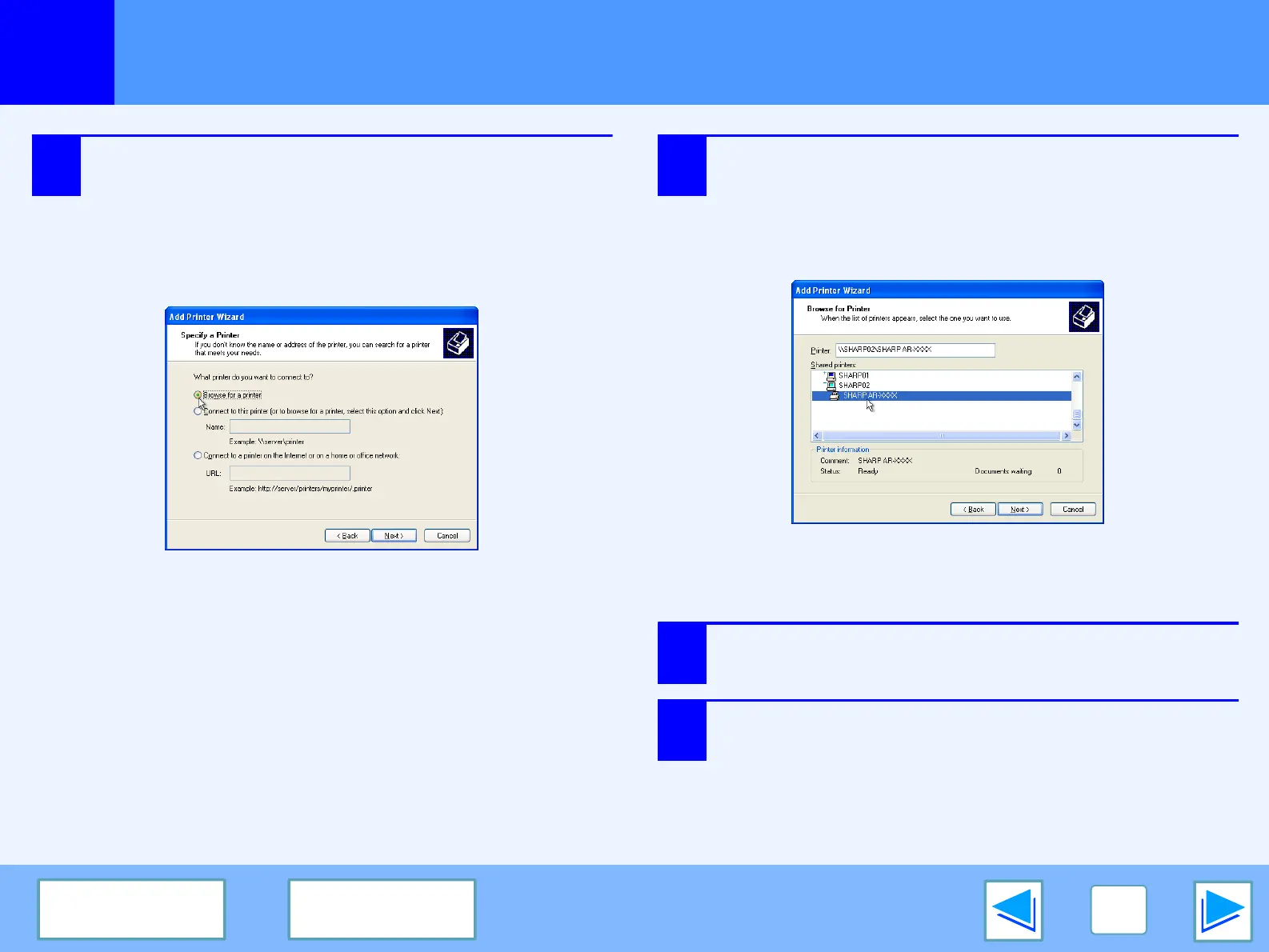
Select "Browse for a printer", and click the
"Next" button.
In Windows 95/98/Me, click the "Browse" button.
In Windows 2000, select "Type the printer name, or
click Next to browse for a printer", and click the "Next"
button.
7
Select the printer to be shared in the network,
and click the "Next" button.
In Windows 95/98/Me, select the printer to be shared in
the network, click the "OK" button and then click the
"Next" button.
The contents of this window will vary depending on your
network environment.
8
Select settings in the "Default Printer" screen,
and click the "Next" button.
9
Click the "Finish" button.








 To Next Page