04/3/23 CD-G7500V(Z)E1.fm
E-10
ENGLISH
TINSZA101AWZZ
4
CD-G7500V
CP-G7500
Preparation for Use
" Aerial connection
Supplied FM aerial:
Connect the FM aerial wire to the FM 75 OHMS terminal and posi-
tion the FM aerial wire in the direction where the strongest signal
can be received.
Supplied AM loop aerial:
Connect the AM loop aerial to the AM LOOP socket. Position the
AM loop aerial for optimum reception. Place the AM loop aerial on a
shelf, etc., or attach it to a stand or a wall with screws (not supplied).
Note:
Placing the aerial on the unit or near the AC power lead may cause
noise pickup. Place the aerial away from the unit for better recep-
tion.
Installing the AM loop aerial:
" Speaker connection
Connect the black wire to the SPEAKERS (-) terminal, and the red
wire to the SPEAKERS (+) terminal.
Caution:
!
Connect the speaker wires to the speakers first, then to the unit.
!
Use speakers with an impedance of 6 ohms or more, as lower
impedance speakers can damage the unit.
!
Do not mistake the right and the left channels. The right speaker
is the one on the right side when you face the unit.
!
Do not allow any objects to fall into or to be placed in the bass
reflex ducts.
!
Do not stand or sit on the speakers. You may be injured.
!
Do not let the bare speaker wires touch each other.
< Assembling > < Attaching to the wall >
Wall Screws (not supplied)
Incorrect Incorrect
Black
Red
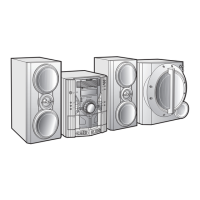
Right speaker Left speaker


 To Next Page