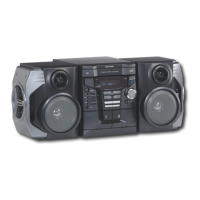
04/3/23 CD-G7500V(Z)E2.fm
E-17
ENGLISH
TINSZA101AWZZ
CD-G7500V
CP-G7500
Basic Operation
General control
! To turn the power on
Press the ON/STAND-BY button to turn the power on.
! Illumination light control
When the power is turned on, light illuminates around the display.
To turn on/off the light, hold down the CLEAR/DIMMER button on
the remote control for 2 seconds or more.
! Volume control
! Bass control (X-BASS)
! Equaliser
When the EQUALIZER (EQUALIZER MODE) button is pressed, the
current mode setting will be displayed. To change to a different
mode, press the EQUALIZER (EQUALIZER MODE) button repeat-
edly until the desired sound mode appears.
Note:
If the EQUALIZER (EQUALIZER MODE) button is pressed in the
extra bass mode, it will be cancelled automatically.
After use:
Press the ON/STAND-BY button to enter the power stand-by
mode.
Main unit operation:
When the VOLUME control is turned
clockwise, the volume will increase.
When it is turned anti-clockwise, the vol-
ume will decrease.
Remote control operation:
Press the VOL (+ or -) button to increase or decrease the volume.
When the power is first turned on, the
unit will enter the extra bass mode which
emphasises the bass frequencies, and
"X-BASS" will appear. To cancel the ex-
tra bass mode, press the X-BASS/DEMO
(X-BASS) button.
In CD/Video CD/TUNER/TAPE
mode
In GAME/VIDEO mode
30 MAXIMUM0
.....
Bass and treble are
emphasised.
Bass and treble are
slightly emphasised.
The sound is not
modified.
Treble is cut a little.
Treble is slightly
emphasised.
FLAT
ROCK
CLASSIC
POPS
VOCAL
JAZZ
Vocals (midrange
tones) are emphasised.
Bass and treble are
emphasised more.
Vocals and treble
are emphasised.
Bass is empha-
sised.
The sound is not
modified.
ACTION
SPORTS
RACING
Bass and treble
are emphasised.
Treble is cut a
little.
FLAT
ROCK
CLASSIC
1
SHARP TINSZA101AWZZ (Z)


 To Next Page