GB
24
VCR Setup
• Numbers in refer to the pages where the setting
procedures are described.
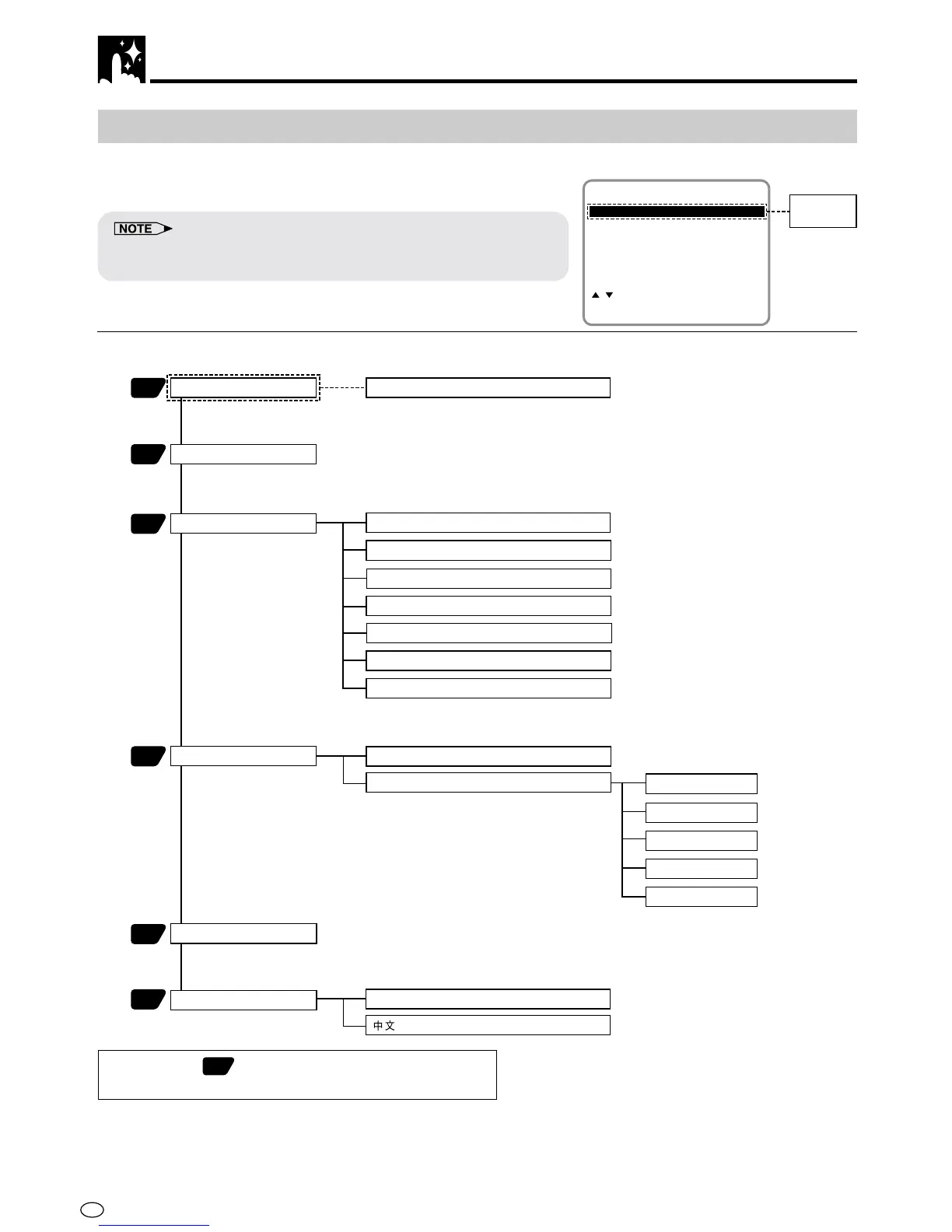
Menu Screen
The menu screen is a home screen used to select various screen
functions. A sub-menu will appear once you select an item for the
menu. See the following pages for details on each menu procedure.
• The word “G-CODE” will only appear on menu screen for DV-NC70W
which has the G-CODE system.
MENU item list
Main Menu
65
25
28
G-CODE
MODE
CHANNEL PRESET
68
COLOUR [AUTO/PAL/MESECAM/NTSC]
Only for DV-NC70W
NTSC [3.58/4.43/PAL TV]
AUTO
PRESET CH
CHANNEL
SYSTEM
SKIP [ON/OFF]
FINE TUNING
TIMER
MANUAL
CLOCK
LANGUAGE
35
37
ENGLISH
BLUE BACK [AUTO/OFF]
REPEAT [ON/OFF]
AUTO RENTAL [ON/OFF]
S. PICTURE [ON/OFF]
NICAM [AUTO/OFF]
MODE
MENU
SET:ENTER MENU:EXIT
CHANNEL PRESET
:SELECT
CLOCK
LANGUAGE
TIMER
G-CODE
Only for
DV-NC70W
Menu Screen



 To Next Page