69
GB
Recording with the Timer
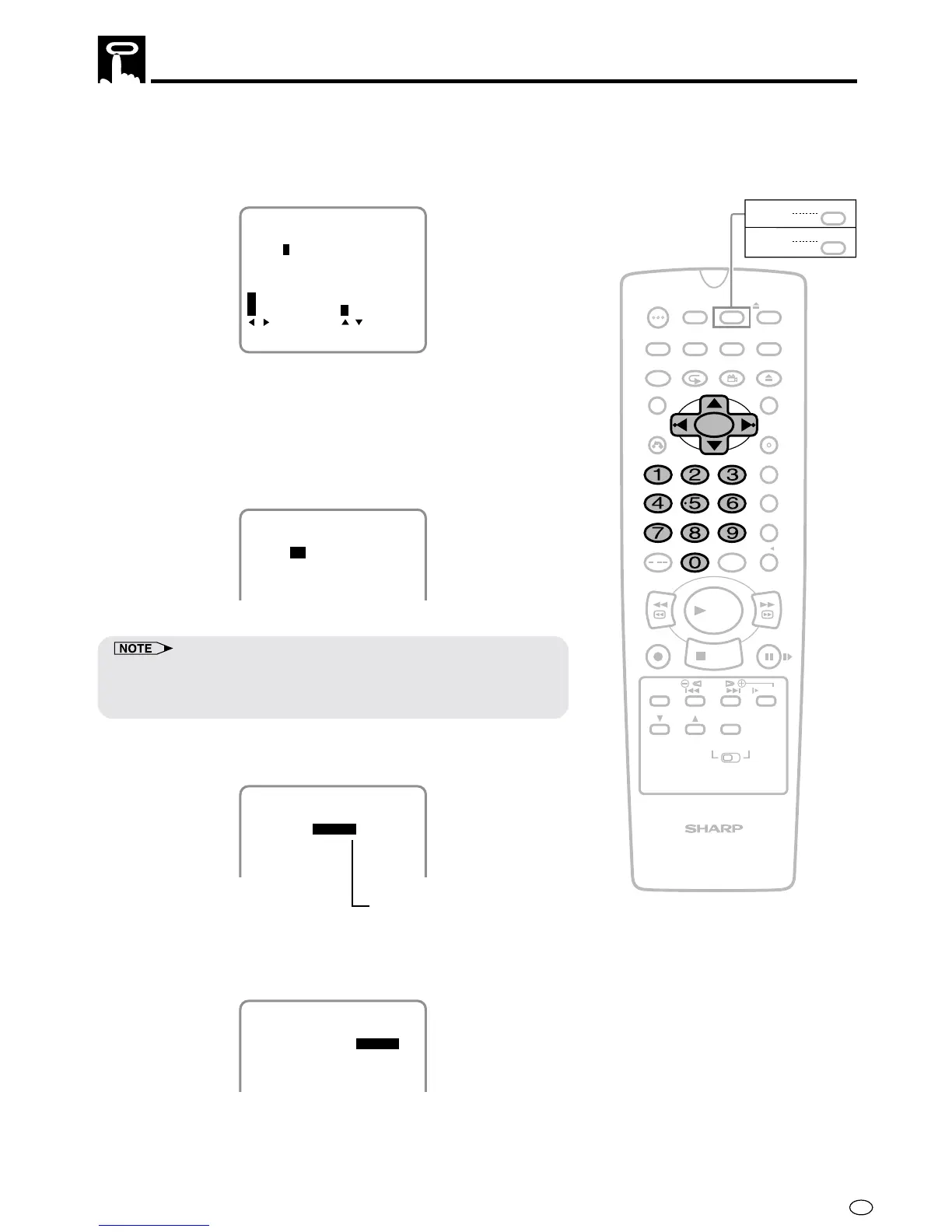
4 If you want to record only once, press
||
||
| and go to step 5.
Otherwise, select “D (DAILY)” to record at the same time each
day or “W (WEEKLY)” to record at the same time each week with
' / ", and then pressing
||
||
|.
DATE PR START STOP
W:WEEKLY D:DAILY
:ONCE
--/-- -- -:-- -:-- --
--/-- -- -:-- -:-- --
--/-- -- -:-- -:-- --
1/2
15/12 -- -:-- -:-- SP
:SELECT :CHANGE
SET:ENTER MENU:EXIT
5 Set the channel number using the number buttons (0 to 9) or
' / " and press
||
||
|.
•
To record audio and video from an external source through an
AUDIO/VIDEO terminal on the Product. Press
' / " to select an
AV channel.
(When an AV position is selected, “L1” or “L2” is displayed where
a channel position number is usually displayed.)
15/12 471 -:--
PM
-:-- SP
DATE PR START STOP
--/-- -- -:-- -:-- --
--/-- -- -:-- -:-- --
--/-- -- -:-- -:-- --
1/2
• ' / " can also be used to set the date and time instead of the
number buttons (0 to 9).
• Press 0 first if the day, month, hour or minute is a single digit.
6
Set the start time with the number buttons
(0 to 9)
or ' / " and
press
||
||
|.
DATE PR START STOP
--/-- -- -:-- -:-- --
--/-- -- -:-- -:-- --
--/-- -- -:-- -:-- --
1/2
15/12 47 12:00
PM
-:-- SP
7
Set the stop time with the number buttons
(0 to 9)
or ' / " and
press
||
||
|.
DATE PR START STOP
--/-- -- -:-- -:-- --
--/-- -- -:-- -:-- --
--/-- -- -:-- -:-- --
1/2
15/12 47 12:00
PM
12:30
PM
SP
When the clock is set to 24H mode,
AM/PM indicator will not appear
/
PLAY
STOP
OPEN/
CLOSE
OPERATE
VCR/DVD
SELECTOR
VCR MENU
DVD SETUP
TAPE
SPEED
ON
SCREEN
TIMER
ON/OFF
TITLE
DVD MENU
DISPLAY
EJECT
FUNCTION
CONTROL
PROG/
REPEAT
CLEAR
RETURN
REV FWD
SET
ENTER
ZERO BACK
SKIP SEARCH
VCR DVDAM/PM
INPUT SELECT
PAUSE/STILL
REC
VCR/DVD COMBINATION
SLOW
CH
VCR DVD
SKIP
DPSS
AUDIO
OUTPUT
ANGLE
PROG
DV- NC70
DV- NC70X
G-CODE
DV- NC70W



 To Next Page