108
Chapter 6: Advanced Graphing Features — Advanced Keyboard
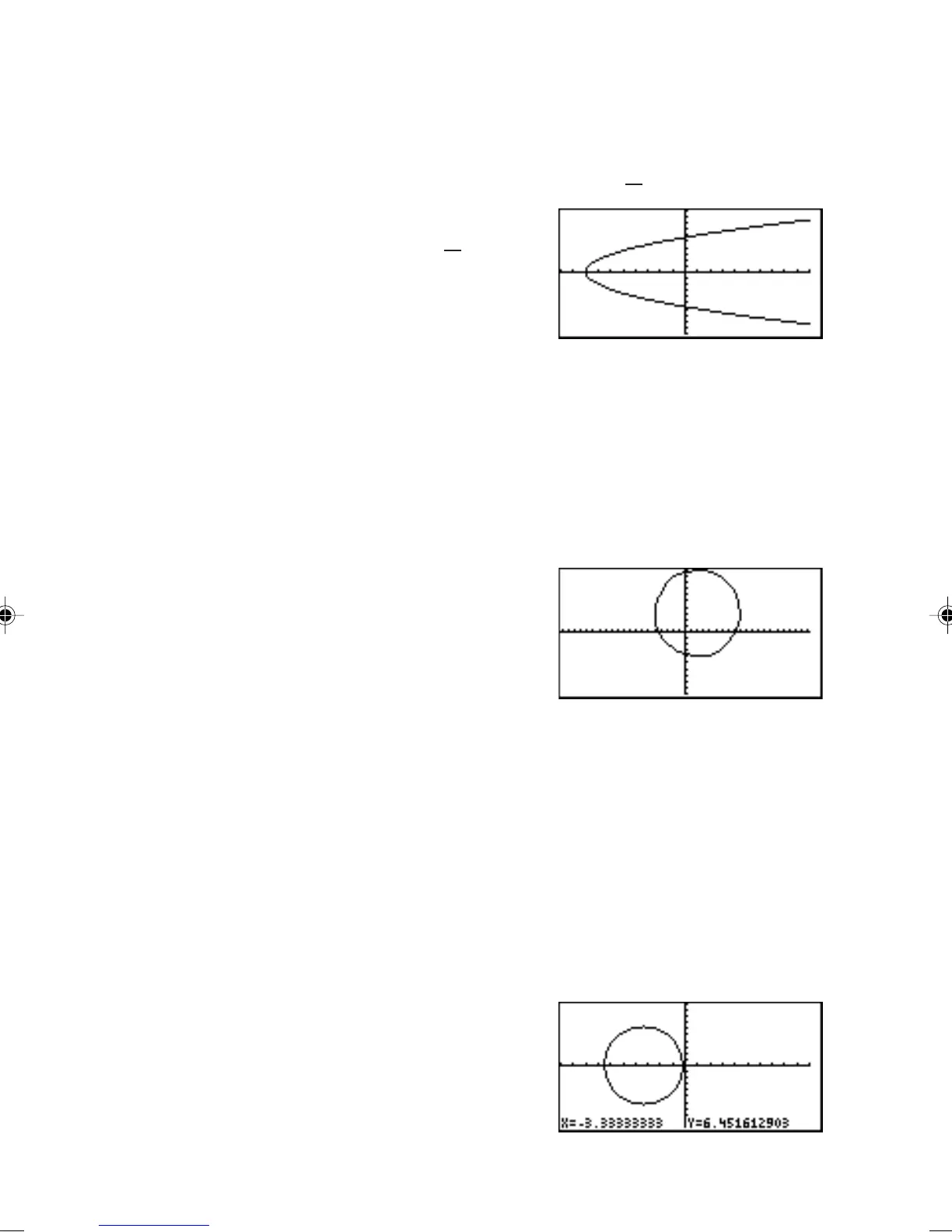
8 DrawInv DrawInv
equation
Draws an inverse of a given graph expression.
Example
•Draw the inverse graph of y =
1
4
x
2
– 8.
1. Select DrawInv.
2. Enter “
1
4
x
2
– 8”
on the line.
3. Press E.
Note: It is also possible to
specify a function equation from Y0 to Y9 if stored.
9 Circle( Draw a circle on the graph screen.
Circle(
x-coordinate of center, y-coordinate of
center, radius
)
Example
•Draw a circle with center at (2,3) and of radius 7.
1. Select Circle(.
2. Enter “2,3,7)” on
the line.
3. Press E.
Note: Before drawing a
circle, press Z A 6 to set the X-Y
coordinates to square.
Circle(
Example
•Draw a circle manually.
1. Select Circle(.
2. Move the cursor to set the center point of the circle.
Press E to set the anchor.
3. Move the cursor to determine the radius length of
the circle.
4. When done, press
E.
The circle is
drawn at the
location.
From the Calculation
screen
From the GRAPH
window



 To Next Page