230
Appendix
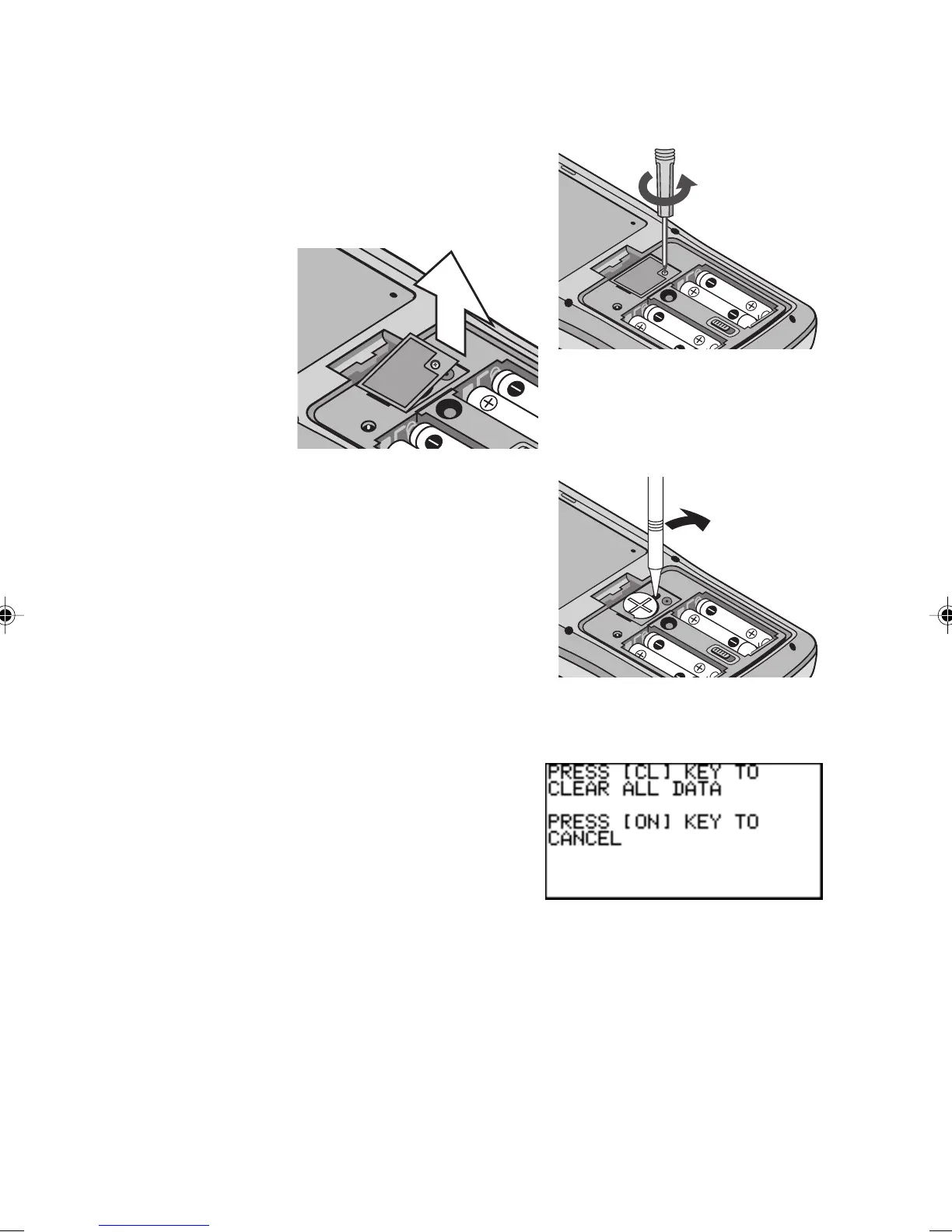
1. Perform procedures 1 and 2, as shown above. Do not remove
the unit operation batteries.
2. Remove the screw and the
lithium battery cover, as
shown.
3. Use a pen to lift the lithium
battery out of the battery
compartment.
4. Insert the new battery with
the PLUS (
+) side facing up.
5. Replace the lithium battery
cover and fasten the screw.
6. Replace the battery compartment cover and press O.
The following message will appear.
7. Press O.
Do not press
CC
CC
C. This
will clear all the data.



 To Next Page