11
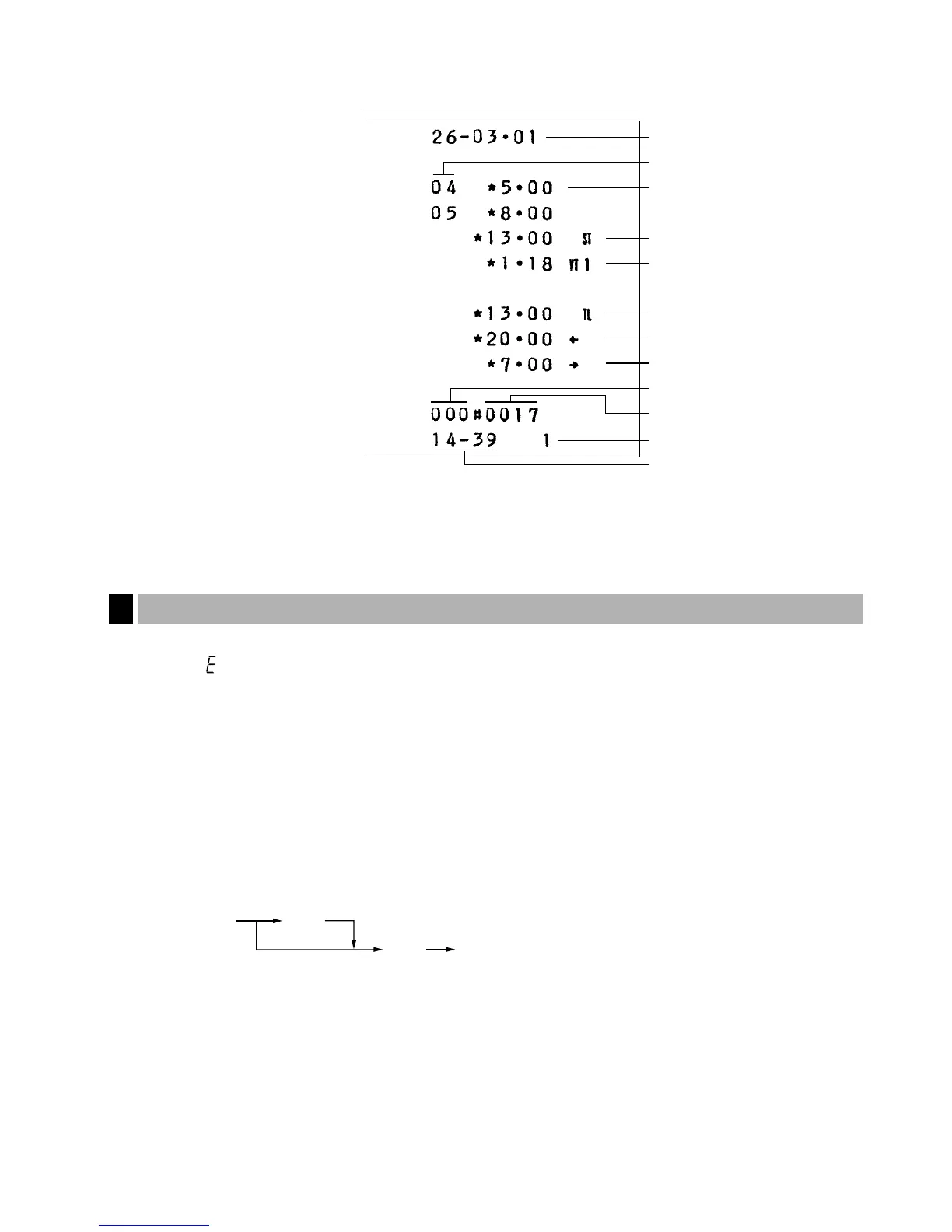
Example:
In this example, the department 4 and 5 are set as taxable 1(default setting) and VAT 1 rate is programmed as
10%.
In the following examples, your register will go into an error state accompanied with a warning beep and the
error symbol “ ” on the display. Clear the error state by pressing the
c
key and take proper action.
• When you enter an over 13-digit number (entry limit overflow): Cancel the entry and re-enter a correct number.
• When you make an error in key operation: Clear the error and continue operation.
• When you make an entry beyond a programmed amount entry limit: Check to see if the entered amount is
correct. If it is correct, it can be rung up in the MGR mode.
• When an including-tax subtotal exceeds eight digits: Delete the subtotal by pressing the
c
key and press the
É
,
'
or
î
key to finalize the transaction.
Error escape function
When you want to quit a transaction because of an error or something uncontrollable, use the error escape
function as shown below:
The transaction is voided (treated as a subtotal void) and the receipt is issued by this function. If you have
already entered tendered amount, the operation is finalized as a cash sale.
When you use the error escape function, “” is printed on the receipt.



 To Next Page