EasyManua.ls Logo

Sharp ER-A160 - PROGRAMMING FOR EURO; How currencies are treated in your register

Sharp ER-A160
180 pages
Print Icon
To Next Page IconTo Next Page
To Previous Page IconTo Previous Page
Loading...
32
* Item: Selection: Entry:
A Printing exchange total amount and Yes 1
change amount on receipt or journal No 0
B Always enter 0. 0
C Cheque and credit operation when Yes 1
tendering in foreign currency No 0
D Exchange calculation method Division 1
Multiplication 0
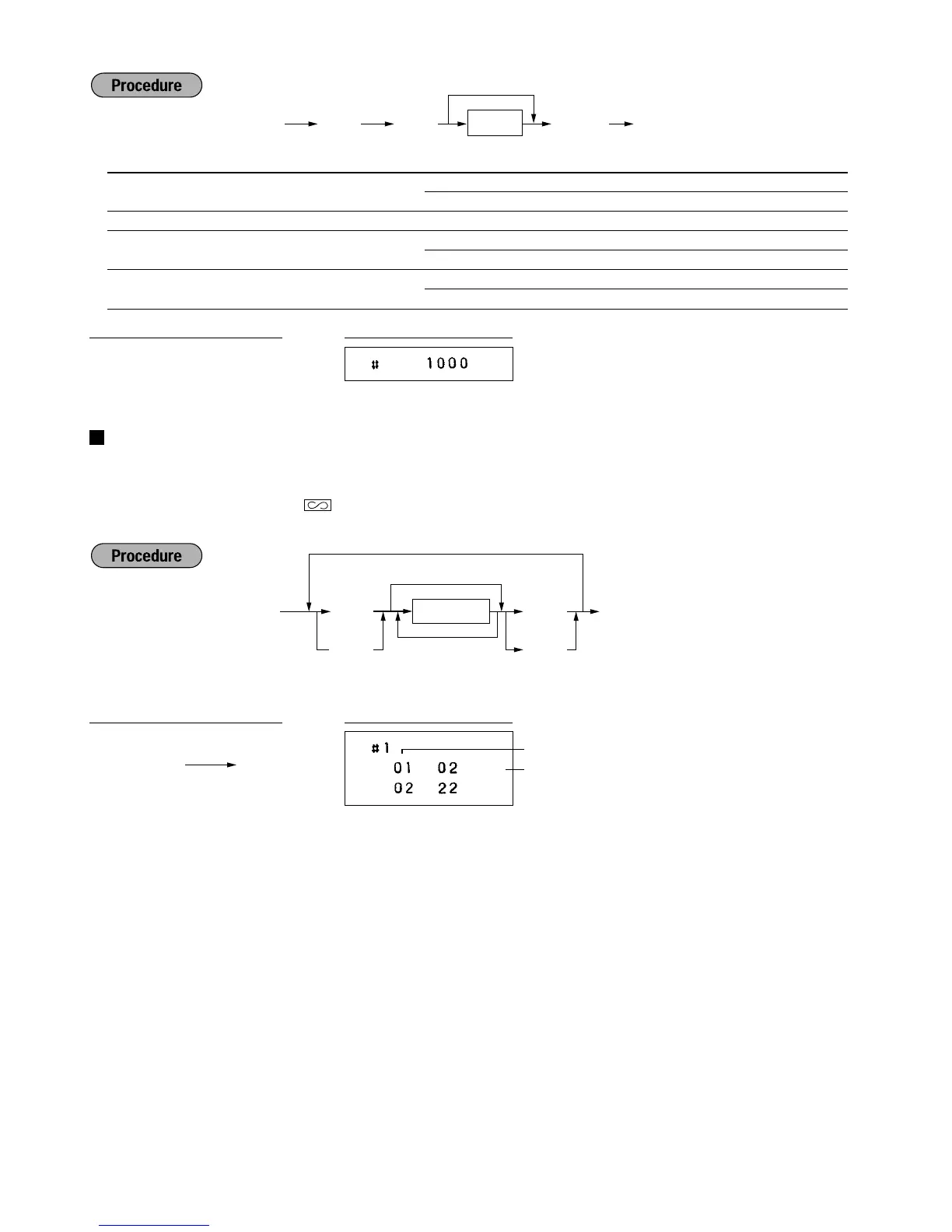
Programming the AUTO key — Automatic sequencing key —
If you program frequently performed transactions or report sequences for the AUTO keys, you can call those
transactions and/or reports simply by pressing the corresponding AUTO keys in key operations in the
appropriate mode (REG, MGR,
,
OP X/Z, X1/Z1 or X2/Z2).
Programming for
~
; entering a PLU 2 item (programmed unit price: 1.50)
Key number list

keys nos.
0 00
1 01
2 02
3 03
4 04
5 05
6 06
7 07
8 08
9 09
º 10
keys nos.
. 11
12
c 13
É 14
Ñ 15
' 16
î 17
18
§ 19
- 20
keys nos.
e 21
Ö 22
å 23
? 24
© 25
Ü 26
r 27
28
29
Ó 30
keys nos.
¯ 51
˘ 52
ú 53
ù 54
û 55
ü 56
ä 57
ô 58
ã 59
Ä 60
keys nos.
ñ 61
à 62
è 63
Õ 64
ì 65
Step
Key no.
~
2
Ö
~
É
AUTO1 setting
PrintKey operation example
~
¡
É
Transaction
Delete
max. 20 times
~
¡
Ñ
8
1000
ÑÉ
PrintKey operation example
Ñ8
*ABCD
ÉÑ
To set 0 for all items

Table of Contents

Related product manuals