ER-A520/A530 Dealer Knowledge Book
Page 4 of 266 Specifications subject to change without notice: Revision date 10/07
Procedure B:
1) Remove the AC power cord from the outlet.
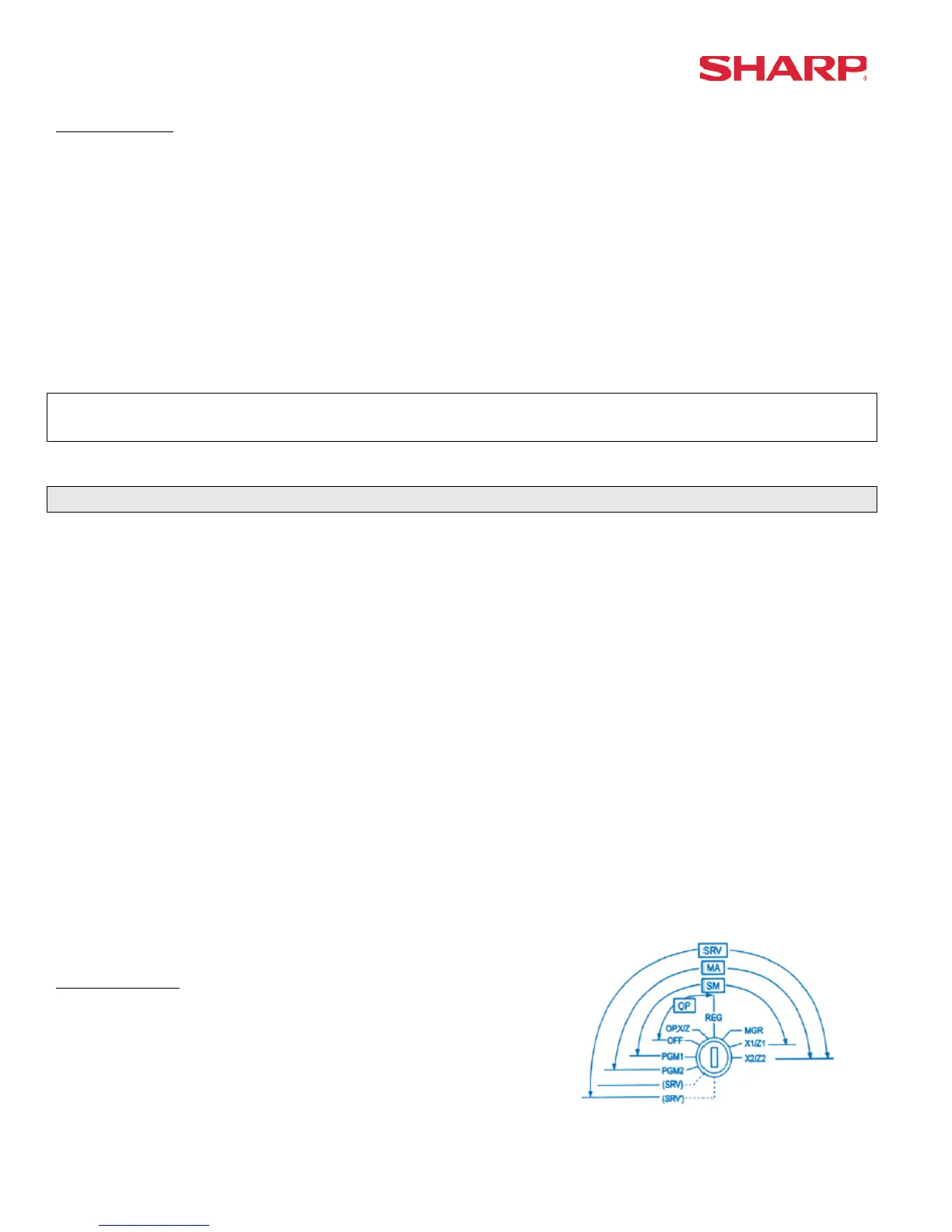
2) Place the mode switch to the SRV position.
3) Depress and hold the [JOURNAL] & [RECEIPT] feed keys.
4) Replace the AC power cord into the wall outlet.
***The operator display will show the fixed function keys (starting with the [0] key).
5) Program the Fixed Keys by depressing the desired location(s).
6) Once the [CA/AT] key is placed on the keyboard, ***MRS*** will be displayed and the reset
process will continued as outlined in Master Reset-1.
Note:
***Procedure A must be used to reset the hardware. Procedure B cannot reset the hardware.
2. Program Reset:
The Program Reset (sometimes referred to as a “Service Reset”) may be achieved with the [SRV]
key (part no. LKGiM7113RCZZ).
1. General Rule:
A Program Reset should be performed under the following general conditions:
1) After the memory allocation setting has been modified.
2) When a device assignment has been modified in COM port assignment.
IMPORTANT NOTE:
During the Program Reset operation, PROGRAM RESET*** is printed on the journal tape.
Follow the below procedure when you wish to perform a program-reset (initialization).
2. Procedures:
Based on the SRV Job#926-B setting, there may be 3 possible procedures in performing a
Program Reset.
Procedure- A:
1) Place the mode switch to the SRV’ position.
2) Place the AC power cord into the wall outlet.
3) Turn the mode switch from SRV’ -- > SRV position.





 To Next Page