15
LC-30HV4E
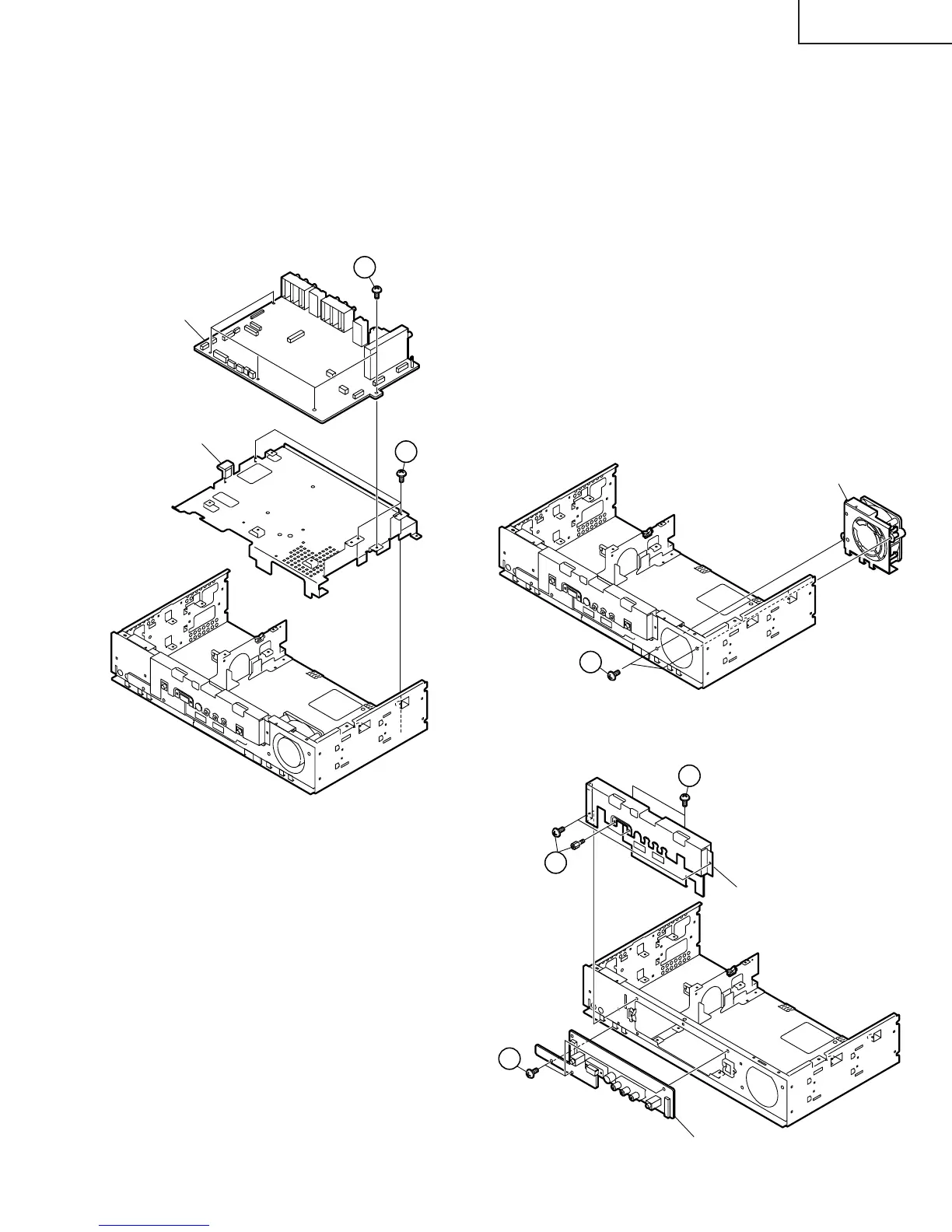
11. Remove the AV unit:
11-1. Remove the five AV unit retaining screws and remove the AV unit.
11-2. Remove the three AV unit angle retaining screws and remove the angle.
12. Remove the fan:
12-1. Remove the two cooling fan retaining screws and remove the cooling fan.
13. Remove unit from the front chassis:
13-1. Remove the two hex head screws and four screws securing the front shield to the front chassis and
remove the front shield.
13-2. Remove the four screws securing the front unit and remove the unit.
11-1
11-2
AV unit
AV unit angle
Cooling Fan
12-1
13-2
Front unit
Front Shield
13-1
13-1


 To Next Page