EasyManua.ls Logo

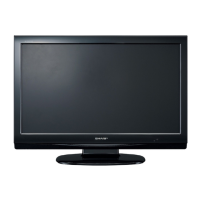
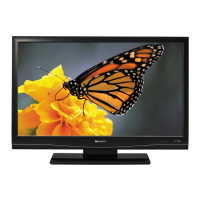
Sharp LC-30AD1E - User Manual

Sharp LC-30AD1E
100 pages
Print Icon
To Next Page IconTo Next Page
Loading...
This equipment complies with the requirements of Directive 89/336/EEC and 73/23/EEC as amended by 93/68/
EEC.
Dieses Gerät entspricht den Anforderungen der EG-Richtlinien 89/336/EWG und 73/23/EWG mit Änderung 93/
68/EWG.
Ce matériel répond aux exigences contenues dans les directives 89/336/CEE et 73/23/CEE modifiées par la
directive 93/68/CEE.
Dit apparaat voldoet aan de eisen van de richtlijnen 89/336/EEG en 73/23/EEG, gewijzigd door 93/68/EEG.
Dette udstyr overholder kravene i direktiv nr. 89/336/EEC og 73/23/EEC med tillæg nr. 93/68/EEC.
Quest’ apparecchio è conforme ai requisiti delle direttive 89/336/EEC e 73/23/EEC, come emendata dalla
direttiva 93/68/EEC.
« „ͷًÛÙ·ÛÁ ·ıÙfi ·ÌÙ·ÔÍÒflÌÂÙ·È ÛÙÈÚ ··ÈÙfiÛÂÈÚ Ù˘Ì Ô‰Á„È˛Ì ÙÁÚ EıÒ˘·˙ÍfiÚ EÌ˘ÛÁÚ 89/336/EOK Í·È
73/23/EOK, ¸˘Ú ÔÈ Í·ÌÔÌÈÛÏÔfl ·ıÙÔfl ÛıÏÎÁÒ˛ËÁÍ·Ì ·¸ ÙÁÌ Ô‰Á„fl· 93/68/EOK.
Este equipamento obedece às exigências das directivas 89/336/CEE e 73/23/CEE, na sua versão corrigida pela
directiva 93/68/CEE.
Este aparato satisface las exigencias de las Directivas 89/336/CEE y 73/23/CEE, modificadas por medio de la
93/68/CEE.
Denna utrustning uppfyller kraven enligt riktlinjerna 89/336/EEC och 73/23/EEC så som kompletteras av 93/68/
EEC.
Dette produktet oppfyller betingelsene i direktivene 89/336/EEC og 73/23/EEC i endringen 93/68/EEC.
Tämä laite täyttää direktiivien 89/336/EEC ja 73/23/EEC vaatimukset, joita on muutettu direktiivillä 93/68/EEC.
SPECIAL NOTE FOR USERS IN THE U.K.
The mains lead of this product is fitted with a non-rewireable (moulded) plug incorporating a 13A fuse. Should
the fuse need to be replaced, a BSI or ASTA approved BS 1362 fuse marked or
ASA
and of the same rating
as above, which is also indicated on the pin face of the plug, must be used.
Always refit the fuse cover after replacing the fuse. Never use the plug without the fuse cover fitted.
In the unlikely event of the socket outlet in your home not being compatible with the plug supplied, cut off the
mains plug and fit an appropriate type.
DANGER:
The fuse from the cut-off plug should be removed and the cut-off plug destroyed immediately and disposed of
in a safe manner.
Under no circumstances should the cut-off plug be inserted elsewhere into a 13A socket outlet, as a serious
electric shock may occur.
To fit an appropriate plug to the mains lead, follow the instructions below:
IMPORTANT:
The wires in the mains lead are coloured in accordance with the following code:
Blue: Neutral
Brown: Live
As the colours of the wires in the mains lead of this product may not correspond with the coloured markings
identifying the terminals in your plug, proceed as follows:
The wire which is coloured blue must be connected to the plug terminal which is marked N or coloured black.
The wire which is coloured brown must be connected to the plug terminal which is marked L or coloured red.
Ensure that neither the brown nor the blue wire is connected to the earth terminal in your three-pin plug.
Before replacing the plug cover make sure that:
If the new fitted plug contains a fuse, its value is the same as that removed from the cut-off plug.
The cord grip is clamped over the sheath of the mains lead, and not simply over the lead wires.
IF YOU HAVE ANY DOUBT, CONSULT A QUALIFIED ELECTRICIAN.
LC-30AD1E(E)(CE/UK) 03.10.31, 1:43 PM1


Table of Contents

Questions and Answers

  • K
    kbakerAug 14, 2025
    How to troubleshoot no power on my Sharp LC-30AD1E?
    • D
      debra90Aug 14, 2025
      First, ensure that the Display and the AVC System are correctly connected. Then, check if you have pressed the power button on the remote control. If the indicator on the Display lights up red, press the power button. Also, verify if the AC cord is disconnected and that the main power is turned on.
  • C
    Christopher GarciaAug 17, 2025
    Why does my Sharp LC-30AD1E power off suddenly?
    • W
      wheelerautumnAug 17, 2025
      If your Sharp LCD TV suddenly turns off, it might be due to the unit's internal temperature increasing. Remove any objects blocking the vents or clean them. Also, you may want to check the power control and sleep timer settings.
  • B
    brian10Aug 21, 2025
    What to do if the Sharp LCD TV remote control is not working?
    • A
      Arthur RiveraAug 21, 2025
      If the remote control unit for your Sharp LCD TV is not working, make sure the batteries are inserted with the correct polarity. If they are, try replacing them with new batteries. Also, strong or fluorescent lighting might interfere with the remote control sensor.
  • M
    Matthew WellsAug 25, 2025
    How to fix no sound on Sharp LC-30AD1E?
    • B
      Barbara PalmerAug 25, 2025
      If there is no sound on your Sharp LCD TV, first check if the volume is too low. Also, verify if 'Variable' is selected in 'Audio Out'. Check if the speaker is connected properly and ensure that the speaker selection is correct.
  • M
    mossjustinAug 28, 2025
    Why is there no picture on my Sharp LCD TV?
    • D
      Dustin LopezAug 28, 2025
      If your Sharp LCD TV has no picture, ensure that all connections to other equipment are correct and that the input signal has been set up correctly after the connections. Also, verify that the correct input is selected and that a compatible signal is being input. Check the picture adjustment and ensure the antenna is properly connected.
  • J
    John Reynolds MDAug 31, 2025
    Why does my Sharp LC-30AD1E have strange colours?
    • R
      Richard SmithAug 31, 2025
      If you notice a strange colour, light colour, dark picture, or colour misalignment on your Sharp LCD TV, try adjusting the picture tone. If the room is too bright, the picture may appear dark. Also, check the colour system and the input signal settings.
  • D
    dennis26Sep 3, 2025
    Why is the picture cut off on my Sharp LC-30AD1E?
    • A
      Amanda CooperSep 3, 2025
      If the picture on your Sharp LCD TV is cut off, check if the image position is correct. Also, ensure that the screen mode adjustments, such as picture size, are made correctly.
  • M
    Mike LeeSep 7, 2025
    How to fix monochrome DTV menu screen on Sharp LC-30AD1E?
    • P
      Philip GreenSep 7, 2025
      To resolve this issue with your Sharp LCD TV, check if 'Monochrome' is set to 'On' in the DTV menu. If it is, set it to 'Off'.
  • C
    Christine JohnsonSep 10, 2025
    What to do if Sharp LCD TV unit cannot be operated?
    • K
      Kelly BeckerSep 10, 2025
      If your Sharp LCD TV unit cannot be operated, external influences such as lightning or static electricity may be the cause. Turn off the power to the Display and the AVC System, or unplug the AC cord and re-plug it in after a couple of minutes.

Summary

Important Safety Precautions

Preparation

Preparation (Analogue)

Initial auto installation

Automatic setup process for language, country, and channel tuning for analogue broadcasts.

Preparation (Digital)

Watching TV

Turning on the power

Procedures for powering up the TV system from standby mode.

Turning off the power

Steps for switching the TV system to standby or completely off.

Watching TV (Analogue)

Simple channel changing operations

Methods for changing channels using buttons, number keys, and flashback function.

Volume and Mute control

How to adjust volume levels and mute the sound using the remote control or display buttons.

Basic Adjustment Settings

Picture Adjustments

Settings to customize picture quality like contrast, brightness, colour, and advanced image options.

Audio Adjustments

Options for sound settings including treble, bass, balance, and Dolby Virtual effects.

Analogue System Settings

Procedures for auto installation, program setup, manual channel tuning, and sorting analogue channels.

Digital System Settings

Configuration for country, services, languages, access restrictions, and software updates for digital TV.

Using External Equipment

Useful Features

Appendix

Factory Reset Procedure

Sharp LC-30AD1E Specifications

General IconGeneral
Screen Size30 inches
Display TechnologyLCD
Aspect Ratio16:9
Brightness450 cd/m²
Speakers2x 10W
Input PortsHDMI, Composite, S-Video, VGA
Resolution1366 x 768 pixels
Viewing Angle170° (H) / 170° (V)

Related product manuals