LC-37D44E/S/RU-BK/GY
3 – 10
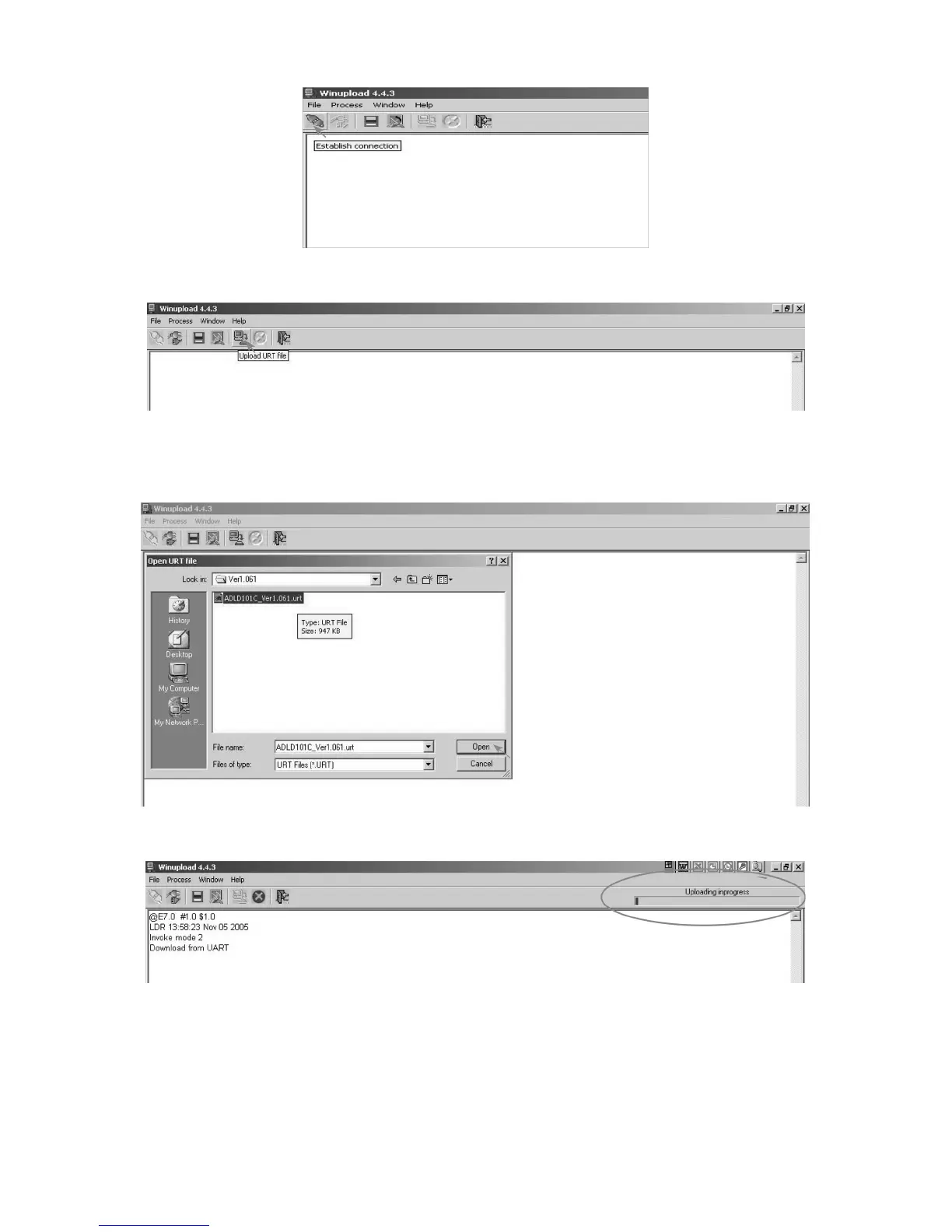
3. Establish connection on Winupload Software.
4. Select “Upload URT file”
5. Select and open the “.urt” data file from data directory
NOTE: Consider the version shown below just an example, may be is not the latest one, and could be different depending on the TV set destination
(market/Country) or model.
6. Switch On the TV Set (previously in DTV Mode). The Uploading Process starts automatically.




 To Next Page