01/8/30 4.fm
37
MD-MT888H
Useful Features
-Recording from a Microphone-
„ Track intervals
When recording from the microphone, track numbers will
be created automatically at regular intervals (default set-
ting: approximately every 5 minutes). During a mic syn-
chro recording, the unit pauses when a silence lasts for 3
seconds or more, and creates a track number.
Changing intervals between tracks
z
Complete the operation within 25 seconds whilst
selecting the menus.
z
If you press the CLEAR button during the operation,
the previous display appears.
z
To cancel the operation, move the M button toward .
Example: Set to "5 minutes".
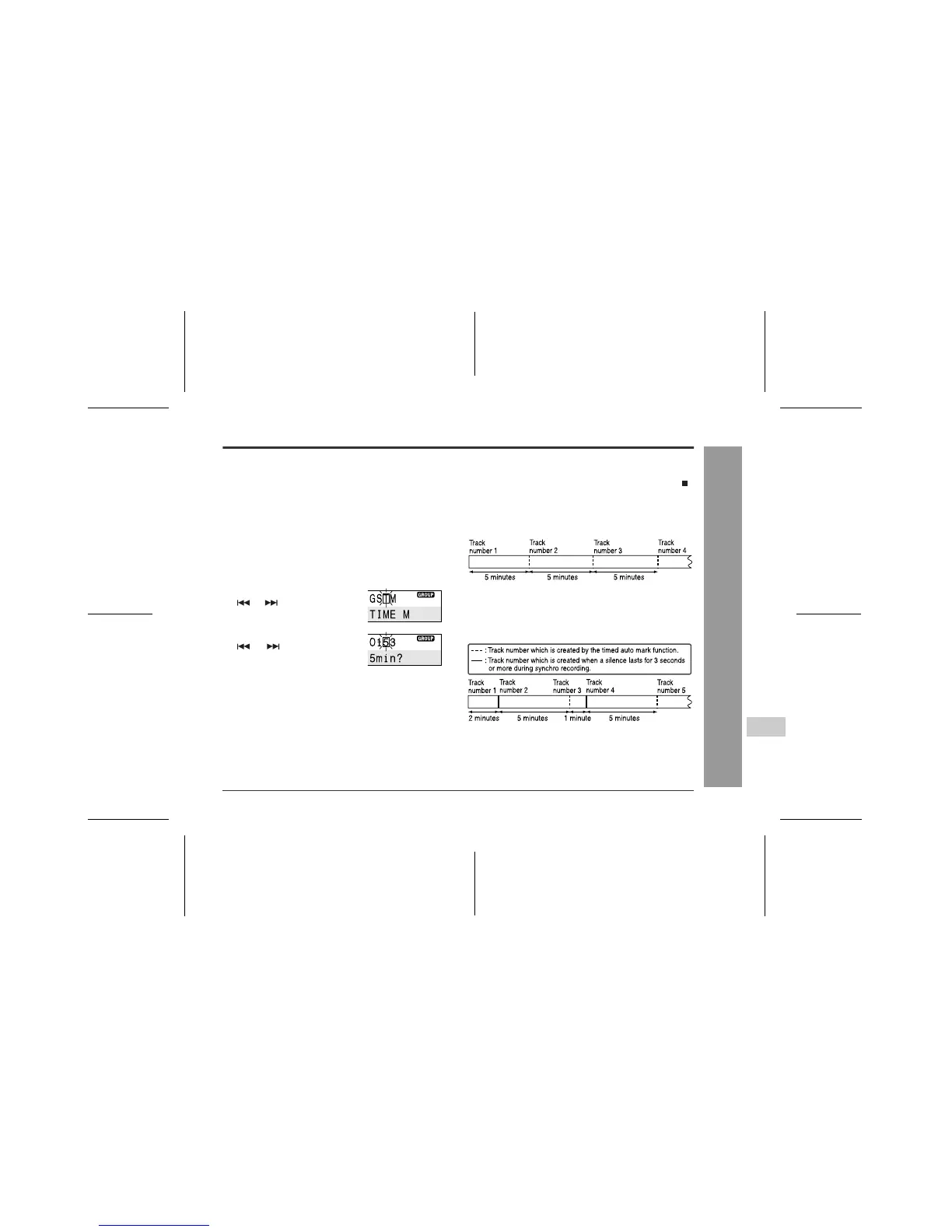
During a mic manual recording
Timed auto marks will be created every 5 minutes.
During a mic synchro recording
If a silence lasts for 3 seconds or more, a timed auto
mark will be created 5 minutes after the previous mark is
created.
Creating track numbers manually
Press the REC button whilst recording.
1
Whilst the recording or recording is paused,
press the M button.
The unit enters the menu select mode.
2
Move the M button toward
or to select "T(TIME
MARK)" and press it.
3
Move the M button toward
or to select the de-
sired interval and press it.
O(OFF): No track numbers are created automatically.
1(10min): A new track number is created every 10 min-
utes.
5(5min): A new track number is created every 5 min-
utes.
3(3min): A new track number is created every 3 min-
utes.
4
Track numbers will be created automatical-
ly at regular intervals.



 To Next Page