01/8/30 5.fm
51
MD-MT888H
Advanced Features
-Hold Function-
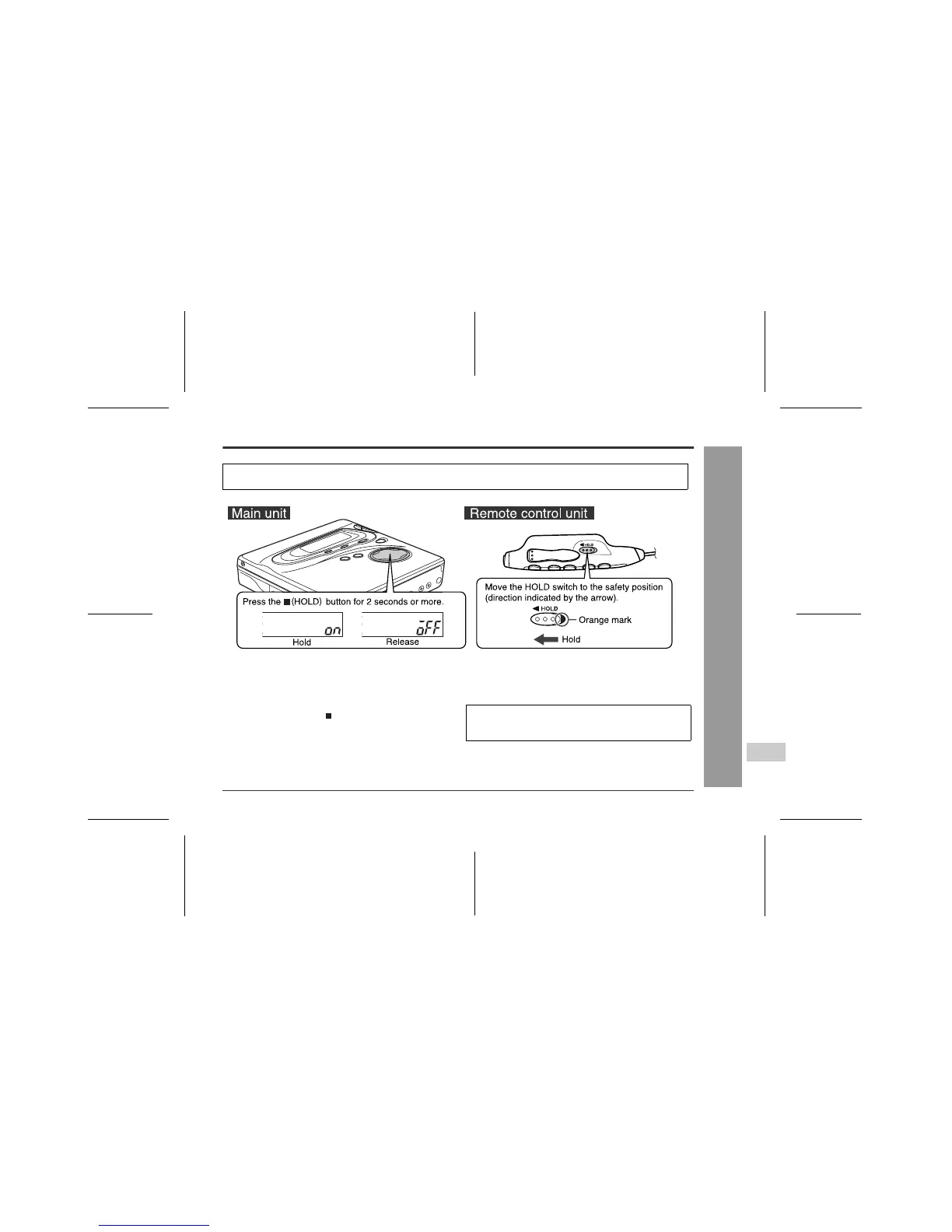
Hold Function
If the battery is inserted or the AC adaptor is connected,
you can set this function even when the power is turned
off.
To cancel the hold mode
Press and hold down the (HOLD) button for 2 seconds
or more whilst the unit is in the hold mode.
"oFF" will be shown.
To cancel the hold mode
Move the HOLD switch away from the safety position (the
opposite direction of the arrow).
The present operation condition can be kept even if other buttons are accidentally pressed in a place such as a
crowded train.
If the hold function is active whilst the power is turned
off, the power cannot be turned on by mistake and the
battery will not be drained.



 To Next Page