01/8/30 5.fm
40
MD-MT888H
Advanced Features
-Titling a MiniDisc-
Titling a MiniDisc
z
Load a MiniDisc to be named. A playback only or
recording prevented MiniDisc cannot be edited.
z
The group-recorded MD may not be edited properly
with other equipment.
„
Creating a disc name
Whilst in the stop mode, check that " TOTAL" is dis-
played on the LCD.
If " TOTAL" is not displayed, move the M button toward
.
The group-recorded MD contains the menus that can-
not be edited if the group mode has been cancelled.
Select the group mode before editing.
1
Whilst in the stop mode,
press the M button.
The unit enters the menu select
mode.
2
Move the M button toward
or to select
"N(NAME)" and press it.
3
Move the M button toward or to select
"D(DISC)" and press it.
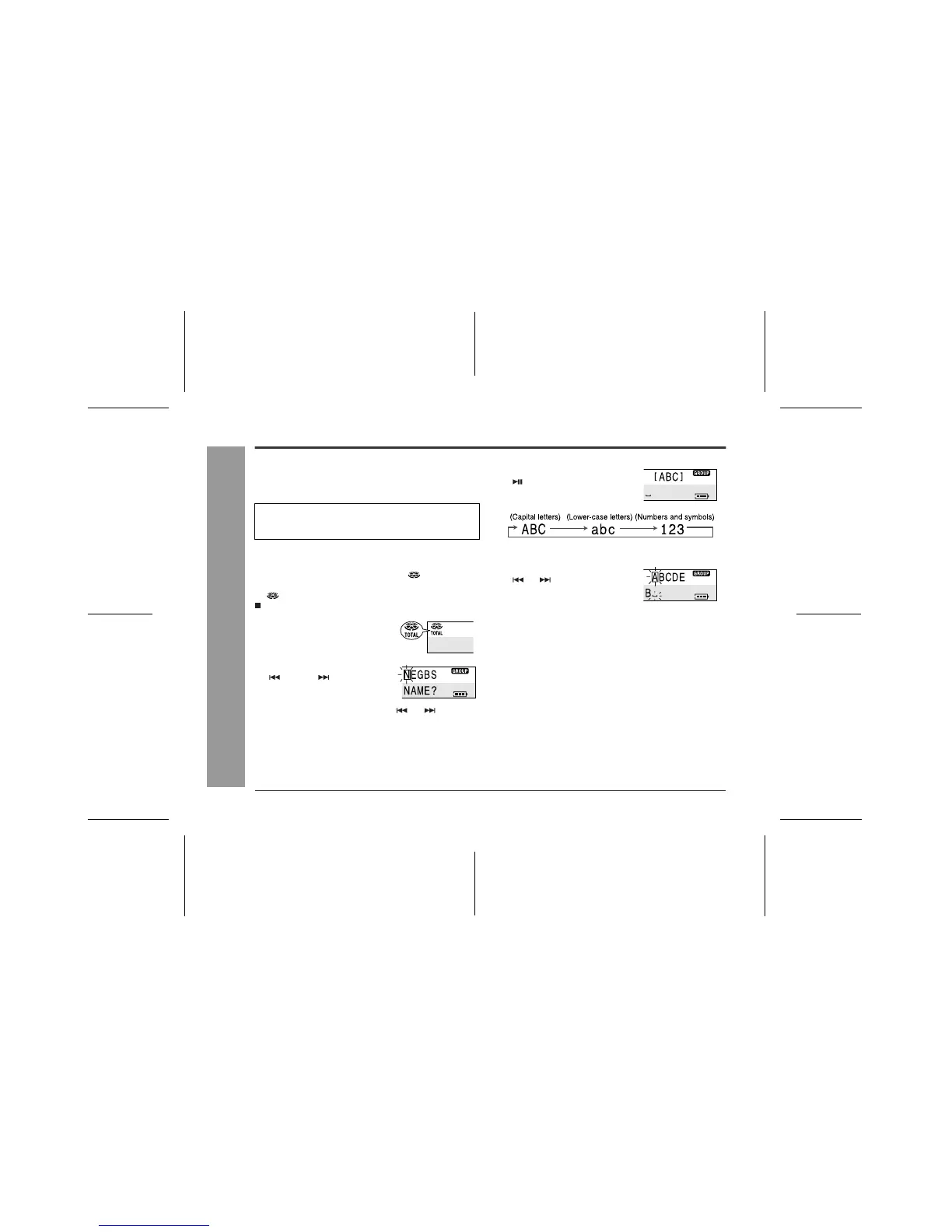
The unit will enter the character input mode.
4
Move the M button toward
to select the type of char-
acters.
You can perform the same operation by pressing the
MODE button repeatedly.
5
Move the M button toward
or to select the char-
acter you want to enter.
6
Press the M button to enter it.
7
To enter more letters, repeat steps 4 - 6.
8
After entering all the characters, hold down
the M button for 1 second or more.



 To Next Page