01/8/30 1.fm
9
MD-MT888H
Important Introduction
-Names of Controls and Indicators-
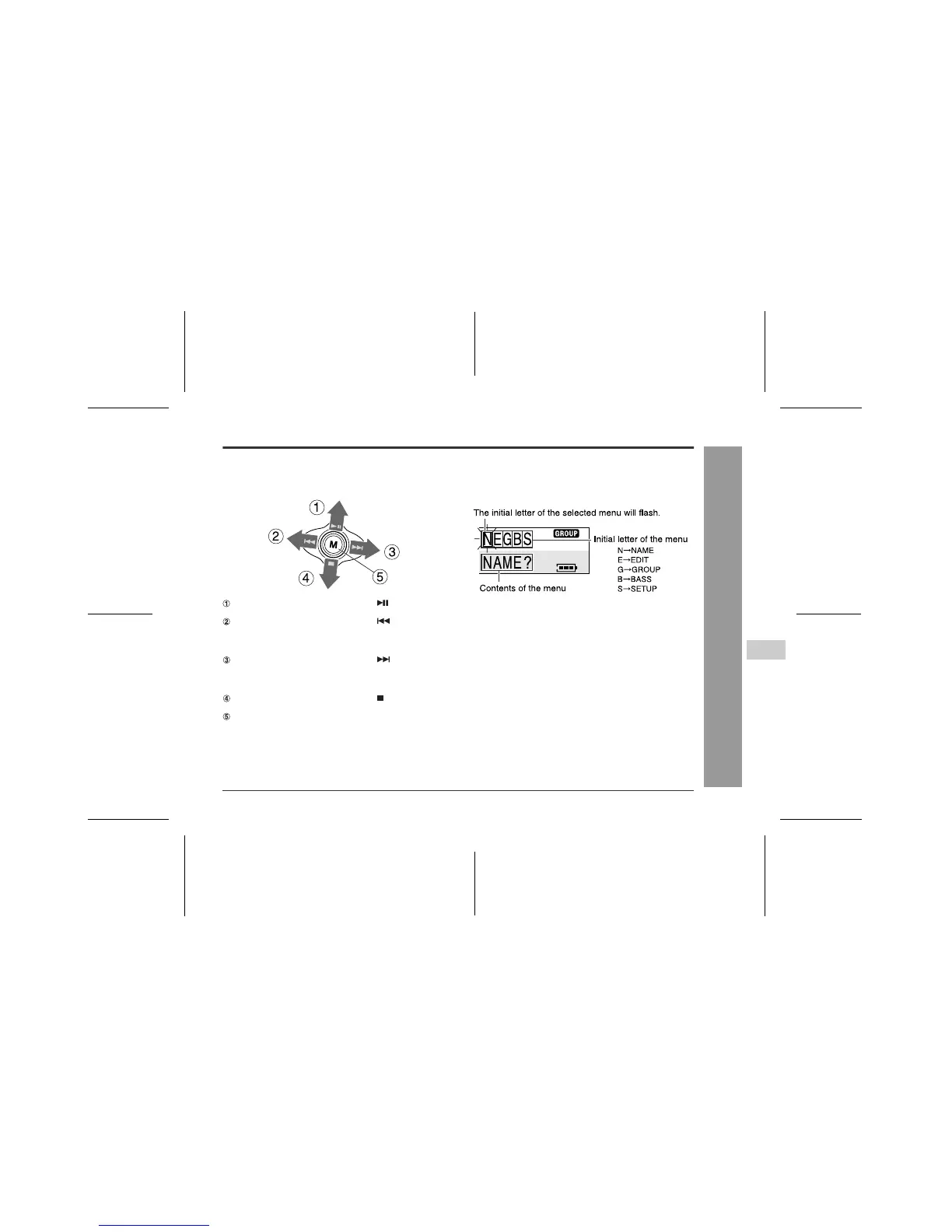
Menu button operation
Various operations are performed by moving the M but-
ton on the remote control all around or pressing it.
Menu display
When the unit enters the menu mode, the initial letter of
each menu will be displayed in the first line and the con-
tents of the selected menu in the second line.
Note:
Display of the initial letter of the menu depends on
the used conditions.
(Whilst stopped, playback, paused, digital-recording,
analogue-recording, microphone recording, or when a
group-recorded MD or non-group MD is loaded)
If you move the M button toward ...
Playback, pause, selecting a character
If you move the M button toward ...
Fast reverse, selecting a track, menu, and setting
item, moving cursor, adjusting recording level, select-
ing a character
If you move the M button toward ...
Fast forward, selecting a track, menu, and setting
item, moving cursor, adjusting recording level, select-
ing a character
If you move the M button toward ...
Stop, power off
If you press the M button...
Displaying a menu, determining a menu, setting item,
and character



 To Next Page