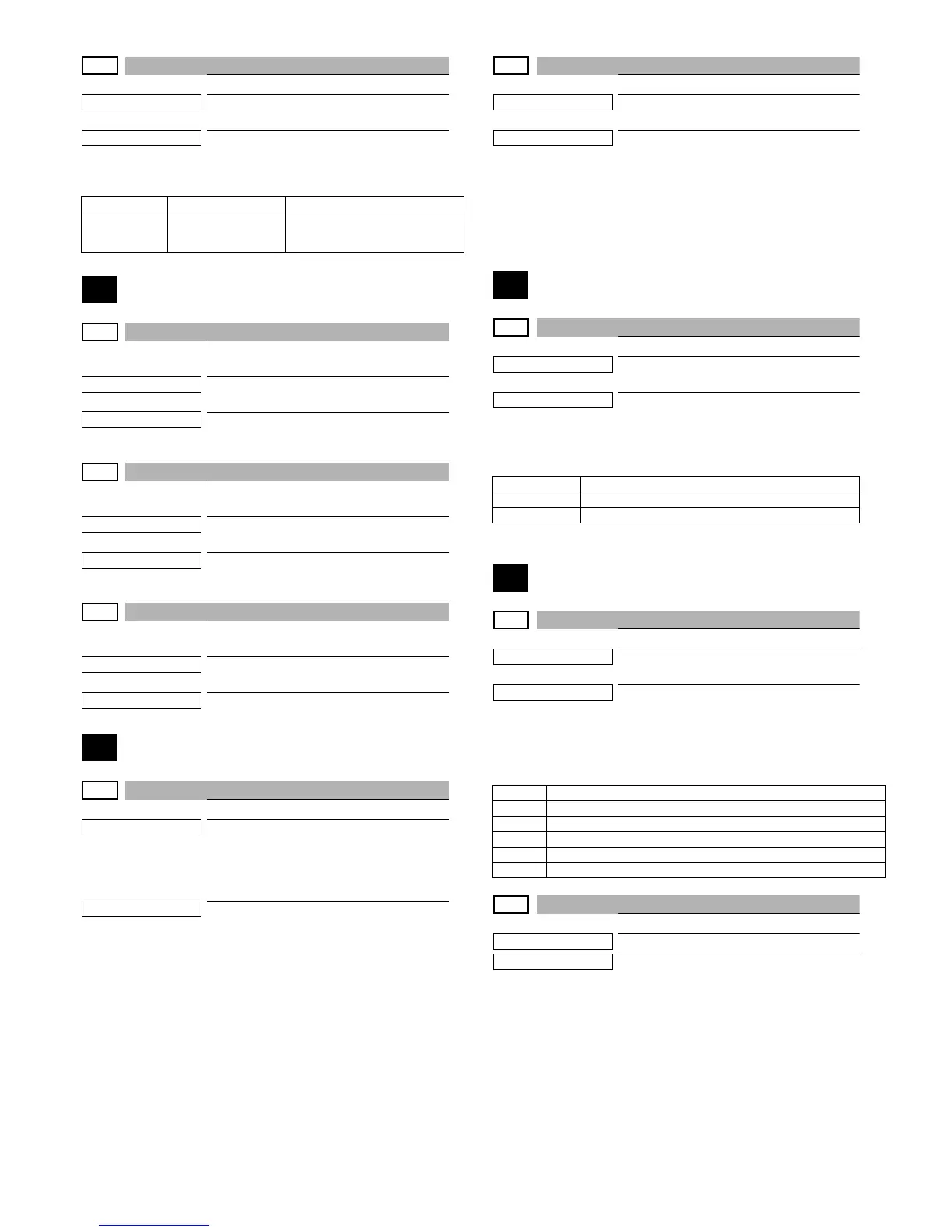
MX-C250 SIMULATION 6 – 56
53-10
Purpose
Adjustment
Function (Purpose)
Used to set the display of the dirt detection
position of the SPF
Section
Operation/Procedure
1) Press [OK]/[START] key.
55
55-1
Purpose
(Do not use this function unless specially
required.)
Function (Purpose)
Used to set the specifications of the engine
control operations. (SOFT SW)
Section
Operation/Procedure
55-2
Purpose
(Do not use this function unless specially
required.)
Function (Purpose)
Used to set the specifications of the scan-
ner control operation. (SOFT SW)
Section
Operation/Procedure
55-3
Purpose
(Do not use this function unless specially
required.)
Function (Purpose)
Used to set the specifications of the control-
ler operation. (SOFT SW)
Section
56
56-2
Purpose
Data backup (Data transfer)
Function (Purpose)
Used to backup the data in the EEPROM
and Flash memory (including user authenti-
cation data) to the USB memory. (Corre-
sponding to the device cloning and the
storage backup.)
Section
Operation/Procedure
1) Insert the USB flash drive into the main unit.
2) Select a transfer mode with Arrow keys.
- IMPORT STORED DATA
From USB MEMORY DEVICE to EEPROM
- EXPORT STORED DATA
From EEPROM to USB MEMORY DEVICE
3) Press [OK]/[START] key.
Data transfer is performed
When the operation is completed normally, "COMPLETE" is
displayed. In case of an abnormal end, "ERROR" is displayed.
56-5
Purpose
Adjustment/Setting/Operation data check
Function (Purpose)
Used to import the SIM22-6 data to a USB
flash drive in the TEXT format.
Section
Operation/Procedure
1) Insert the USB flash drive into the main unit.
2) Select a kind of data to be imported with Arrow keys.
3) Press [OK]/[START] key. .
Procedure 2) The selected data are imported.
60
60-1
Purpose
Operation test/check
Function (Purpose)
Used to check the operations (read/write)
of the MFP PWB memory.
Section
Operation/Procedure
1) Press [OK]/[START] key.
Start the test.
61
61-1
Purpose
Operation test/check
Function (Purpose)
Used to check the LSU polygon motor rota-
tion and laser emission/detection.
Section
LSU
Operation/Procedure
1) Press [OK]/[START] key.
When the operation is completed normally, [OK] is displayed.
In case of an abnormal end, [NG] is displayed.
61-3
Purpose
Adjustment/Setup
Function (Purpose)
Used to set the laser power
Section
Operation/Procedure
1) Select an item to be set with Arrow keys.
2) Enter the set value with 10 keys.
3) Press [OK]/[START] key.
The set value in step 2) is saved.
When the laser power is increased, the print density is
increased and the line width of line images are increased.
Item/Display Content Description
SPF Display the dirt
detection position
SPF glass surface dirt detection
position (main scan position 1 to 8)
"-": No dirt, A"*": Dirt
Result display Description
OK Success
NG Error
Display Content
NG:PG Polygon mirror rotation abnormality
NG:K Laser light emitting abnormality, Laser light detection abnormality(K)
NG:C Laser light emitting abnormality (C)
NG:M Laser light emitting abnormality (M)
NG:Y Laser light emitting abnormality, Laser light detection abnormality(Y)


 To Next Page