MX-C250 SIMULATION 6 – 8
5
5-1
Purpose
Operation test/check
Function (Purpose)
Used to check the operation of the display,
LCD in the operation panel, and control cir-
cuit
Section
Operation panel
Operation/Procedure
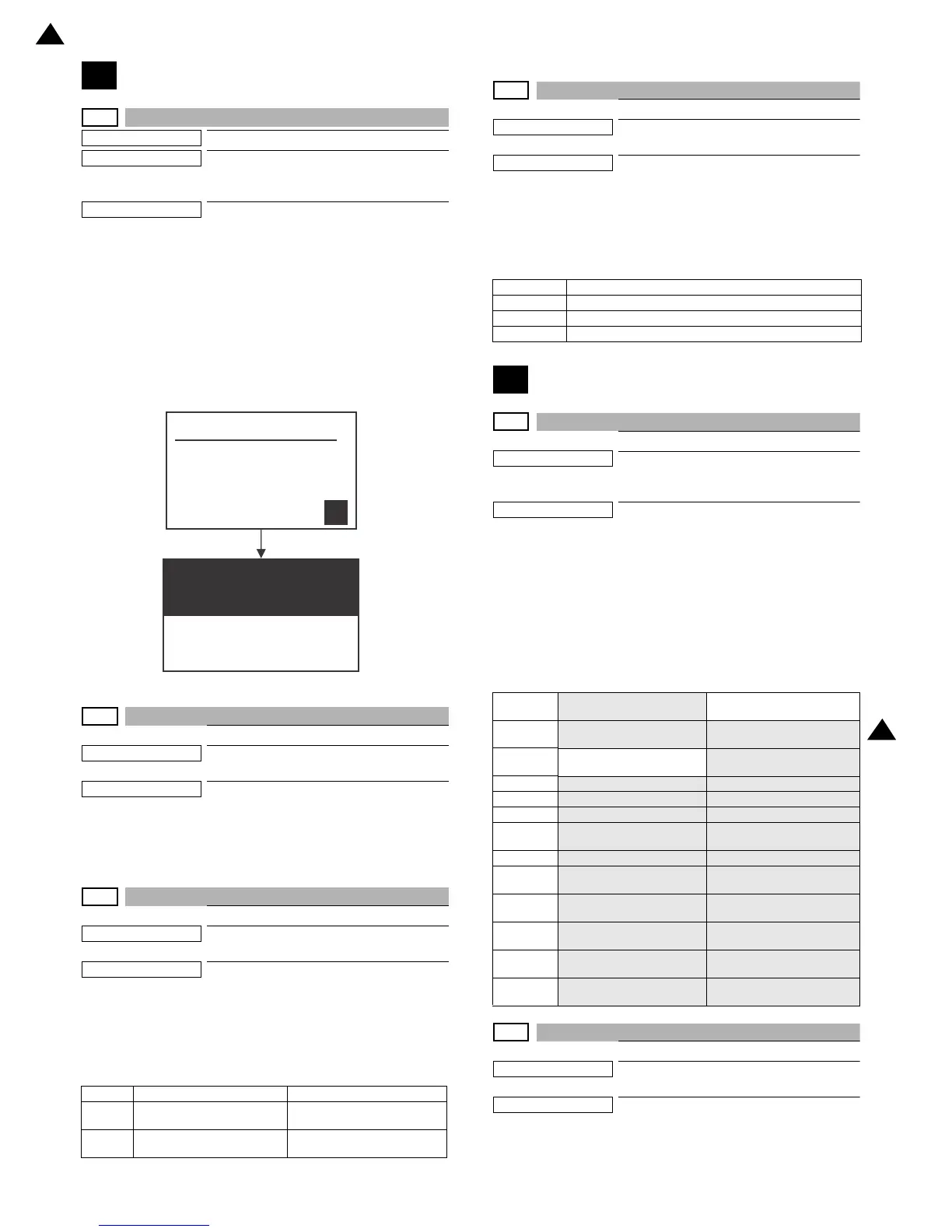
The LCD is changed as shown below.
During this period, each LED is lighted.
The LCD display contrast change and the LED lighting status are
checked.
When [OK]/[START] KEY is pressed during the operation, it will be
switched to [Key input check] mode.
NOTE:
[Key input check] mode is to check if the keys on the oper-
ation panel can be detected physically.
5-2
Purpose
Operation test/check
Function (Purpose)
Used to check the operation of the heater
lamp and the control circuit.
Section
Fusing
Operation/Procedure
1) Press [OK]/[START] key.
The heater lamp operates ON/OFF.
When [CA] key is pressed, the operation is terminated.
5-3
Purpose
Operation test/check
Function (Purpose)
Used to check the operation of the copy
lamp and the control circuit.
Section
Scanner (reading)
Operation/Procedure
1) Select the item to be operation checked with .
2) Press [OK]/[START] key.
The copy lamp lights up for 10 sec.
When [STOP] key is pressed, the operation is terminated.
5-4
Purpose
Operation test/check
Function (Purpose)
Used to check the operation of the dis-
charge lamp and the control circuit.
Section
Process
Operation/Procedure
1) Select the item to be operation checked with .
2) Press [OK]/[START] key.
The discharge lamp lights up for 30 sec.
When [STOP] key is pressed, the operation is terminated.
6
6-1
Purpose
Operation test/check
Function (Purpose)
Used to check the operations of the load in
the paper transport system (clutches and
solenoids) and the control circuits.
Section
Paper transport/Paper exit section
Operation/Procedure
1) Select the item to be operation checked with 10 keys.
2) Press [OK]/[START] key.
The selected load performs the operation.
When [STOP] key is pressed, the operation is terminated.
Load operation check method:
The load operation is checked by the operation sound. However,
there are some loads which cannot be checked with the operation
sound.
6-2
Purpose
Operation test/check
Function (Purpose)
Used to check the operations of each fan
motor and its control circuit.
Section
Others
Operation/Procedure
1) Select the item to be operation checked with 10 keys..
2) Press [OK]/[START] key.
Item Contents Note
MONO Turn on the lamp for mono-
chrome
Turn on RGB mixed color light-
ing
COLOR Turn on the lamp for color Turn on RGB color lighting in
order.
DL_K Discharge lamp for K
DL_C Discharge lamp for C
DL_M Discharge lamp for M
DL_Y Discharge lamp for Y
Item/Dis-
play
Name Content
FUM
Fusing motor
Fusing motor middle speed
drive ON/OFF
CPUC
Paper feed tray 1 paper
feed clutch
CPUC1 Signal ON/OFF
RRC
PS clutch RRC Signal ON/OFF
MPFC
Manual paper feed clutch MPUC1 Signal ON/OFF
POC
Paper delivery clutch POC Signal ON/OFF
PORC
Paper delivery / switch back
clutch
PORC Signal ON/OFF
ADUC
ADU transport clutch 1 ADUC1 Signal ON/OFF
PCSS
Process control shutter
solenoid
PCSS Signal ON/OFF
C2MM
Paper feed tray 2 paper
feed motor
C2MM Paper feed speed
drive ON/OFF
C2LUM
Paper feed tray 2 lift up
motor
C2LUM Signal ON/OFF
C2PFC
Paper feed tray 2 paper
feed clutch
C2PFC Signal ON/OFF
C2TRC
Paper feed tray 2 paper
transport clutch
C2TRC Signal ON/OFF
2 ‘13/Oct
2


 To Next Page