I
.-
SF-7300
SF-7350
F@. 1
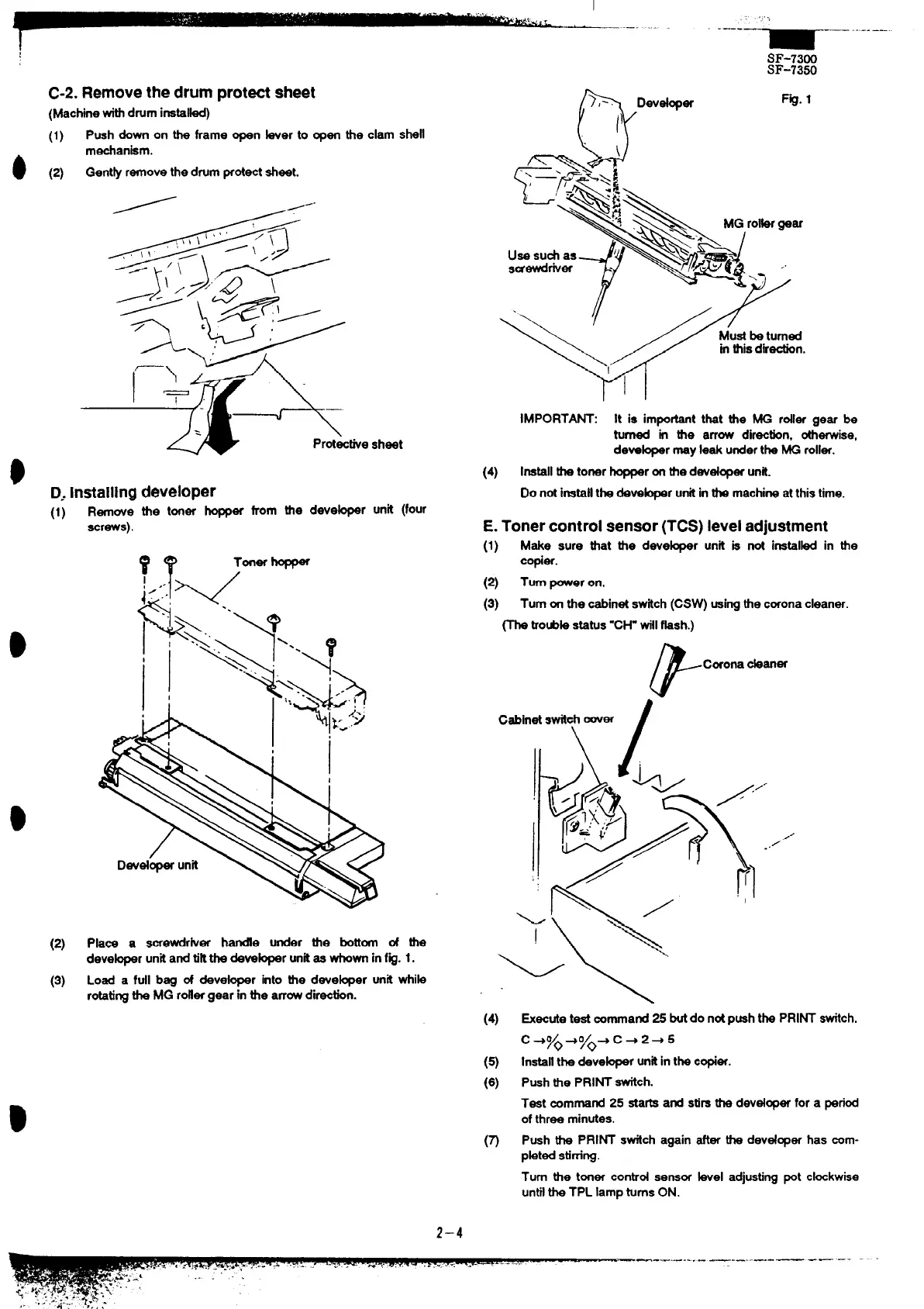
C-2.Remove the drum protw sheet
(Machinewithdrum instal~)
(1)
Push down on the frame open ber to open the clam shell
mechanism.
(2)
Gent~ removethe drumprotectsheet.
/-”
Protectie sheet
D, Installing developer
(1)
Remove the toner hopper from the deve~r unit (four
screws).
IMPORTN: It is impotit that the MG roller gear be
turned in the arrow dir=tin, otherwise,
deve~r may leek undertk MG roller.
(4) Installthe toner-r onthedevd~er un~.
Do notimwll the &ve@r untiinthe machineat thistime.
E. Toner control sensor (TCS) level adjustment
(1)
Make sure that the deve~r unit is not inetal~ in the
copier.
(2) Turnpower on.
(3) Turnon the cabinetstich (CSW) usingthecoronacleaner.
~ tiOUbkStStUS‘CH- til %sh.)
F
Coronackaner
(2)
Plain a screwdrher handfe under the bottom of the
deve@r unkand tik the deve~r unitse *W infig. 1.
(3) Load a full beg of deve~r into the deve~er unit whib
rotatingk MG roflergear in tie arrowdirection.
(4)
.
#“’
=ecute test commandZ butdo notpushthe PRINT switch.
c +yo4Q/o+
c+ 2+ 5
installthe deve~r unitinthe c@er.
Pushthe PRINT fich.
Test command 25 sta~ and stirsthe devdoper for a period
ofthree minutes.
Push the PRINT switch again after the devdoper has com-
pbted Stimng.
Turn the toner control sensor hel adjustingpot chkwbe
untilthe TPL lampturnsON.
2–4



 To Next Page