42
■
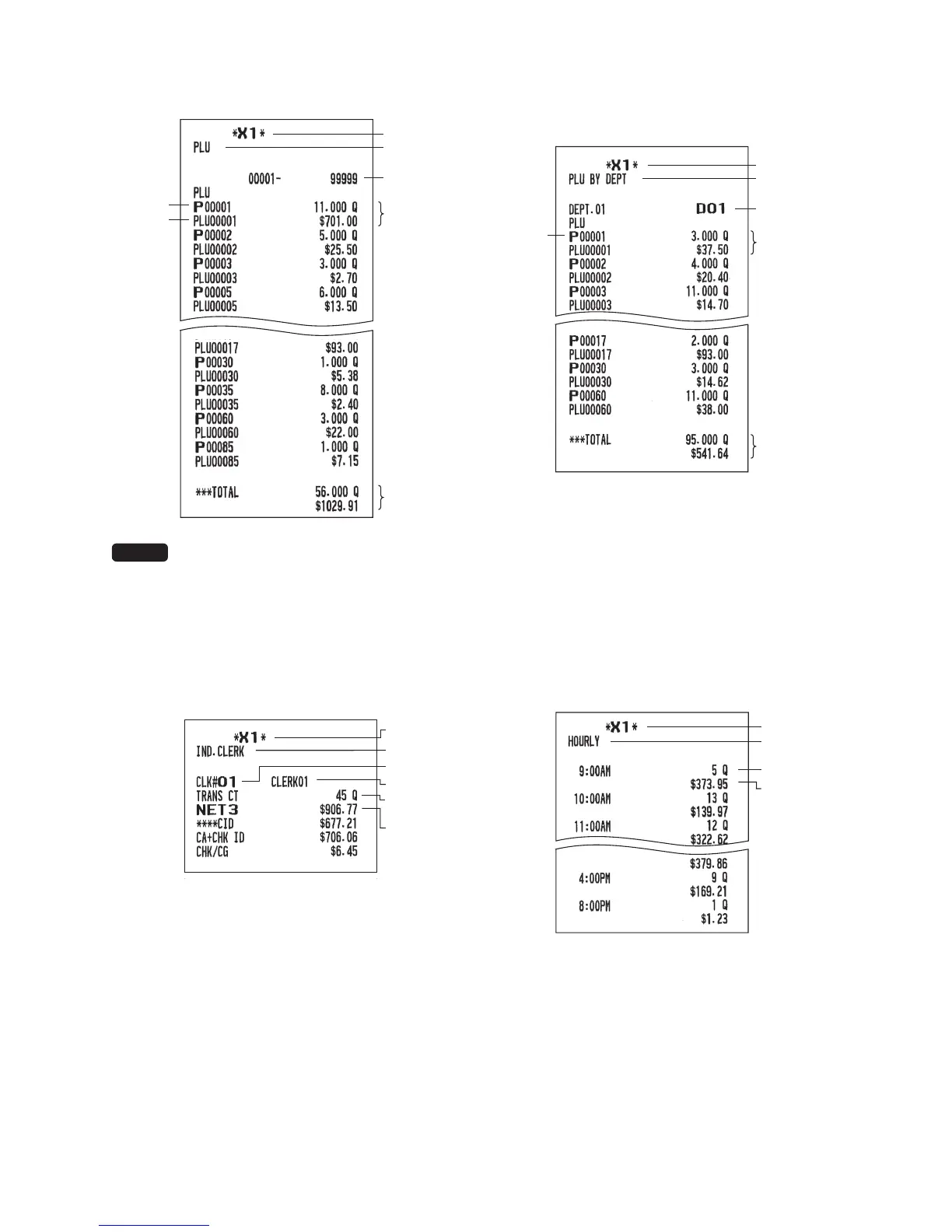
PLUreportbydesignatedrange
•Samplereport
* When you take Z1 report, “Z1” is printed.
NOTE
In case of a PLU X report only header
information is stored in the Electronic
Journal le.
■
PLUreportbyassociated
department
•Samplereport
Mode title*
Report title
Sales q'ty
and total
Range
PLU
range sum
PLU code
Item label
Sales q'ty
and total
PLU total
Mode title
Report title
Associate
dept. code
PLU code
■
Clerkreports
Individualclerkreport
•Samplereport
*: When you take OPZ report, “OPZ” is printed.
Fullclerkreport
The report prints in the same format as in the
sample report of individual clerk, but all clerk’s sales
data is sorted by clerk code # (from #1 to #25).
■
Hourlyreport
•Samplereport
*: When you take Z1 report, “Z1” is printed.
When you take an hourly report by range, a report
of the specied range of time (hour) is printed.












 To Next Page