Useful Features
-61
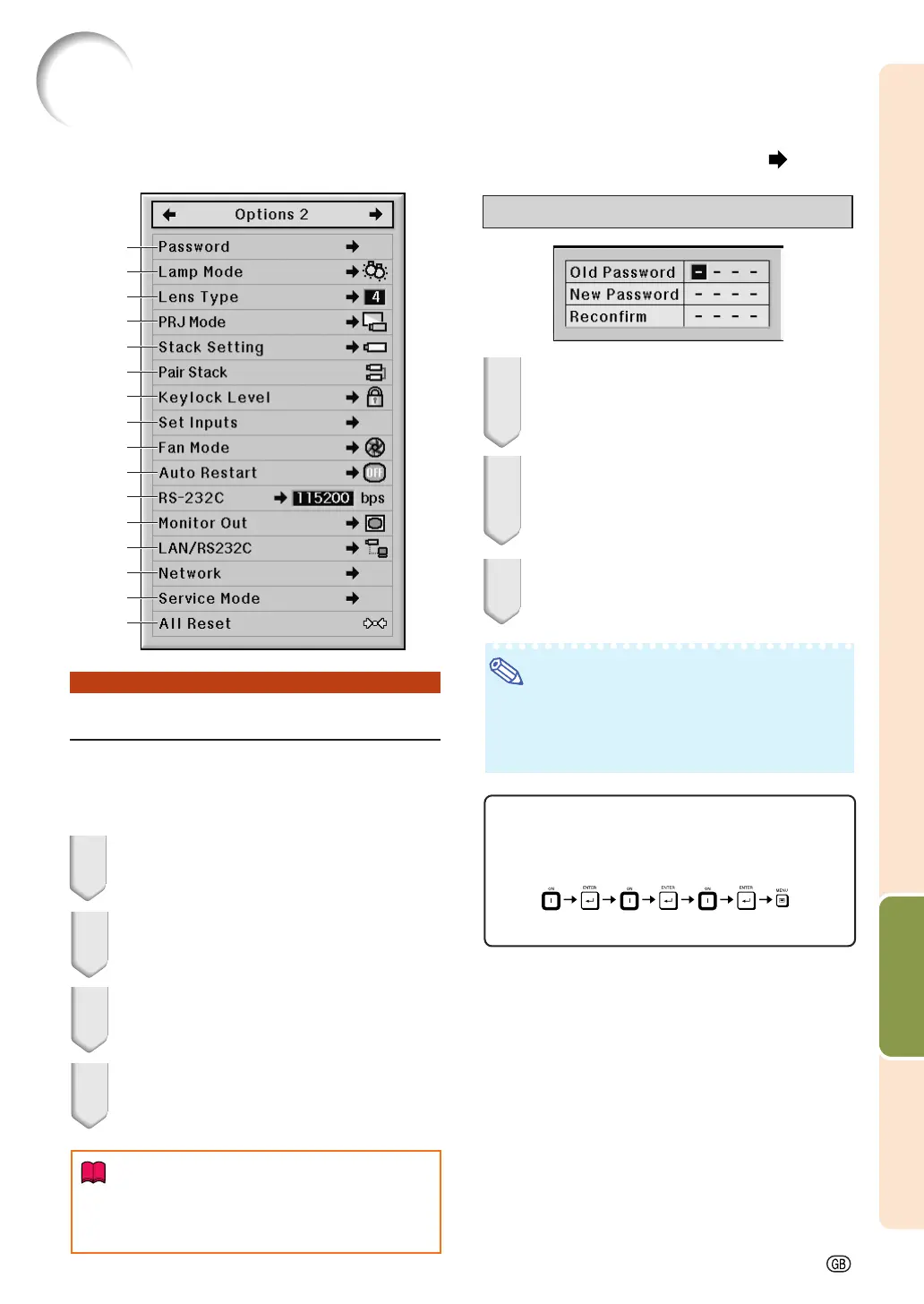
Helpful Functions Set during Installation (“Options 2” menu)
11
11
1 Setting a Password
••
••
• There is no factory preset for the password,
so the “Options 2” menu is enabled.
••
••
• If you do not want others to operate the
“Options 2” menu, set a password.
1 Select “Password” from the
“Options 2” menu, and press
||
||
|.
2 Press
''
''
' or
""
""
" to set the first digit in
“New Password” and then press
||
||
|.
3 Enter the remaining 3 digits and
press ENTER.
4 Enter the same password in
“Reconfirm” and press ENTER.
Info
• The password must be entered to use the
“Options 2” menu when a password has
been set.
Changing the password
1 Press
''
''
',
""
""
" and
||
||
| to enter the pass-
word in “Old Password” and press
ENTER.
2 Press
''
''
',
""
""
" and
||
||
| to set the new
password in “New Password” and
press ENTER.
3 Enter the same 4-digit password in
“Reconfirm” and press ENTER.
Note
• If you do not want to set a password, leave the
fields blank in steps 2 and 3 and press ENTER.
• To cancel the password settings, press UNDO.
If You Forget Your Password
If you forget the password, delete it using the fol-
lowing procedure and set a new password.
Press
on the
projector.
1
2
3
4
5
6
7
8
9
0
q
w
e
t
y
u
r
Menu operation Page 47



 To Next Page