EasyManua.ls Logo

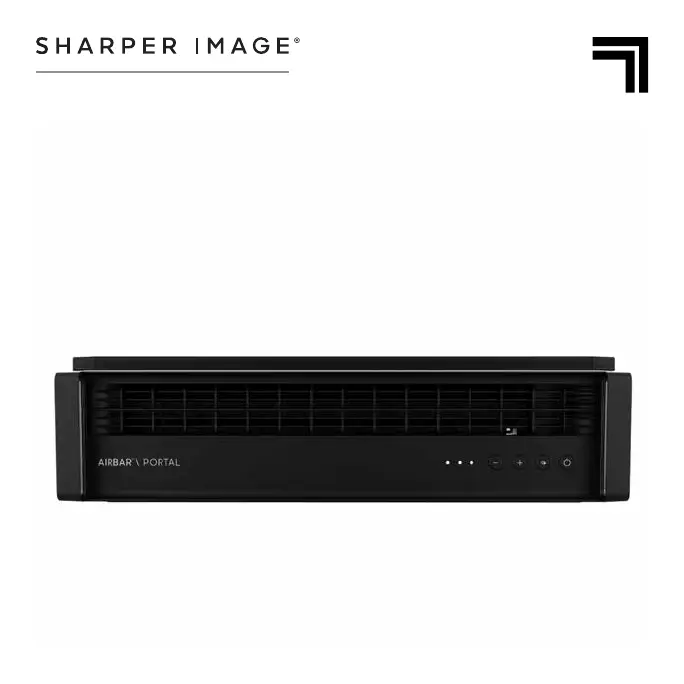
Sharper Image PORTAL - User Manual

Sharper Image PORTAL
17 pages
Print Icon
To Next Page IconTo Next Page
Loading...
MODELS
PORTAL, PORTAL XT
PORTAL
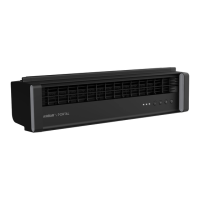
WINDOW FAN
OWNER’S GUIDE
GUÍA DEL PROPIETARIO DEL VENTILADOR
DE VENTANA

Questions and Answers

  • J
    James WarrenJul 30, 2025
    What to do if my Sharper Image PORTAL Fan doesn't turn on?
    • W
      William LozanoJul 30, 2025
      If your Sharper Image Fan fails to power on, first ensure that the power cord is properly plugged into a working electrical outlet. If it is plugged in, the unit may be damaged or in need of repair, in which case you should cease using it, unplug it, and contact Consumer Service for assistance. Also, check the fuse and replace it according to the IMPORTANT INSTRUCTIONS or contact Consumer Service.
  • K
    kingstephanieAug 9, 2025
    How to increase airflow in my Sharper Image PORTAL Fan?
    • J
      Jose HolmesAug 9, 2025
      If your Sharper Image Fan is not producing enough air, make sure that the unit is set to the highest setting to maximize air circulation. Allow the unit sufficient time to fully circulate the air throughout the room, as this may take several minutes. Also, check and ensure that all air inlets and the outlet grille are free from obstructions.
  • S
    sarah45Aug 17, 2025
    What to do if air is not moving in the desired direction in my Sharper Image PORTAL Fan?
    • C
      Cathy WardAug 18, 2025
      If the air from your Sharper Image Fan is not moving in the direction you want, try switching the airflow direction from DIRECT to EXHAUST or from EXHAUST to DIRECT. If the problem continues, turn the unit OFF and then ON again, and readjust the settings as needed.

Summary

IMPORTANT SAFETY INSTRUCTIONS

INTENDED USE

Defines the product's purpose and limitations for safe operation.

WARNING: Risk to Children and Impaired Persons

Highlights supervision needs for minors and individuals with reduced capabilities.

INSTALLATION WARNING

Provides crucial safety guidelines for product installation to prevent hazards.

SAFE USE WARNING

Details essential precautions for operating the fan safely, avoiding electrical hazards.

SERVICING WARNING

Offers safety advice regarding product maintenance and repair procedures.

User Servicing Instructions

Step-by-step guide for users on how to perform basic servicing, like fuse replacement.

FCC Compliance Statement

Outlines regulatory compliance with FCC rules regarding radio frequency emissions.

Suppliers FCC Declaration of Conformity

Formal declaration by the supplier regarding the product's adherence to FCC regulations.

PRODUCT INFORMATION

Included Components

Lists the items included in the product package, such as fan body and breeze blocks.

GETTING STARTED WINDOW INSTALLATION

Installation Procedure

Step-by-step instructions for installing the fan in a window, including securing it properly.

CONTROLS

Fan Speed and Mode Adjustment

Explains how to adjust fan speed and switch between direct and exhaust airflow modes.

CLEANING & STORAGE

Cleaning Instructions

Details the recommended methods for cleaning the fan safely and effectively.

Storage Guidelines

Provides instructions on how to store the fan properly during the off-season to maintain its condition.

TROUBLESHOOTING

Common Issues and Solutions

Addresses typical problems users might encounter and offers solutions for them.

WARRANTY

Warranty Coverage and Service

Outlines the terms of the product warranty, duration, and how to obtain service or repairs.

Sharper Image PORTAL Specifications

General IconGeneral
BrandSharper Image
ModelPORTAL
CategoryFan
LanguageEnglish

Related product manuals