EasyManua.ls Logo

Sharper Image GO 9 - User Manual

Sharper Image GO 9
25 pages
Print Icon
To Next Page IconTo Next Page
Loading...
CL30700 R, V00
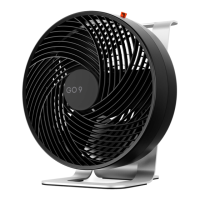
GO 9
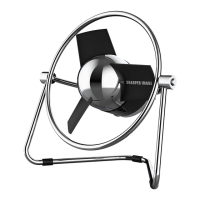
RECHARGEABLE FAN
OWNER’S GUIDE
MODEL
GO 9
GUÍA DEL PROPIETARIO DEL VENTILADOR
DE MANO RECARGABLE
GUIDE D’UTILISATION VENTILATEUR
PORTATIF RECHARGEABLE

Questions and Answers

  • M
    Marcus ShahJul 28, 2025
    What to do if my Sharper Image GO 9 Fan doesn't turn on and there is no indicator light?
    • S
      Steven NewmanJul 28, 2025
      If your Sharper Image Fan fails to power on and the indicator light is off, the battery may be low and needs recharging. Plug the unit into a power source and wait one hour to see if the indicator light turns on. If it remains off, contact Consumer Service for assistance.
  • J
    Julia VasquezAug 5, 2025
    What to do if my Sharper Image GO 9 Fan is bulging or hot to the touch?
    • B
      brookeramseyAug 5, 2025
      If your Sharper Image Fan is bulging or hot to the touch, the lithium battery may be damaged. To avoid the risk of fire or explosion, stop using the fan immediately and contact consumer service. Ensure the unit is unplugged and kept away from all power sources.
  • K
    Kayla StuartAug 13, 2025
    What to do if my Sharper Image GO 9 fails to power on?
    • J
      Jesse Little Jr.Aug 13, 2025
      If your Sharper Image Fan doesn't turn on, first ensure the power cord is securely plugged into a working USB outlet or AC adapter. If using an AC adapter, verify it's plugged into a functioning AC outlet. Also, make sure the fan speed setting is properly selected. If the issue persists, discontinue use, unplug the unit, and contact Consumer Service for assistance. If you are using an AC adapter, and it doesn't work, try another outlet or contact a qualified electrician.
  • T
    taragallagherAug 20, 2025
    Why is the airflow weak on my Sharper Image GO 9?
    • T
      Tracy LopezAug 20, 2025
      If the airflow of your Sharper Image Fan is weak, ensure that the unit is set to the highest setting for maximum air circulation. Check for any obstructions blocking the airflow and remove them. You may also adjust the direction of the airflow towards yourself.

Summary

Important Safety Instructions

Risk to Children and Impaired Persons

Supervision required for children under 12 and impaired persons during operation and maintenance.

Product Safety Warnings

Installation Warnings

Follow warnings to reduce risk of fire, electrical shock, and injury during installation.

Safe Use Warnings

Follow warnings to reduce risk of fire, electrical shock, and injury during operation.

Product Disposal

FCC Compliance Statement

Sharper Image GO 9 Specifications

General IconGeneral
BrandSharper Image
ModelGO 9
TypePersonal Fan
Power SourceBattery
Number of Speed Settings3
PortableYes
USB ChargingYes
Battery TypeLithium-Ion

Related product manuals