EasyManua.ls Logo

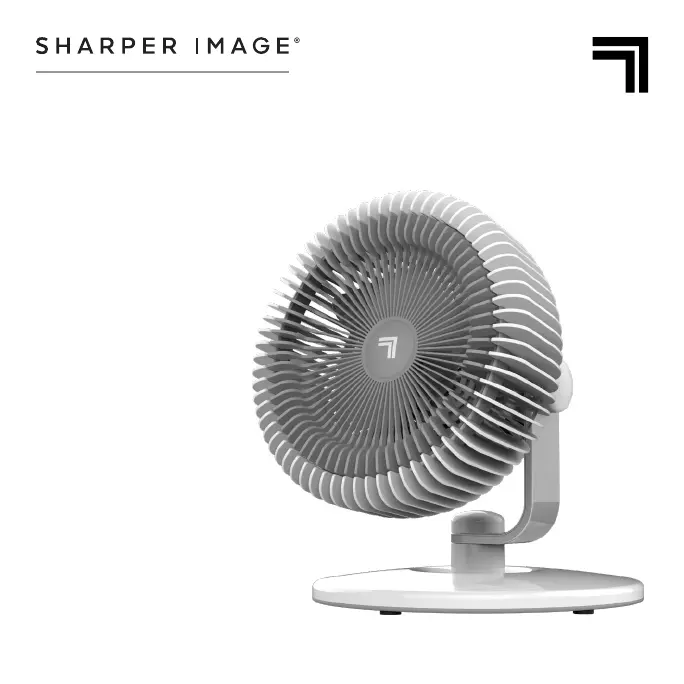
Sharper Image REFRESH 06 - User Manual

Sharper Image REFRESH 06
16 pages
Print Icon
To Next Page IconTo Next Page
Loading...
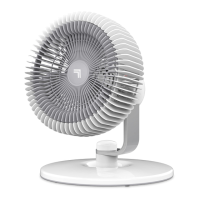
REFRESH 06
WITH 360° SWIVEL BASE
OWNER’S GUIDE

Questions and Answers

  • M
    Michelle ClarkeJul 29, 2025
    What to do if my Sharper Image REFRESH 06 Fan doesn't turn on?
    • E
      Eric NealJul 29, 2025
      If your Sharper Image Fan fails to power on, first, make sure it is properly plugged into a working outlet. If it still doesn't turn on, the unit might be damaged and you should stop using it immediately and unplug it. Contact Consumer Service for assistance. Also, check the fuse and replace it according to the IMPORTANT INSTRUCTIONS, or contact Consumer Service for help.
  • K
    Kimberly KingAug 5, 2025
    Why does my Sharper Image REFRESH 06 trip the GFCI?
    • J
      Jennifer BrownAug 6, 2025
      If the GFCI trips when using your Sharper Image Fan, it could be due to a weak or defective GFCI outlet. In this case, contact a qualified electrician to inspect the outlet. Alternatively, try using a different outlet that is not connected to a GFCI device.
  • C
    Corey BradyAug 13, 2025
    What to do if my Sharper Image REFRESH 06 Fan is not producing enough air?
    • D
      daniel51Aug 13, 2025
      If your Sharper Image Fan isn't producing enough air, ensure it's set to the highest setting for maximum air circulation. Allow the unit time to fully circulate the air throughout the room, as this may take several minutes. Also, make sure that all air inlets and the outlet grille are free from obstructions.
  • J
    Jerry WareAug 21, 2025
    How to fix Sharper Image REFRESH 06 body if it will not stay in desired position?
    • J
      Jocelyn LongAug 21, 2025
      To keep your Sharper Image Fan body in the desired position, tighten the knob located on the Fan Body until the fan stays where you want it.

Summary

Important Safety Instructions

Intended Use

This product is intended to circulate the air in indoor living spaces only in the United States. Not for commercial or industrial use.

Risk to Children and Impaired Persons

Supervision required for children 12 and under, and those with reduced capabilities during operation, cleaning, and maintenance.

Installation Warnings

Installation Safety Guidelines

Observe safety precautions to reduce risk of fire, electrical shock, and injury. Keep away from heat sources and water.

Safe Use Warnings

Safe Use Guidelines

Follow guidelines to reduce risk of circuit overload, fire, and electric shock. Do not operate with damaged parts or in wet conditions.

Servicing Warnings

Servicing Safety Guidelines

Clean regularly as instructed. Do not open appliance housing. Service by authorized personnel only. Fuse replacement procedure detailed.

User Servicing Instructions

Fuse Replacement Procedure

Step-by-step guide for safely replacing the fuse, including tools and precautions for handling the fuse and cover.

Product Information

Product Components and Features

Overview of the fan's parts, including Fan Body, Support Arm with 360° Swivel, Base, Controls, and Knobs.

Controls

Fan Speed and Operation

Explanation of control settings: I (Low), II (Medium), III (High) fan speeds, and O (Off). Notes on knob tightening.

Cleaning & Storage

Cleaning Instructions

Steps for cleaning the fan using a damp cloth and vacuum brush attachment. Advise against chemical cleaners.

Storage Recommendations

Instructions for storing the fan during off-season or periods of non-use to prevent dust accumulation.

Troubleshooting

Common Problems and Solutions

Table addressing issues like unit not powering on, insufficient air, fan body position, and GFCI tripping, with possible causes and solutions.

Warranty

Warranty Terms and Coverage

Details the two-year limited warranty, repair/replacement process, and conditions under which the warranty is voided.

Sharper Image REFRESH 06 Specifications

General IconGeneral
BrandSharper Image
ModelREFRESH 06
CategoryFan
LanguageEnglish

Related product manuals