EasyManua.ls Logo

Sharper Image SBM1-SI - User Manual

Sharper Image SBM1-SI
93 pages
Print Icon
To Next Page IconTo Next Page
Loading...
MODELS
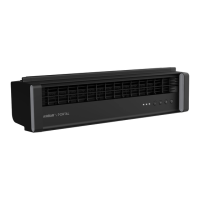
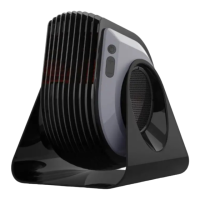
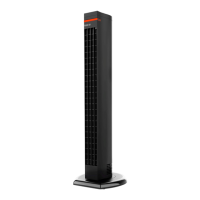
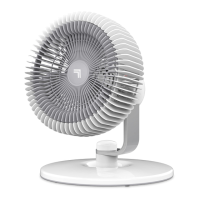
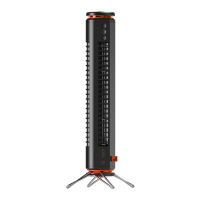
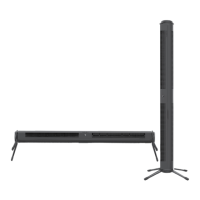
SBM1SI, SBS1SI, SBV1SI EU
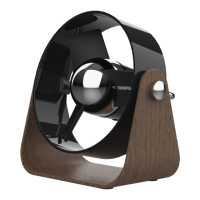
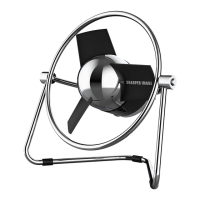
SOFT BLADE USB FAN
OWNER’S GUIDE
BEDIENUNGSANLEITUNG USB-VENTILATOR MIT WEICHEN BLÄTTERN
GUIDE D’UTILISATION –VENTILATEUR USB À PALES SOUPLES
GEBRUIKERSHANDLEIDING USB-VENTILATOR MET ZACHTE SCHOEPEN
MANUALE UTENTE DEL VENTILATORE USB APALA MORBIDA
GUIA DO USUÁRIO DO VENTILADOR USB SOFT BLADE
GUÍA DEL PROPIETARIO DEL VENTILADOR USB CON PALETAS BLANDAS
VOD KPOUŽITÍ USB VENTILÁTORU SMĚKKÝMI LOPATKAMI
ANVÄNBRUKSANVISNING FÖR USB-FLÄKT MED MJUKA BLAD
PRÍRUČKA PRE POUŽÍVATEĽA SOFTVÉROVÉHO VENTILÁTORA USB

Questions and Answers

  • K
    Katherine LawsonJul 28, 2025
    What to do if my Sharper Image SBM1-SI Fan fails to power on?
    • J
      Jessica TaylorJul 28, 2025
      If your Sharper Image Fan isn't powering on, there are a few things to check. First, make sure the power cord is securely plugged into a working USB outlet or AC adapter, and that the AC adapter is plugged into a functioning AC outlet. If you've tried these steps and it still won't turn on, cease using the unit, unplug it, and contact Consumer Service for assistance. It's also possible that the outlet you're using is worn or damaged, so try a different outlet or contact a qualified electrician.
  • W
    Wendy HolmesAug 2, 2025
    Why is the airflow weak in my Sharper Image SBM1-SI?
    • A
      Andrew JohnsonAug 2, 2025
      If the airflow from your Sharper Image Fan seems weak or slow, it might be due to a couple of reasons. Check that the fan isn't set to a low speed setting and adjust it to a higher speed. Also, ensure that nothing is blocking the airflow. Remove any obstructions and adjust the fan's direction, pointing it towards you.
  • L
    Lauren ParkerAug 9, 2025
    What to do if GFCI tripped while using Sharper Image SBM1-SI?
    • S
      Sandra RosalesAug 9, 2025
      If a GFCI (Ground Fault Circuit Interrupter) outlet trips when you're using your Sharper Image Fan, especially when changing speeds, try using an outlet that isn't connected to a GFCI device. Alternatively, it could indicate a weak or defective GFCI outlet, in which case you should contact a qualified electrician to inspect the outlet.
  • F
    Frank SmithAug 15, 2025
    What to do if Sharper Image SBM1-SI doesn't power on?
    • J
      Justin LopezAug 15, 2025
      If your Sharper Image Fan doesn't power on, try these steps: 1. Plug the power cord into a USB outlet or AC adapter (not provided). 2. If you're using an AC adapter (not provided), ensure it's properly plugged into an AC outlet. 3. Make sure a fan speed setting is selected. 4. Try a different outlet, or consult a qualified electrician. 5. If none of these work, stop using the fan, unplug it, and contact Consumer Service for assistance.
  • R
    Robert HallAug 20, 2025
    What to do if GFCI has tripped after I turned on Sharper Image SBM1-SI Fan?
    • S
      Steven GomezAug 20, 2025
      If the GFCI trips when you use your Sharper Image Fan, try these solutions: * Switch to an outlet that is not connected to a GFCI device. * Contact a qualified electrician to inspect the GFCI outlet.

Summary

Important Safety Instructions

Understanding Warning Symbols and Intended Use

Explains DANGER, WARNING, IMPORTANT INSTRUCTIONS labels and the product's intended indoor use.

Risks to Children and Unintended Handling

Details precautions regarding child supervision and risks from improper handling and use.

Electrical and Environmental Safety Precautions

Covers precautions against electrical shock, water, heat, and cord safety.

Product Disposal and Recycling

Information on EC Declaration of Conformity, WEEE recycling, and saving instructions.

How to Use

Connecting to Power

Illustrates connecting the USB fan via computer USB or AC adapter.

Powering On and Adjusting Speed

Explains how to turn the fan on, select speeds, and turn it off.

Cleaning and Storage

Provides instructions for regular cleaning and storing the fan during off-season.

Troubleshooting

Unit Fails to Power On

Lists potential causes and solutions for the unit not powering on.

Weak or Slow Airflow

Provides solutions for issues related to reduced fan speed or airflow.

GFCI Outlet Tripping

Explains GFCI tripping related to fan speed changes and outlet issues.

Additional Product Information

Product Specifications and Details

Details on model numbers, voltage, dimensions, weight, power consumption, and contact information.

Limited Warranty

Warranty Terms and Conditions

Outlines the one-year manufacturer's warranty, coverage, and validity.

Warranty Exclusions and Limitations

Lists conditions and uses that are not covered by the product warranty.

Sharper Image SBM1-SI Specifications

General IconGeneral
ModelSBM1-SI
CategoryFan
TypeTable Fan
Batteries RequiredYes
Speed Settings3
OscillationYes
Remote ControlNo
MaterialPlastic

Related product manuals