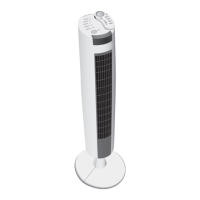
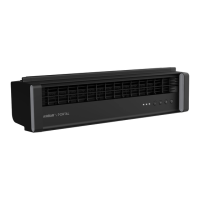
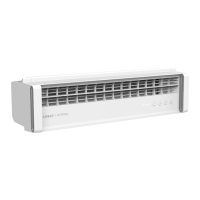
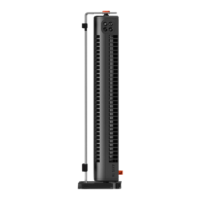
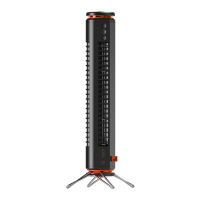
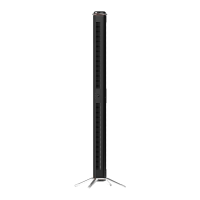
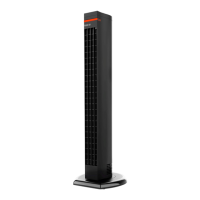
The Sharper Image RISE Oscillating Tower Fan, Model RISE 40, is designed to circulate air in indoor living spaces within the United States and Canada. This owner's guide provides comprehensive information on its safe operation, assembly, use, and maintenance.
Function Description:
The Sharper Image RISE 40 is an oscillating tower fan that provides air circulation. It features multiple speed settings (Low, Medium, Medium-High, High) to suit various comfort levels, indicated by illuminated lights on the control display. The fan also includes an oscillation function to distribute air across a wider area. A timer function allows users to set the fan to operate for specific durations (3, 6, 9, or 12 hours), after which it will automatically turn off. The control display is equipped with auto-dimming controls, which reduce brightness after a few seconds of inactivity.
Usage Features:
The fan can be operated using either the controls located on the unit itself or via the included remote control.
- Power On/Off: Both the unit and the remote have a dedicated power button to turn the fan on or off.
- Speed Selection: On the unit, speed is selected by pressing a button, with the number of illuminated lights indicating the current speed. The remote control uses a -/+ button for speed adjustment.
- Timer Activation and Adjustment: The timer function is activated by pressing a button on either the unit or the remote. When in timer adjustment mode, indicator lights turn orange. Users can cycle through 3, 6, 9, or 12-hour intervals. After a few seconds, the flashing orange lights turn white to confirm the setting. To cancel the timer, users can cycle through the settings until off or press and hold the timer button for 4 seconds on the unit.
- Oscillation: The oscillation feature is activated by pressing a dedicated button on both the unit and the remote control.
- Remote Control: The remote control requires a line-of-sight path to the receiver lens, located at the top of the fan, for the signal to be received. This ensures effective communication between the remote and the fan.
Maintenance Features:
Regular cleaning is essential to ensure the longevity and optimal performance of the Sharper Image RISE 40 fan. The fan is designed without user-serviceable parts inside, meaning it cannot be opened for internal cleaning.
- Cleaning: Before cleaning, always power off and unplug the unit. The exterior of the fan can be dusted or wiped with a damp cloth. For accumulated dust, a household vacuum cleaner with a brush attachment can be used to clean the fan's surfaces. It is crucial not to use gasoline, thinners, solvents, ammonias, or other chemicals for cleaning, as these can damage the product.
- Motor Lubrication: The fan's motor is permanently lubricated and does not require oiling, simplifying maintenance.
- Storage: For off-season storage or extended periods of non-use, it is recommended to unplug the power cord and bundle it loosely. Covering the fan or placing it back in its original retail carton (if available) helps prevent dust accumulation. The fan should be stored in a cool and dry location to protect it.
- Fuse Replacement: The product is equipped with overload protection in the form of a fuse located in the plug. If the fuse blows, indicating an overload or short-circuit, it needs to be replaced. The user servicing instructions detail how to replace the 2.5 Amp, 125 Volt fuse using a small flat-head screwdriver. It is important to use only approved replacement fuses and to contact Consumer Service for assistance if needed. If a replacement fuse blows, a short-circuit may be present, and the product should be discarded or returned to an authorized service facility.
- Battery Replacement (Remote Control): The remote control uses one coin-style 3V CR2032 battery, which comes pre-installed with a pull tab that must be removed before first use. For battery replacement, a #1 Phillips screwdriver is needed to open the battery door on the back of the remote. It is important to clean the battery contacts if necessary, remove any plastic protection from the new battery, and ensure it is installed with the + side facing out, observing correct polarity. Dead batteries should be removed immediately and replaced with fresh ones. Batteries should also be removed from the remote if it will not be used for an extended period.
Safety Precautions:
The owner's guide emphasizes several important safety instructions to prevent fire, electrical shock, and injury. These include:
- Keeping the product away from curtains, draperies, tablecloths, and other fabrics.
- Avoiding placement near furnaces, fireplaces, stoves, or other high-temperature heat sources.
- Not using the product in a window, on an uneven or unstable surface, or near water.
- Ensuring the appliance, power supply, power cord, and plug do not come into contact with water.
- Not running the cord under carpeting or covering it with throw rugs.
- Arranging the cord away from traffic areas to prevent tripping.
- Placing the appliance near an easily accessible outlet for quick unplugging.
- Not operating the fan with a damaged cord or plug.
- Not inserting foreign objects into any input or output opening.
- Addressing loose fits between the wall outlet and plug to prevent overheating.
- Understanding and not attempting to defeat the safety feature of the polarized plug.
- Unplugging the product before moving, repositioning, servicing, cleaning, or when left unattended or during electrical storms.
- Supervision is required for children age 12 and younger and individuals with reduced physical, sensory, or mental capabilities during operation and maintenance.
- The remote control battery poses a chemical burn hazard; new and used batteries must be kept away from children. If swallowed, immediate medical attention is required.


 To Next Page
 General