EasyManua.ls Logo

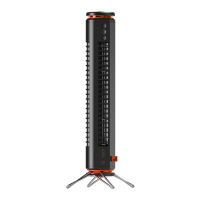
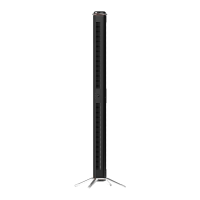
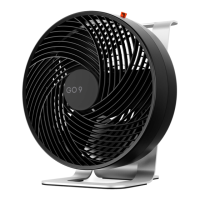
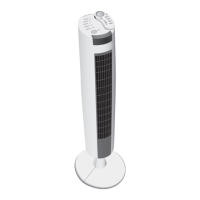
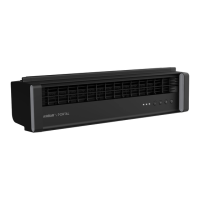
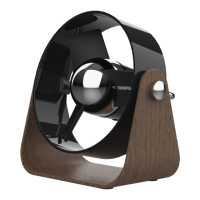
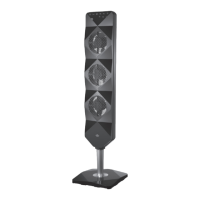
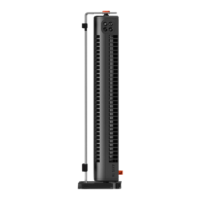
Sharper Image AIRBAR AXIS 16 - User Manual

Sharper Image AIRBAR AXIS 16
33 pages
Print Icon
To Next Page IconTo Next Page
Loading...
Sharper Image AXIS 16使用手冊
Sharper Image AXIS 16價格查看:
https://qobest.com/zh-tw/product/sharper-image-axis-16
比價網:https://qobest.com

Questions and Answers

  • S
    Scott LawsonJul 29, 2025
    What to do if my Sharper Image Fan fails to power on?
    • M
      Michael LeeJul 29, 2025
      If your Sharper Image Fan doesn't power on, there are several potential causes and solutions: * **Not plugged in**: Ensure the power adapter is properly plugged into an electrical outlet. * **Fan speed not selected**: Make sure a fan speed setting is selected. * **Damaged unit**: If the unit is damaged, stop using it, unplug it, and contact Consumer Service for assistance. * **Faulty outlet**: Try plugging the fan into another outlet, or contact a qualified electrician to inspect the outlet.
  • E
    Eric MillerAug 3, 2025
    Why is the airflow weak in my Sharper Image Fan?
    • J
      John AguirreAug 3, 2025
      If the airflow from your Sharper Image Fan is weak or slow, consider the following: * **Low setting**: Ensure the fan is set to the highest setting for maximum air circulation. * **Blocked airflow**: Check for and remove any obstructions blocking the airflow. * **Direction**: Adjust the direction of the airflow towards yourself.
  • G
    Gerald HannaAug 7, 2025
    What to do if the GFCI trips when using my Sharper Image AIRBAR AXIS 16?
    • T
      Terry DavisAug 8, 2025
      If the GFCI trips when using your Sharper Image Fan: * **GFCI Compatibility**: Try using an outlet that is not connected to a GFCI device. * **Faulty GFCI**: The tripped GFCI may indicate that the GFCI outlet is weak or defective. Contact a qualified electrician to inspect the GFCI outlet.
  • G
    George OconnorAug 13, 2025
    What to do if my Sharper Image Fan airflow is weak?
    • V
      Vincent EverettAug 13, 2025
      If the airflow from your Sharper Image Fan seems weak or slow, first ensure that the fan is set to its highest speed setting to maximize air circulation. Also, check for any obstructions that may be blocking the airflow and remove them. Finally, adjust the direction of the airflow towards your location for better cooling.
  • R
    Renee MartinezAug 18, 2025
    What to do if my Sharper Image Fan won't turn on?
    • A
      Adam MirandaAug 18, 2025
      If your Sharper Image Fan fails to power on, start by ensuring the power adapter is securely plugged into a working electrical outlet. Also, make sure that a fan speed setting is selected. If it still doesn't work, cease usage and unplug the fan, then contact Consumer Service for assistance. As an alternative, try another outlet or contact a qualified electrician to check the outlet.
  • D
    Douglas HarrisAug 23, 2025
    What to do if GFCI has tripped with my Sharper Image Fan?
    • D
      Dawn ValdezAug 23, 2025
      If the GFCI trips when using your Sharper Image Fan, try changing to an outlet that is not connected to a GFCI device. It could also indicate a weak or defective GFCI outlet, in that case you should contact a qualified electrician to check the GFCI outlet.

Summary

Important Safety Instructions

Intended Use

Defines the product's intended use and limitations.

Risk to Children and Impaired Persons

Warns about supervision requirements for vulnerable users.

Installation Warnings

Safety precautions during product installation.

Safe Use Warnings

Crucial safety guidelines for operating the product.

Servicing Warnings

Precautions for cleaning, maintenance, and repair.

Assembly

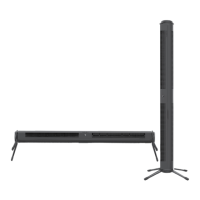
Horizontal Orientation

Instructions for setting up the fan in a horizontal position.

Vertical Orientation

Instructions for setting up the fan in a vertical position.

How to Use

Power ON;OFF

How to turn the unit on/off and adjust fan speed.

Task Light ON;OFF

Instructions for using the task light feature.

Cleaning & Storage

Troubleshooting

Warranty

Sharper Image AIRBAR AXIS 16 Specifications

General IconGeneral
BrandSharper Image
ModelAIRBAR AXIS 16
TypeTower Fan
Speeds3
OscillationYes
Remote ControlYes
TimerYes
Voltage120V

Related product manuals