EasyManua.ls Logo

Sharper Image REFRESH 01X - User Manual

Sharper Image REFRESH 01X
18 pages
Print Icon
To Next Page IconTo Next Page
Loading...
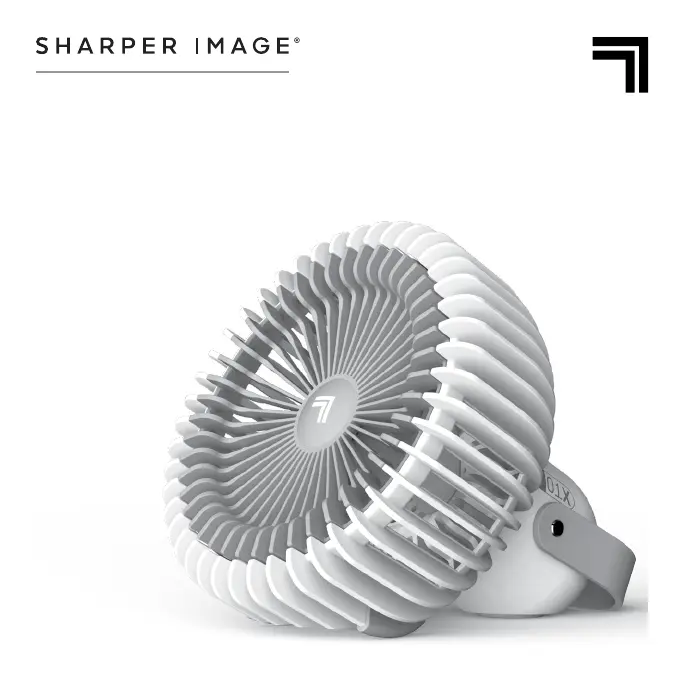
REFRESH 01X
RECHARGEABLE FAN
OWNER’S GUIDE

Questions and Answers

  • K
    Katie SimsJul 29, 2025
    What to do if my Sharper Image REFRESH 01X is bulging or hot?
    • R
      Ruben ThomasJul 29, 2025
      If your Sharper Image Fan is bulging or hot to the touch, it could indicate a damaged lithium battery. To prevent fire or explosion, stop using the fan immediately, unplug it, and keep it away from all power sources. Contact consumer service for assistance.
  • M
    mitchellkristinaAug 5, 2025
    Why is the airflow weak on my Sharper Image REFRESH 01X?
    • A
      angelafrancisAug 5, 2025
      If your Sharper Image Fan airflow is weak or slow, ensure the unit is set to the highest setting for maximum air circulation. Check for and remove any obstructions blocking the airflow. Additionally, adjust the direction of airflow towards yourself.
  • C
    Christopher FarmerAug 13, 2025
    How to fix a Sharper Image REFRESH 01X that won't turn on?
    • I
      itaylorAug 13, 2025
      If your Sharper Image Fan fails to power on, start by ensuring it is properly plugged into a working outlet and that the fan speed setting is selected. If the outlet may be worn or damaged, try another outlet for the AC adapter or contact a qualified electrician. If the unit is still not working, it may be damaged or in need of repair. Cease usage, unplug it, and contact Consumer Service for assistance.
  • E
    Elaine MclaughlinAug 21, 2025
    What to do if Sharper Image Fan doesn't power on and no indicator light?
    • J
      Jasmine WrightAug 21, 2025
      If your Sharper Image Fan fails to power on and the indicator light is off, the battery may be low and need recharging. Plug the unit into a power source and wait one hour to see if the indicator light starts working. If there is still no function after charging, contact Consumer Service for assistance.

Summary

Important Safety Instructions

Intended Use

Specifies the product's intended use for circulating air in indoor living spaces only in the United States.

Warning: Risk to Children and Impaired Persons

Highlights the need for supervision for children and persons with reduced capabilities during product use.

Installation Warning

Safe Use Warning

Servicing Warning

Product Disposal

FCC Compliance Statement

Suppliers FCC Declaration of Conformity

Save These Instructions

Product Information

Getting Started

How to Use

Power On;Off

Instructions on how to turn the unit on/off and cycle through fan speeds: Low, Medium, and High.

Cleaning

Storage

Troubleshooting

Warranty

Sharper Image REFRESH 01X Specifications

General IconGeneral
ModelREFRESH 01X
Fan Speed Settings3
OscillationYes
CategoryFan
Number of Speeds3
MaterialPlastic
Product NameSharper Image REFRESH 01X

Related product manuals