EasyManua.ls Logo

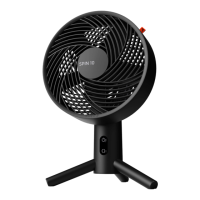
Sharper Image SPIN 10 - User Manual

Sharper Image SPIN 10
18 pages
Print Icon
To Next Page IconTo Next Page
Loading...
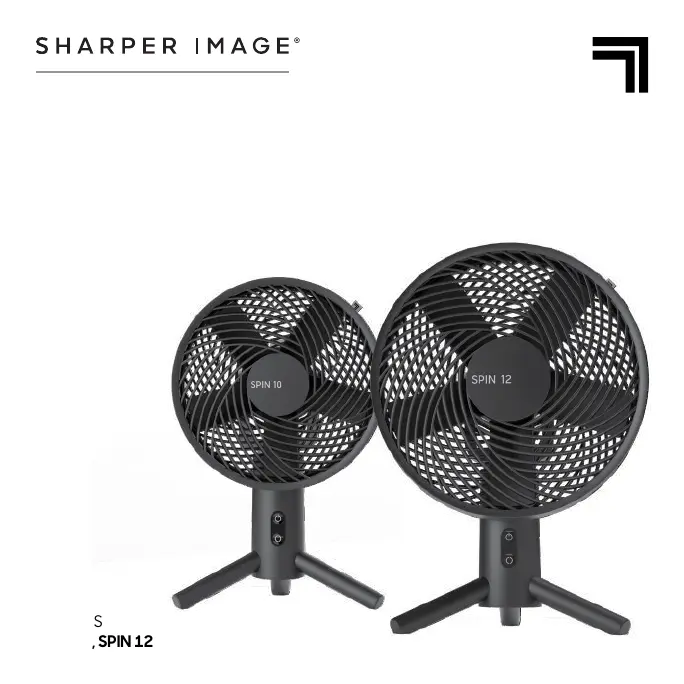
MODELS
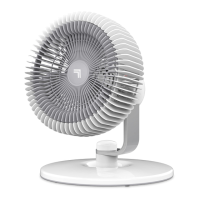
SPIN 10, SPIN 12
SPIN
OSCILLATING DESKTOP FAN
OWNER’S GUIDE

Questions and Answers

  • A
    Ann SimsJul 30, 2025
    What to do if my Sharper Image SPIN 10 doesn't turn on?
    • C
      Craig LewisJul 30, 2025
      If your Sharper Image Fan isn't powering on, first, make sure that the unit is properly plugged into a working outlet. If it's plugged in and still not working, cease using the fan and unplug it immediately. It might be damaged or require repair, and you should contact Consumer Service for assistance.
  • C
    Christopher WilliamsAug 5, 2025
    How to increase airflow in my Sharper Image SPIN 10 Fan?
    • T
      Timothy FloresAug 5, 2025
      To increase the airflow of your Sharper Image Fan, ensure that the unit is set to the highest setting for maximum air circulation. Allow the unit time to fully circulate the air throughout the room, as this may take several minutes. Also, check that all air inlets and the outlet grille are free from obstructions.
  • C
    Cristina DavisAug 14, 2025
    Why is my Sharper Image SPIN 10 remote not working?
    • M
      Matthew BarnettAug 14, 2025
      If your Sharper Image Fan remote control isn't working, the most likely cause is a dead battery. Replace the batteries with 2 new AAA batteries.
  • A
    Amanda SmithAug 21, 2025
    What to do if my Sharper Image Fan trips the GFCI outlet?
    • B
      Brooke DuffyAug 21, 2025
      If your Sharper Image Fan is tripping the GFCI outlet, try changing to an outlet that is not connected to a GFCI device. If the issue persists, it could indicate a weak or defective GFCI outlet, in which case you should contact a qualified electrician to inspect the GFCI outlet.

Summary

Safety Instructions

User Supervision Requirements

Outlines supervision requirements for children and persons with reduced capabilities during operation.

Operational Safety Guidelines

Crucial safety advice to prevent fire, shock, and injury during product operation.

Product Components Overview

Fan Assembly Guide

Assembly Steps

Step-by-step instructions for assembling the fan without requiring tools.

Operating Your Fan

Fan Operation and Settings

Instructions for powering on, selecting speeds, and controlling oscillation.

Remote Control Operation

Cleaning and Maintenance

Troubleshooting Common Issues

Problem Resolution Guide

Addresses common issues like power failure and airflow problems with solutions.

Sharper Image SPIN 10 Specifications

General IconGeneral
BrandSharper Image
ModelSPIN 10
CategoryFan
LanguageEnglish

Related product manuals