Alpy 600 - user guide
“3mm hole” position).
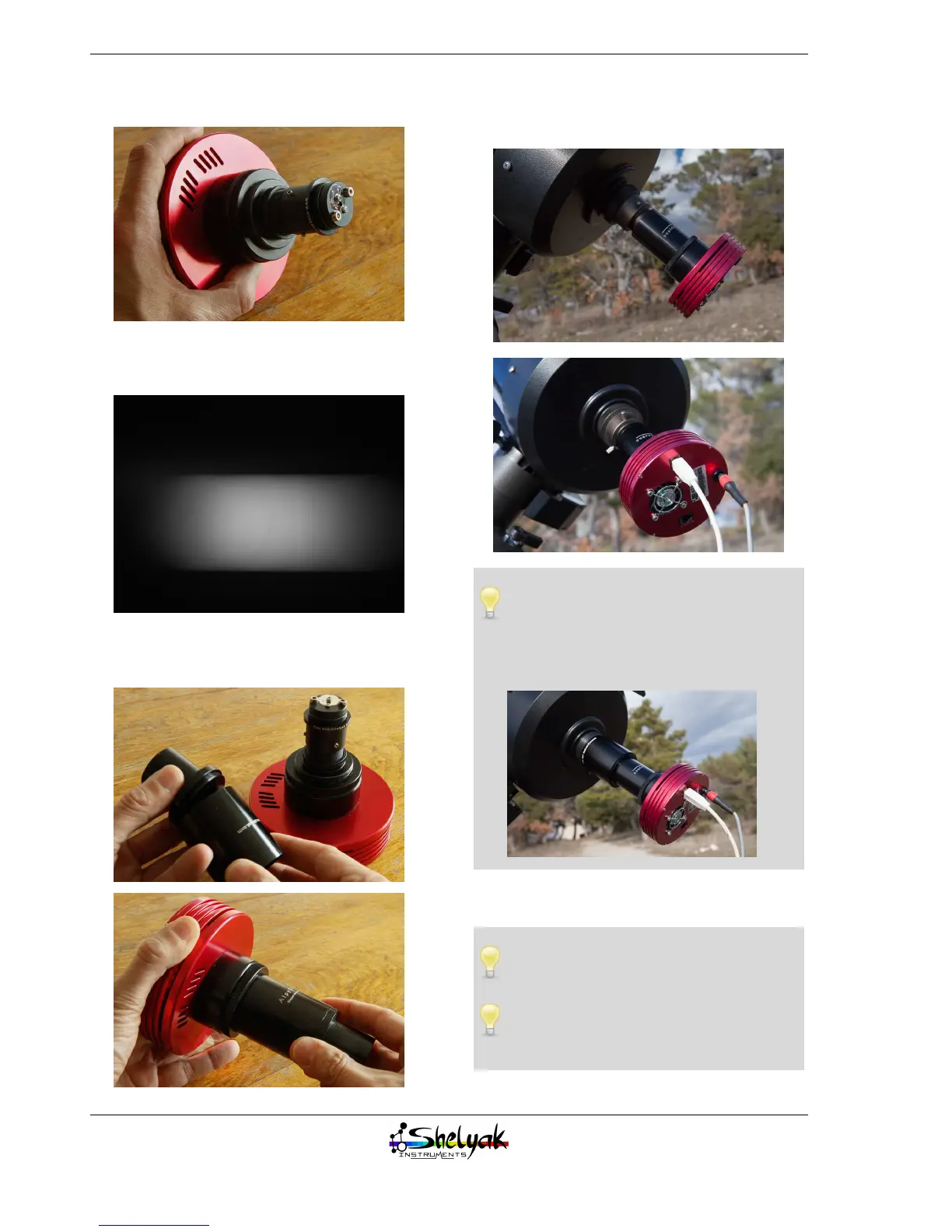
Ensure that spectrum is horizontal, with the right
orientation (blue on the left) :
Assemble the external body and the eyepiece ring
on the Alpy 600:
Put the whole assembly into the eyepiece holder of
the telescope:
The external body includes a standard
T-mount thread (M42x0,75mm). If your
telescope includes a 2” eyepiece holder, you can
remove the Alpy 600 eyepiece ring and replace
it by a T-mount to 2” adapter (optional).
Plug in the cables (power supply and USB), and bal-
ance the instrument.
Do not forget to set your CCD temperature
control.
We recommend setting up an empty direc-
tory on your PC to record all the images of
the night.
28


 To Next Page